As a product designer with over a decade in the mouse pad game, and the chief content writer for Sdrav.com, I’ve seen countless designs come and go. But one brand consistently stands out for its commitment to both performance and user experience: Logitech. Whether you’re a seasoned gamer seeking a competitive edge or a professional aiming for peak productivity, a quality Logitech Mouse Pad can dramatically enhance your interaction with your computer. It’s not just a surface for your mouse; it’s a foundation for precision, comfort, and control, meticulously engineered to complement Logitech’s acclaimed mice.
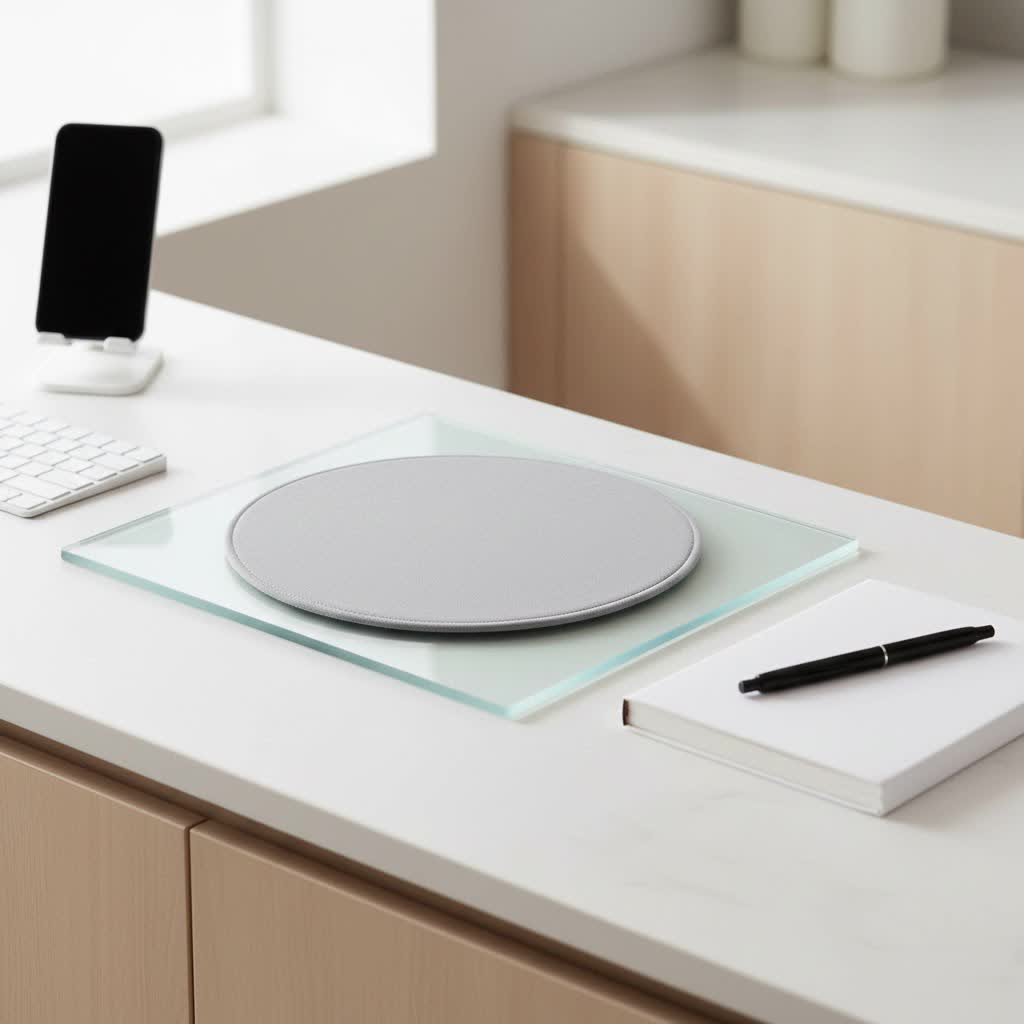
Why a Logitech Mouse Pad is a Game-ChChanger for Your Desk
You might wonder, “Does a mouse pad really make that much of a difference?” The answer, unequivocally, is yes. A good quality mouse pad provides a consistent, performance-tuned surface, crucial for cursor accuracy and smooth glides, preventing your mouse from picking up dirt and dust that can interfere with tracking. Logitech’s mouse pads are designed with this philosophy at their core, offering several compelling reasons to consider them. They are crafted for durability, often featuring anti-fray designs with flat-stitched edges and anti-slip rubber bases for stability. Beyond pure function, they seamlessly integrate with the Logitech ecosystem, enhancing the performance of Logitech G mice with surfaces optimized for their sensors.
Logitech’s Diverse Lineup: Tailored for Every User
Logitech understands that every user has unique needs. Their mouse pad offerings are broadly categorized into two main series: the high-performance G Series for gamers and the sleek, functional Studio Series for everyday productivity.
The Gaming Advantage: Logitech G Series Mouse Pads
For gamers, milliseconds matter, and consistency is king. The Logitech G Series mouse pads are engineered to deliver just that.
- Logitech G240 Cloth Gaming Mouse Pad: This pad is a favorite for gamers who prefer cloth surfaces. It offers moderate surface friction, which is ideal for low-DPI gaming, allowing for better control when starting or stopping rapid movements. At a slim 1mm thickness, the G240 maintains a low profile, and its soft fabric surface enhances comfort during long sessions. Its clean, consistent surface texture provides sensors with better imagery for translating mouse movement into precise cursor actions.
- Logitech G640 Large Cloth Gaming Mouse Pad: Building on the G240’s success, the G640 offers a larger surface area, perfect for gamers who need more room for sweeping mouse movements. It maintains the performance-tuned cloth surface for consistent tracking and a non-slip rubber base to keep it firmly in place during intense gaming.
- Logitech G840 Extra-Large Cloth Gaming Mouse Pad: For those who prefer an expansive playing field, the G840 is a desk mat-sized option, providing ample space for both your mouse and keyboard. This large cloth pad offers maximum comfort and a unified aesthetic for your entire gaming setup.
- Logitech G440 Hard Gaming Mouse Pad: If speed is your priority, the G440 is your go-to. This hard polymer surface provides exceptionally low friction, making it perfect for high-DPI gaming and lightning-fast mouse movements. While it might feel too fast for some initially, it excels at providing consistent glide and precision, especially for competitive play. It features a rubber-backed high-impact polymer core to stay in place.
- Logitech POWERPLAY Wireless Charging System: A true innovation, POWERPLAY revolutionizes wireless gaming by continuously charging compatible Logitech G mice while they are in use or at rest. The system includes both cloth and hard surface options, allowing gamers to switch surfaces to match their preferred feel without sacrificing wireless charging capabilities. The newer Powerplay 2 offers 15% more charging area and is nearly 40% thinner, though some flexibility from the original model was removed. It features a soft, replaceable top surface that doesn’t crease and is good at staying put.
|
Our Picks for the Best Mouse Pad in 2026
As an Amazon Associate I earn from qualifying purchases.
|
||
| Num | Product | Action |
|---|---|---|
| 1 | MROCO Ergonomic Mouse Pad with Gel Wrist Rest, Comfortable Mousepad with Smooth Wrist Support Surface and Non-Slip PU Base for Pain Relief, Computer, Laptop, Office & Home, 9.4 x 8.1 in, Black Flower |

|
| 2 | KTRIO Large Gaming Mouse Pad Desk Mat, Superior Micro-Weave Cloth for Precise Mouse Control, Non-Slip Rubber Base, Stitched Edges, Water-Resistant, for Gamer, Office & Home, 31.5\" x 11.8\" inches |
|
| 3 | MROCO Ergonomic Mouse Pad with Gel Wrist Rest, Comfortable Mousepad with Smooth Wrist Support Surface and Non-Slip PU Base for Pain Relief, Computer, Laptop, Office & Home, 9.4 x 8.1 in, Cloud Forest |
|
| 4 | KTRIO Large Gaming Mouse Pad with Stitched Edges, Extended Mousepad with Superior Micro-Weave Cloth, Non-Slip Base, Water Resist Keyboard Pad for Gamer, Office & Home, 31.5x15.7in, Black Topographic |
|
| 5 | MROCO Ergonomic Mouse Pad with Gel Wrist Rest, Smooth Wrist Support Surface, Non-Slip PU Base for Pain Relief, Comfortable Mousepad for Computer, Laptop, Office & Home, 9.4 x 8.1 in, Black |
|
| 6 | KTRIO Large Gaming Mouse Pad with Stitched Edges, Extended Mousepad with Superior Micro-Weave Cloth, Non-Slip Base, Water Resist Keyboard Pad for Gamer, Office & Home, 31.5x15.7in, Black Gold |
|
| 7 | MROCO Ergonomic Mouse Pad with Gel Wrist Rest, Comfortable Mousepad with Smooth Wrist Support Surface and Non-Slip PU Base for Pain Relief, Computer, Laptop, Office & Home, 9.4 x 8.1 in, Blue Marble |
|
| 8 | KTRIO Excel Shortcuts Mousepad with Superior Micro-Weave Cloth, Extended Mousepad with Stitched Edges, Non-Slip Base, Water Resist Keyboard Pad for Gamer, Office & Home, Excel Shortcuts |
|
| 9 | MROCO Ergonomic Mouse Pad with Gel Wrist Rest, Comfortable Mousepad with Smooth Wrist Support Surface and Non-Slip PU Base for Pain Relief, Computer, Laptop, Office & Home, 9.4 x 8.1 in, Black Gold |
|
| 10 | MROCO Ergonomic Mouse Pad with Gel Wrist Rest, Comfortable Mousepad with Smooth Wrist Support Surface and Non-Slip PU Base for Pain Relief, Computer, Laptop, Office & Home, 9.4 x 8.1 in, Blue Waves |
|
Productivity and Style: Logitech Studio Series Mouse Pads
For the everyday user, students, or professionals, the Studio Series focuses on comfort, durability, and a clean aesthetic.
- Logitech Mouse Pad Studio Series: These soft cloth mouse pads are designed for comfortable and effortless gliding. They often feature a smooth, spill-resistant surface, an anti-slip rubber base, and double stitching along the edges for enhanced durability. Made with recycled polyester, they’re also a more environmentally conscious choice. Users frequently praise their quality, comfort, and ease of cleaning.
- Logitech Desk Mat Studio Series: An extended version of the Studio Series, these desk mats provide a large surface area that can accommodate both your keyboard and mouse. They offer the same spill-resistant, smooth fabric material and anti-slip base, effectively protecting your desk surface while providing a comfortable workspace. Customers appreciate their minimalist design and how they enhance desk aesthetics.
Material Matters: Cloth vs. Hard Surfaces in Logitech Pads
The material of your mouse pad plays a critical role in your overall experience. Logitech offers both popular options, each with distinct advantages.
Cloth Mouse Pads (e.g., G240, Studio Series)
Cloth mouse pads, often made with a foam base covered by a fabric surface, are widely used for good reason [cite: 1 (material)].
- Comfort and Control: They are excellent for comfort, reducing stress and pain in wrists during extended use [cite: 1 (material)]. The fabric surface provides moderate friction, offering greater control and precision, especially beneficial for users who prefer lower mouse sensitivities [cite: 1 (material)].
- Portability and Noise: Cloth pads can be rolled up, making them easy to transport [cite: 4 (material)]. They are also quieter, as the mouse movements and clicks produce less audible feedback compared to hard surfaces [cite: 3 (material)].
- Durability: While durable, they may have a shorter lifespan than hard pads and might require more frequent replacement [cite: 4 (material)].
Hard Mouse Pads (e.g., G440)
Typically made from plastic or polymers, hard mouse pads are gaining popularity, especially among competitive gamers.
- Speed and Consistency: Hard surfaces offer significantly less friction, allowing for ultra-smooth, fast glides, which is excellent for high-sensitivity gaming and quick, sweeping movements [cite: 1 (material), 4 (material), 5 (material)]. They provide a highly consistent surface for tracking [cite: 5 (material)].
- Durability and Cleaning: Hard pads generally boast a much longer lifespan and are easier to clean than cloth pads [cite: 3 (material), 4 (material)].
- Adjustment: While offering high speeds, controlling a hard pad might take some getting used to [cite: 1 (material)]. They can also be less forgiving on wrists and potentially wear down mouse skates faster [cite: 3 (material), 4 (material)].
Finding Your Perfect Fit: Sizes and Thicknesses
Logitech offers a range of sizes and thicknesses to suit different setups and preferences.
- Small to Medium: These sizes are ideal for users with limited desk space or those who game at high sensitivities, requiring less physical mouse movement [cite: 4 (material)]. The standard gaming mouse pad is often around 17.7 x 15.75 inches [cite: 5 (material)].
- Large, Extended, or Desk Mats: Options like the G640, G840, and Studio Series Desk Mat provide expansive surfaces, accommodating both your keyboard and mouse. These are perfect for immersive gaming setups or for creating a cohesive, comfortable workspace.
- Thickness: Mouse pad thickness typically ranges from very thin (like the 1mm G240) to thicker options. A common sweet spot is around 3mm, offering a good balance of cushioning and a firm feel [cite: 4 (material)]. Thicker pads (5mm+) offer more comfort and can dampen the sound of aggressive mouse movements [cite: 4 (material)].
Beyond the Surface: Key Features to Consider
When choosing your Logitech mouse pad, look for these beneficial features:
- Anti-Slip Rubber Base: Nearly all Logitech mouse pads feature a robust rubber base to ensure the pad stays firmly in place, even during the most frantic gaming sessions or busy workdays.
- Stitched Edges: Many Logitech pads, especially in the Studio Series, come with flat-stitched edges. This design prevents fraying and increases the overall durability and longevity of the mouse pad.
- Spill-Resistant Surfaces: The Studio Series mouse pads are a great example, featuring surfaces designed to resist accidental spills, making cleanup much easier and protecting your investment.
- Wireless Charging: The innovative POWERPLAY system stands out by providing continuous wireless charging for compatible Logitech G mice, eliminating battery anxiety.
- Optimized for Logitech G Sensors: Many G Series mouse pads are specifically designed and tested to work in harmony with Logitech G gaming mouse sensors, ensuring optimal tracking performance and precision.
Maintenance and Longevity: Keeping Your Logitech Pad Pristine
To ensure your Logitech mouse pad continues to perform at its best, regular cleaning is essential.
- Cloth Pads: For cloth pads, a gentle hand wash with mild soap and water is usually effective. Avoid harsh chemicals or machine washing, as these can damage the surface or the anti-slip base. Air dry thoroughly.
- Hard Pads: Hard surfaces like the G440 are much easier to clean—a simple wipe with a damp cloth is often all that’s needed. Their non-porous nature makes them resistant to stains and spills [cite: 4 (material)].
With proper care, your Logitech mouse pad is built to last, with many users reporting years of consistent performance.
Is a Logitech Mouse Pad Right for You?
“A good mouse pad isn’t just an accessory; it’s an extension of your input, directly impacting your precision and comfort. Logitech understands this, crafting surfaces that truly elevate your interaction with your PC, whether for intense gaming or focused work,” says John Sterling, Lead Peripherals Engineer at a global tech firm.
If you prioritize speed, low friction, and exceptional durability for high-DPI gaming, a hard surface Logitech G mouse pad like the G440 is an excellent choice. For those who value comfort, control, and a quieter glide, especially for lower-DPI gaming or extended work sessions, a cloth pad from the G Series (G240, G640, G840) or the versatile Studio Series will serve you well. And if you’re looking to revolutionize your wireless gaming experience, the POWERPLAY system is unmatched.
Frequently Asked Questions
Which Logitech mouse pad is best for gaming?
For gaming, Logitech offers a range depending on your style. The G440 hard surface pad is excellent for speed and high-DPI gaming, while cloth pads like the G240, G640, and G840 provide more control and comfort, suitable for various game genres and sensitivities. The POWERPLAY system is ideal for wireless gaming due to continuous charging.
What’s the difference between Logitech G and Studio Series mouse pads?
Logitech G mouse pads are specifically engineered for gaming, focusing on performance-tuned surfaces, precision, and durability for competitive play. The Studio Series, on the other hand, is designed for productivity and everyday use, emphasizing comfort, sleek aesthetics, spill resistance, and an anti-slip base.
Can I clean my Logitech mouse pad?
Yes, most Logitech mouse pads can be cleaned. Cloth pads should be gently hand-washed with mild soap and water and air-dried. Hard surface pads can typically be wiped clean with a damp cloth [cite: 4 (material)]. Always check product-specific care instructions.
Are Logitech mouse pads worth the investment?
Many users find Logitech mouse pads to be a worthwhile investment due to their high quality, durable materials, consistent performance, and ergonomic benefits. They can significantly improve mouse tracking, reduce fatigue, and protect your desk.
Do Logitech mouse pads have RGB lighting?
While some gaming mouse pads from other brands feature RGB lighting, Logitech’s core mouse pad offerings, including the G Series and Studio Series, generally do not integrate RGB directly into the pad itself. The POWERPLAY system does allow for customizable RGB lighting on compatible G mice, which can then synchronize with other Logitech G gear.
Final Glide
Choosing the right mouse pad is a pivotal step in optimizing your desktop experience. Logitech mouse pads, with their diverse range, meticulous engineering, and user-centric design, offer solutions for every need. From the pixel-perfect precision of the G Series to the understated elegance and functionality of the Studio Series, there’s a Logitech mouse pad waiting to complete your setup. Don’t just settle for any surface; choose a Logitech mouse pad and feel the difference in control, comfort, and performance. Head over to Sdrav.com to explore more in-depth reviews and guides, and elevate your workspace today!
