In today’s dynamic world, our laptops are our mobile command centers, traveling with us from coffee shops to co-working spaces, and even just to different rooms in our homes. While the laptop itself is a marvel of portability, there’s one often-overlooked accessory that can significantly elevate your mobile computing experience: a dedicated mouse pad for your laptop. Forget those awkward moments trying to use your mouse on a rough table, a slick polished surface, or even worse, directly on your laptop’s trackpad when precision is key. A well-chosen mouse pad isn’t just a luxury; it’s a game-changer for anyone who values comfort, control, and efficiency on the go.
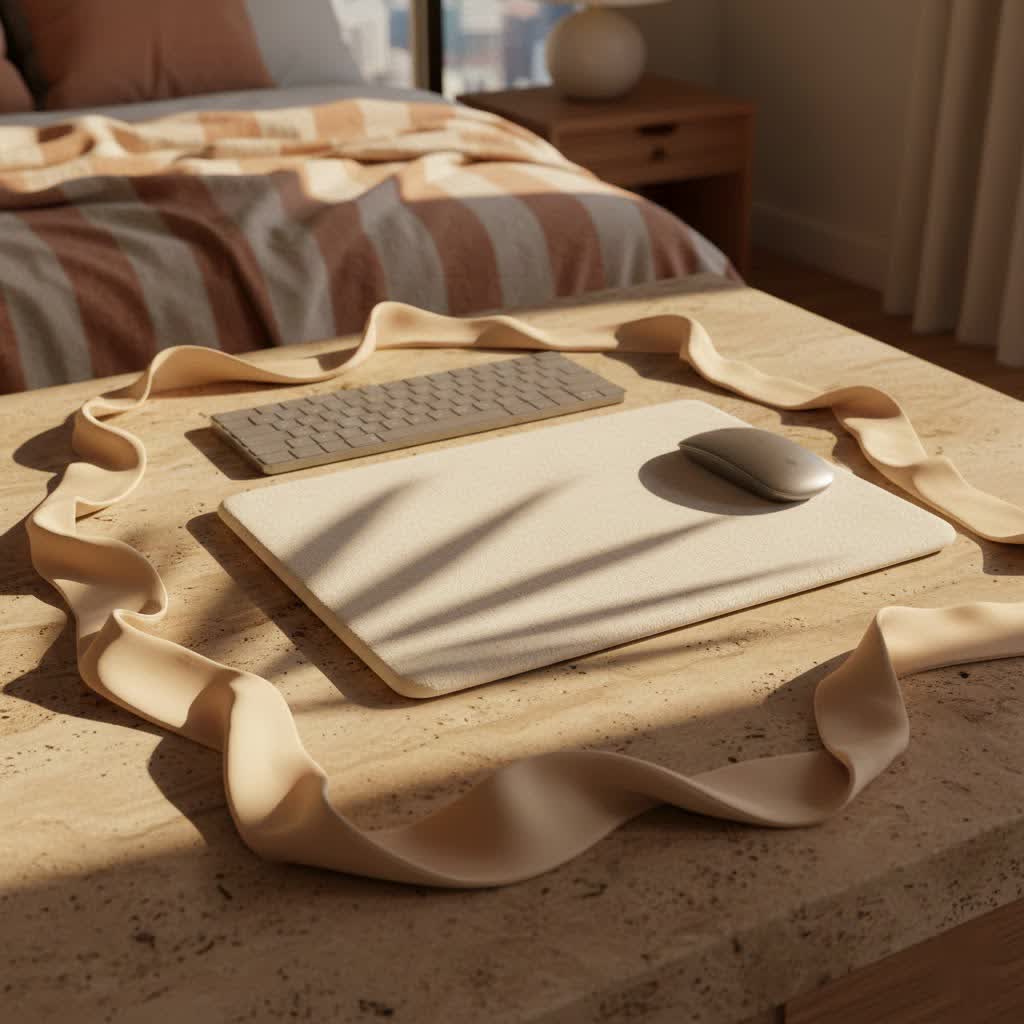
Why a Laptop Mouse Pad Isn’t Just a “Nice-to-Have”
Many laptop users might think, “Why bother with an extra accessory?” But as someone who’s spent over a decade designing and producing mouse pads, I can tell you, it makes a world of difference. It’s about optimizing your setup, wherever you are.
First and foremost, a quality mouse pad provides improved precision and control. Laptop surfaces, hotel desks, or even a picnic table aren’t designed for optical or laser mouse sensors. These irregular surfaces can lead to cursor jitter, missed clicks, and frustrating inaccuracies. A consistent, optimized surface ensures your mouse tracks smoothly and accurately, whether you’re editing a spreadsheet, designing a graphic, or aiming for that critical headshot in a game.
Then there’s the crucial aspect of comfort and ergonomics. Prolonged mouse use on an uneven or hard surface can strain your wrist and arm. A mouse pad, especially one with a slight cushion, can provide a more comfortable resting place for your hand, reducing fatigue and preventing potential repetitive strain injuries. This is especially vital if your laptop is your primary workstation.
Lastly, it’s about protecting your desk surface and mouse feet. A mouse pad acts as a buffer, preventing your mouse from scratching delicate table surfaces. Conversely, it protects the delicate glide feet on the bottom of your mouse from wearing down quickly on abrasive surfaces, ensuring its longevity and smooth performance.
What to Look for in a Laptop Mouse Pad
Choosing the right mouse pad for your laptop isn’t as simple as grabbing the first one you see. It requires a bit of thought, considering your specific needs and how you use your laptop.
Size and Portability: The Laptop’s Best Friend
This is perhaps the most critical factor for laptop users. You need a mouse pad that can easily fit into your laptop bag without adding bulk or becoming a hassle.
- Compact vs. Extended: For true portability, a compact mouse pad (around 8×10 inches or smaller) is usually ideal. It offers enough space for most tasks without hogging precious desk real estate. However, if your “laptop setup” often means a semi-permanent station at home or a larger desk, an extended or desk mat style could offer more room for sweeping mouse movements and protect a larger surface area. It really boils down to how much you move around with your laptop.
- Rollable, Foldable, or Rigid Designs: Many laptop-centric mouse pads are designed for easy transport. Rollable cloth pads are excellent for stuffing into tight spaces. Foldable pads, often made with a hinged rigid core, can be compact when folded but offer a stable surface when open. Rigid pads, while offering superior flatness and durability, are less forgiving in terms of portability, but some ultra-thin versions can still slide easily into a laptop sleeve.
|
Our Picks for the Best Mouse Pad in 2026
As an Amazon Associate I earn from qualifying purchases.
|
||
| Num | Product | Action |
|---|---|---|
| 1 | MROCO Ergonomic Mouse Pad with Gel Wrist Rest, Comfortable Mousepad with Smooth Wrist Support Surface and Non-Slip PU Base for Pain Relief, Computer, Laptop, Office & Home, 9.4 x 8.1 in, Cloud Forest |

|
| 2 | KTRIO Large Gaming Mouse Pad with Stitched Edges, Extended Mousepad with Superior Micro-Weave Cloth, Non-Slip Base, Water Resist Keyboard Pad for Gamer, Office & Home, 31.5x15.7in, Black Gold |
|
| 3 | MROCO Ergonomic Mouse Pad with Gel Wrist Rest, Comfortable Mousepad with Smooth Wrist Support Surface and Non-Slip PU Base for Pain Relief, Computer, Laptop, Office & Home, 9.4 x 8.1 in, Blue Marble |
|
| 4 | KTRIO Large Gaming Mouse Pad Desk Mat, Superior Micro-Weave Cloth for Precise Mouse Control, Non-Slip Rubber Base, Stitched Edges, Water-Resistant, for Gamer, Office & Home, 31.5\" x 11.8\" inches |
|
| 5 | MROCO Ergonomic Mouse Pad with Gel Wrist Rest, Comfortable Mousepad with Smooth Wrist Support Surface and Non-Slip PU Base for Pain Relief, Computer, Laptop, Office & Home, 9.4 x 8.1 in, Black Flower |
|
| 6 | MROCO Ergonomic Mouse Pad with Gel Wrist Rest, Comfortable Mousepad with Smooth Wrist Support Surface and Non-Slip PU Base for Pain Relief, Computer, Laptop, Office & Home, 9.4 x 8.1 in, Black Gold |
|
| 7 | MROCO Ergonomic Mouse Pad with Gel Wrist Rest, Comfortable Mousepad with Smooth Wrist Support Surface and Non-Slip PU Base for Pain Relief, Computer, Laptop, Office & Home, 9.4 x 8.1 in, Blue Waves |
|
| 8 | KTRIO Large Gaming Mouse Pad with Stitched Edges, Extended Mousepad with Superior Micro-Weave Cloth, Non-Slip Base, Water Resist Keyboard Pad for Gamer, Office & Home, 31.5x15.7in, Black Topographic |
|
| 9 | MROCO Ergonomic Mouse Pad with Gel Wrist Rest, Smooth Wrist Support Surface, Non-Slip PU Base for Pain Relief, Comfortable Mousepad for Computer, Laptop, Office & Home, 9.4 x 8.1 in, Black |
|
| 10 | KTRIO Excel Shortcuts Mousepad with Superior Micro-Weave Cloth, Extended Mousepad with Stitched Edges, Non-Slip Base, Water Resist Keyboard Pad for Gamer, Office & Home, Excel Shortcuts |
|
Surface Material: Speed vs. Control on the Go
The surface material dictates how your mouse glides and how much control you have.
- Cloth/Soft Surfaces: These are the most common and versatile. They offer a comfortable, slightly textured feel, providing a good balance of speed and control. They’re typically quiet and easy on your mouse feet. For general productivity and casual gaming on your laptop, a cloth surface is usually an excellent choice.
- Hard/Rigid Surfaces: Made from plastic, aluminum, or sometimes glass, these surfaces offer exceptionally fast glide and pinpoint precision. They’re durable and easy to clean but can be noisier and may wear down mouse feet faster. Gamers or professionals requiring extreme accuracy might prefer a hard surface, but consider the added rigidity for portability.
- Hybrid Surfaces: Some pads combine elements, offering a textured hard surface or a finely woven cloth for a unique balance of speed, control, and durability.
Base Grip: Staying Put, Anywhere You Work
Nothing is more frustrating than a mouse pad that slides around while you’re trying to work. A good laptop mouse pad needs a stable base. Look for options with a robust non-slip rubber or silicone backing. Some ultra-thin portable pads might even use a micro-suction material that temporarily adheres to smooth surfaces without leaving residue, which is ingenious for on-the-go setups.
Thickness and Weight: Balancing Cushion and Carry-ability
For travel, thin and light is usually best. A mouse pad that’s too thick can be cumbersome. However, a little cushioning (1-3mm) can add significant comfort. Thicker pads (4-5mm+) offer more wrist support and can smooth out minor surface irregularities, but they might be overkill for a truly portable setup. Find the sweet spot that offers enough comfort without compromising portability.
Extra Features for the Modern Laptop User
Manufacturers are constantly innovating, adding features that cater to the evolving needs of laptop users.
- Wrist Rests: For extended work sessions, an integrated or detachable wrist rest can significantly enhance comfort and reduce strain. Some portable mouse pads incorporate a low-profile gel or foam rest.
- Wireless Charging Integration: A very convenient feature for compatible mice or smartphones. Some larger laptop desk mats integrate a Qi wireless charging spot, reducing cable clutter.
- Cable Management: Simple loops or channels can help keep your mouse cable tidy, especially useful if you’re frequently packing and unpacking your setup.
- Integrated Stands/Hubs: A few innovative designs combine a mouse pad with a small laptop stand or even a USB hub, offering multi-functionality that’s perfect for a minimalist travel setup.
Different Types of Mouse Pads for Laptop Users
Just like laptops themselves, mouse pads come in various forms, each suited for different user profiles.
- The “Travel Companion”: These are typically ultra-thin, lightweight, and often rollable or foldable. They prioritize portability above all else, designed to be barely noticeable in your bag until you need a reliable surface. Materials are usually thin cloth or a flexible plastic.
- The “Productivity Powerhouse”: Slightly larger than travel companions, these pads offer more mousing real estate and often a bit more cushioning for enhanced comfort during long work sessions. They balance portability with ergonomic benefits, perhaps featuring a low-profile wrist rest.
- The “Gaming Maverick”: While many associate gaming pads with massive desk mats, there are portable gaming mouse pads designed for laptop users. These prioritize speed, tracking accuracy, and durability, often with performance-oriented surfaces (e.g., micro-textured cloth or hard plastic) and robust non-slip bases. They might be a bit larger or more rigid than standard travel pads.
- The “Desk Mat Hybrid”: For those who use their laptop as a primary desktop replacement at home or in a dedicated office space, a full-sized desk mat can protect a large area, provide a consistent surface for both mouse and keyboard, and often come with additional features like wireless charging or organizational elements. While not “portable” in the traditional sense, they enhance the laptop’s stationary experience.
Sdrav’s Top Tips for Choosing Your Laptop Mouse Pad
Making the right choice can seem daunting with so many options. Here are my go-to tips from Sdrav to help you narrow it down:
- Consider Your Primary Use Case: Are you a frequent flyer needing ultimate portability? Or someone who primarily uses their laptop at home but wants a better mousing surface? Your answer will guide your size and material choices.
- Measure Your Available Space: If you often work in tight spots (small cafe tables, airplane trays), measure the space you typically have for your mouse. This will dictate the maximum size of your ideal mouse pad.
- Think About Your Mouse: If you have a high-DPI gaming mouse, you might prefer a faster, harder surface. A standard office mouse will perform well on most cloth pads.
- Don’t Overlook Aesthetics and Durability: Since your laptop mouse pad will be a constant companion, choose a design and color you like. More importantly, opt for materials that are easy to clean and can withstand the rigors of travel. Stitched edges, for example, prevent fraying on cloth pads.
Expert Insights: “A Good Mouse Pad is an Extension of Your Workflow”
“Many people underestimate the impact of a good mouse pad,” says Dr. Emily Chen, a leading expert in ergonomic design and peripheral optimization. “For laptop users, especially, it’s not just about comfort; it’s about maintaining a seamless workflow regardless of your environment. A well-designed mouse pad provides that consistent, reliable surface that allows your hand and your mouse to work in harmony, making your computing experience far more natural and efficient. It truly is an extension of your workflow.”
Conclusion
Ultimately, a mouse pad for your laptop is more than just a piece of fabric or plastic; it’s an investment in your productivity, comfort, and the longevity of your hardware. By carefully considering factors like size, material, base grip, and portability, you can find the perfect companion that makes working on your laptop a far more enjoyable and efficient experience, wherever your adventures take you. So, ditch the rough tabletops and embrace the smooth glide of a quality mouse pad – your wrist and your workflow will thank you!
Frequently Asked Questions (FAQ)
Q1: Do I really need a mouse pad for my laptop?
A1: While not strictly mandatory, a mouse pad significantly enhances precision, comfort, and protects both your mouse feet and the surfaces you work on. For anyone using an external mouse with their laptop regularly, it’s highly recommended.
Q2: What is the best material for a portable laptop mouse pad?
A2: For portability, thin cloth mouse pads are often ideal due to their flexibility, light weight, and rollable nature. They offer a good balance of speed and control for most tasks.
Q3: Can I use a regular mouse pad with my laptop?
A3: Absolutely! However, a “regular” full-sized mouse pad might be cumbersome to carry around with your laptop. Laptop-specific mouse pads are usually designed to be more compact and portable.
Q4: Are mouse pads with wrist rests good for laptop users?
A4: Yes, especially if you spend extended periods working on your laptop. A wrist rest can help maintain a neutral wrist position, reducing strain and improving comfort over time. Look for low-profile or detachable options for better portability.
Q5: How do I clean my laptop mouse pad?
A5: Most cloth mouse pads can be gently hand-washed with mild soap and water, then air-dried. Hard surface pads can be wiped down with a damp cloth and mild cleaning solution. Always check the manufacturer’s recommendations for specific cleaning instructions.
