A charging mouse pad integrates wireless charging technology directly into its surface, allowing users to power up Qi-enabled devices like smartphones, earbuds, and compatible wireless mice conveniently without tangled cables. These pads streamline workspaces, enhance aesthetics, and ensure devices remain charged for uninterrupted productivity and gaming. For example, many pads offer 10W fast-charging for phones, significantly reducing cable clutter and the worry of devices running out of battery during critical tasks.
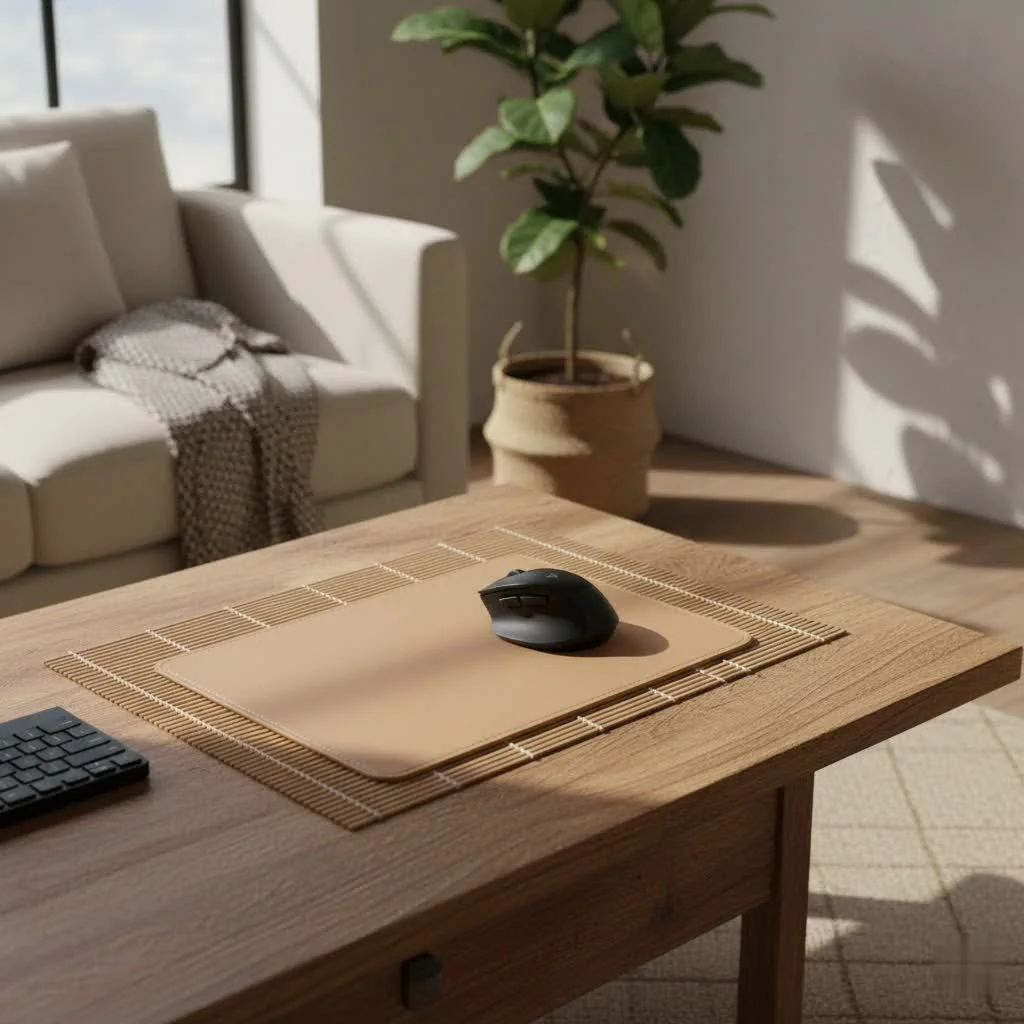 mouse pad powering a smartphone and wireless mouse” style=”margin: 20px auto;width: 800px;max-width: 100%;height: auto” />
Imagine a desk where tangled cables are a distant memory, and your essential devices are always ready for action. That’s the promise of a good charging mouse pad. Whether you’re a hardcore gamer, a diligent remote worker, or simply someone who appreciates a tidy setup, understanding what these pads offer can completely improve your daily digital experience. For more gaming guides on this site.
What Exactly is a Charging Mouse Pad?
At its core, a charging mouse pad is precisely what it sounds like: a mouse pad that integrates wireless charging technology directly into its surface. But it’s so much more than just a place to rest your mouse; it’s a smart, multi-functional hub designed to power up your Qi-enabled devices conveniently. Think of it as a silent assistant, always working in the background to keep your gadgets juiced while you focus on the task at hand. From your wireless mouse to your smartphone or even your earbuds, these pads can keep your digital life flowing without interruption.
The Science Behind the Convenience: How Wireless Charging Works
The magic behind a charging mouse pad lies in a widely adopted technology called Qi wireless charging. It’s pretty clever! Inside the charging pad, there’s a transmitting coil that creates an electromagnetic field when electricity runs through it. When you place a compatible device, like a Qi-enabled smartphone or a special wireless charging mouse, on the pad, a receiving coil inside your device picks up energy from that electromagnetic field. This energy is then converted into electrical current, which charges your device’s battery.
It feels like magic, but it’s pure physics making your life easier. While many modern devices are “Qi-enabled” right out of the box, it’s crucial to that not all wireless mice are. Some require a specific adapter or are designed to work with proprietary charging systems, like Logitech’s PowerPlay, which provides continuous charging across the entire pad surface for compatible mice.
Why You Need a Charging Mouse Pad: The Benefits
You might be thinking, “Do I really need another gadget on my desk?” And the answer, for many, is a resounding yes! A charging mouse pad offers a wealth of practical advantages that go beyond just convenience.
Say Goodbye to Cable Clutter
|
Our Picks for the Best Mouse Pad in 2026
As an Amazon Associate I earn from qualifying purchases.
|
||
| Num | Product | Action |
|---|---|---|
| 1 | MROCO Ergonomic Mouse Pad with Gel Wrist Rest, Comfortable Mousepad with Smooth Wrist Support Surface and Non-Slip PU Base for Pain Relief, Computer, Laptop, Office & Home, 9.4 x 8.1 in, Blue Marble |

|
| 2 | KTRIO Excel Shortcuts Mousepad with Superior Micro-Weave Cloth, Extended Mousepad with Stitched Edges, Non-Slip Base, Water Resist Keyboard Pad for Gamer, Office & Home, Excel Shortcuts |
|
| 3 | MROCO Ergonomic Mouse Pad with Gel Wrist Rest, Comfortable Mousepad with Smooth Wrist Support Surface and Non-Slip PU Base for Pain Relief, Computer, Laptop, Office & Home, 9.4 x 8.1 in, Blue Waves |
|
| 4 | MROCO Ergonomic Mouse Pad with Gel Wrist Rest, Comfortable Mousepad with Smooth Wrist Support Surface and Non-Slip PU Base for Pain Relief, Computer, Laptop, Office & Home, 9.4 x 8.1 in, Black Flower |
|
| 5 | MROCO Ergonomic Mouse Pad with Gel Wrist Rest, Comfortable Mousepad with Smooth Wrist Support Surface and Non-Slip PU Base for Pain Relief, Computer, Laptop, Office & Home, 9.4 x 8.1 in, Black Gold |
|
| 6 | MROCO Ergonomic Mouse Pad with Gel Wrist Rest, Comfortable Mousepad with Smooth Wrist Support Surface and Non-Slip PU Base for Pain Relief, Computer, Laptop, Office & Home, 9.4 x 8.1 in, Cloud Forest |
|
| 7 | KTRIO Large Gaming Mouse Pad with Stitched Edges, Extended Mousepad with Superior Micro-Weave Cloth, Non-Slip Base, Water Resist Keyboard Pad for Gamer, Office & Home, 31.5x15.7in, Black Topographic |
|
| 8 | KTRIO Large Gaming Mouse Pad with Stitched Edges, Extended Mousepad with Superior Micro-Weave Cloth, Non-Slip Base, Water Resist Keyboard Pad for Gamer, Office & Home, 31.5x15.7in, Black Gold |
|
| 9 | MROCO Ergonomic Mouse Pad with Gel Wrist Rest, Smooth Wrist Support Surface, Non-Slip PU Base for Pain Relief, Comfortable Mousepad for Computer, Laptop, Office & Home, 9.4 x 8.1 in, Black |
|
| 10 | KTRIO Large Gaming Mouse Pad Desk Mat, Superior Micro-Weave Cloth for Precise Mouse Control, Non-Slip Rubber Base, Stitched Edges, Water-Resistant, for Gamer, Office & Home, 31.5\" x 11.8\" inches |
|
One of the most immediate and satisfying benefits is cable management. We’ve all battled the octopus of wires that seems to grow under our desks. A charging mouse pad drastically reduces this mess by allowing you to power your phone, earbuds, and even some wireless mice without needing individual cables snaking across your workspace. This creates a much cleaner, more organized, and visually appealing setup that can actually boost your focus.
Never Run Out of Juice Again (Productivity & Gaming)
There’s nothing worse than your wireless mouse dying mid-spreadsheet or, even worse, during a crucial gaming clutch. With a charging mouse pad, your compatible devices receive a constant trickle charge, keeping their batteries topped up throughout the day. This means uninterrupted workflow for professionals and continuous, focused gameplay for gamers. “A good charging mouse pad doesn’t just keep your mouse moving; it keeps your mind in the game, eliminating that nagging worry about battery life,” shares Dr. Anya Sharma, a lead product engineer at innovative peripheral design firm NexusTech.
improve your Workspace Aesthetics
Beyond functionality, a charging mouse pad can genuinely enhance the look and feel of your desk. With fewer cables and a sleek, integrated design, your workspace instantly appears more modern and sophisticated. Many models also come with features like RGB lighting, allowing you to personalize your setup with a splash of color, perfect for matching your mood or gaming rig’s theme.
Enhanced Ergonomics
Some larger charging mouse pads or desk mats incorporate features like wrist rests, providing ergonomic support during long hours of work or play. This subtle addition can make a significant difference in preventing discomfort and fatigue, making your desk not just smarter, but also healthier for you.
Choosing Your Perfect Charging Mouse Pad: Key Factors
Ready to jump into the wireless charging world? Here’s what to consider when picking out the perfect charging mouse pad for your needs:
Compatibility: Mice, Phones, and Beyond
This is paramount. While most modern smartphones and earbuds support Qi wireless charging, specific wireless gaming mice often require proprietary systems. For example, Logitech’s PowerPlay line uses a unique module for continuous mouse charging. Always double-check that your mouse is either Qi-enabled or compatible with the pad’s specific charging technology. If you primarily want to charge your phone and other accessories, any standard Qi-compatible pad will likely do the trick.
Charging Speed: Quick Top-ups Matter
Not all wireless charging is created equal. Look for pads that offer “fast-charging” capabilities, typically around 10W or more for phones. While wireless charging is generally slower than wired, a higher wattage means your devices will reach a usable charge faster, making it more practical for quick top-ups during your workday.
Surface Material: Hard, Soft, or Hybrid?
Just like traditional mouse pads, charging versions come in different surface types:
- Soft/Cloth: Offers greater control and comfort, often preferred by esports pros for precise movements.
- Hard/Plastic: Provides a faster, smoother glide, ideal for quick, sweeping mouse movements often seen in fast-paced games.
- Hybrid: Attempts to combine the best of both worlds, offering a balanced feel.Your choice here depends heavily on your mouse usage and personal preference. Gamers might lean towards specific textures for optimal sensor tracking.
Size and Design: Fit for Your Flow
Charging mouse pads range from compact designs that only fit your mouse and a small charging area, to expansive desk mats that can accommodate your keyboard, mouse, and multiple charging zones. Consider your desk real estate and how much space you need for fluid mouse movements. Do you want an extended surface that acts as a full desk mat, or something more minimalist? Also, think about aesthetics—do you prefer a sleek, understated look, or something with vibrant RGB lighting to match your setup?
Extra Perks: RGB, USB Hubs, and More
Some charging mouse pads come loaded with additional features that can sweeten the deal. Integrated RGB lighting can add a dynamic visual flair, while built-in USB passthrough ports can help expand your connectivity options, solving the potential issue of the pad taking up a valuable USB port on your PC. An anti-slip rubber base is also a must-have to ensure your pad stays firmly in place during intense sessions.
Are Charging Mouse Pads Worth the Investment?
When you weigh the pros and cons, the value of a charging mouse pad becomes clear.
Pros:
- Eliminates cable clutter for a cleaner desk.
- Keeps devices (mouse, phone, earbuds) continuously charged.
- Enhances overall workspace aesthetics.
- Boosts productivity and prevents interruptions.
- Can offer ergonomic benefits with wrist rests.
Cons:
- Generally more expensive than standard mouse pads.
- Requires a free USB port or power adapter.
- Charging speed might be slower than dedicated wall chargers for phones.
- Not all wireless mice are compatible; some require specific adapters or systems.
- Some pads only offer charging in a specific, limited zone.
For those who value a tidy desk, uninterrupted workflow, and the sheer convenience of always-on power, a charging mouse pad is absolutely a worthwhile upgrade. It simplifies your tech life and lets you focus on what truly matters.
Frequently Asked Questions about Charging Mouse Pads
Q: Can any wireless mouse be charged on these pads?
A: No, not all wireless mice are compatible. Most charging mouse pads utilize Qi wireless charging, which requires the mouse itself to have a compatible receiving coil or a special adapter (like Logitech’s PowerPlay Powercore module) to receive power. Always check your mouse’s specifications.
Q: Do charging mouse pads work through phone cases?
A: Yes, most charging mouse pads are designed to charge through standard phone cases, typically up to 3-5mm thick. However, very thick cases, cases with metal plates, or those with pop sockets might interfere with the charging process.
Q: Are they safe to use?
A: Absolutely. Reputable charging mouse pads are designed with safety features like overcharge protection, foreign object detection, and temperature control to ensure safe operation for both the pad and your devices.
Q: How fast do they charge devices?
A: Charging speeds vary depending on the pad’s wattage and the device’s compatibility. Many offer fast-charging capabilities (e.g., 10W or 15W for phones), which can replenish batteries quicker than older wireless chargers, but still often not as fast as a high-wattage wired charger directly into a wall outlet.
Q: Do they consume a lot of power?
A: Charging mouse pads draw power when a device is actively charging. When idle, their power consumption is minimal, comparable to other low-power electronics on standby.
Your Path to a Powered-Up Workspace
The world of peripherals is constantly evolving, and the charging mouse pad stands out as a smart, practical innovation. It’s more than just a novelty; it’s a commitment to a more organized, efficient, and aesthetically pleasing workspace. By integrating charging capabilities right where you use your devices most, these pads empower you to stay connected and productive without the usual fuss of cables and low battery warnings.
At Sdrav.com, we’re dedicated to helping you find the gear that truly enhances your experience. Explore the possibilities, consider your needs, and take the leap towards a truly wire-free desktop with the perfect charging mouse pad. Your desk (and your sanity) will thank you!
Frequently Asked Questions
Can all wireless mice be charged using a charging mouse pad?
No, not all wireless mice are compatible with charging mouse pads. Most pads use Qi wireless charging, requiring the mouse to have a compatible receiving coil or a specific adapter, such as Logitech's PowerPlay module. Always verify your mouse's specifications for compatibility before purchase.
Do charging mouse pads work effectively through phone cases?
Yes, most charging mouse pads are designed to charge through standard phone cases up to 3-5mm thick. However, very thick cases, those with metal plates, or accessories like pop sockets can interfere with the wireless charging process.
Are charging mouse pads safe for daily use with electronic devices?
Absolutely. Reputable charging mouse pads incorporate essential safety features like overcharge protection, foreign object detection, and temperature control. These mechanisms ensure safe operation for both the charging pad and all connected devices.
What are the typical charging speeds offered by these mouse pads?
Charging speeds vary based on the pad's wattage and device compatibility. Many modern charging mouse pads offer fast-charging capabilities, typically 10W or 15W for phones, which is quicker than older wireless chargers. However, they are often not as fast as high-wattage wired chargers plugged directly into a wall outlet.
Do charging mouse pads consume a significant amount of electricity?
Charging mouse pads primarily draw power when a device is actively charging. When no device is present or charging, their power consumption is minimal, comparable to other low-power electronic devices in standby mode.
Get our weekly buyer guide
Practical specs, not advice. Unsubscribe anytime.
I picked one of these up specifically for gaming, and it’s pretty solid. My wireless mouse and earbuds stay charged, which is awesome for long sessions. The surface is smooth enough for precise movements, though I wish it came in more extended sizes for my keyboard too. Still, it definitely helps with the ‘devices always ready’ promise.
I was so tired of my phone dying in the middle of a work sprint, and my desk was a mess of cables. This charging mouse pad has been a game-changer for real. The 10W fast-charging for my phone is super convenient, and it actually keeps my workspace looking so much cleaner. Definitely recommend it for anyone who needs to keep their devices juiced up without the clutter.
As a remote worker, a tidy desk is crucial for my focus. This charging mouse pad has been fantastic for reducing cable clutter and keeping my smartphone charged throughout the day. It’s exactly what I needed to transform my daily digital experience and keep everything organized. No more searching for a charger!
I got a charging mouse pad to try and streamline my setup, and it mostly works. It’s nice not having an extra cable for my phone. However, I found that my specific Qi-enabled earbuds sometimes struggle to connect if they’re not placed just right on the charging spot. It’s a minor annoyance, but something to be aware of if you’re planning to charge multiple small devices.