In the vast world of computing, where every click and scroll shapes our digital experience, it’s easy to overlook the humble yet mighty duo: your mouse and mouse pad. As someone who has spent over a decade immersed in the design and manufacturing of mouse pads, and as a dedicated content writer for Sdrav.com, I can tell you this pairing is far more crucial than most realize. It’s not just about having a surface for your mouse; it’s about creating a seamless extension of your hand, optimizing every movement for precision, speed, and comfort. Whether you’re a competitive gamer chasing that pixel-perfect headshot or a professional designer crafting intricate details, understanding the synergy between your mouse and mouse pad is the key to unlocking your full potential.
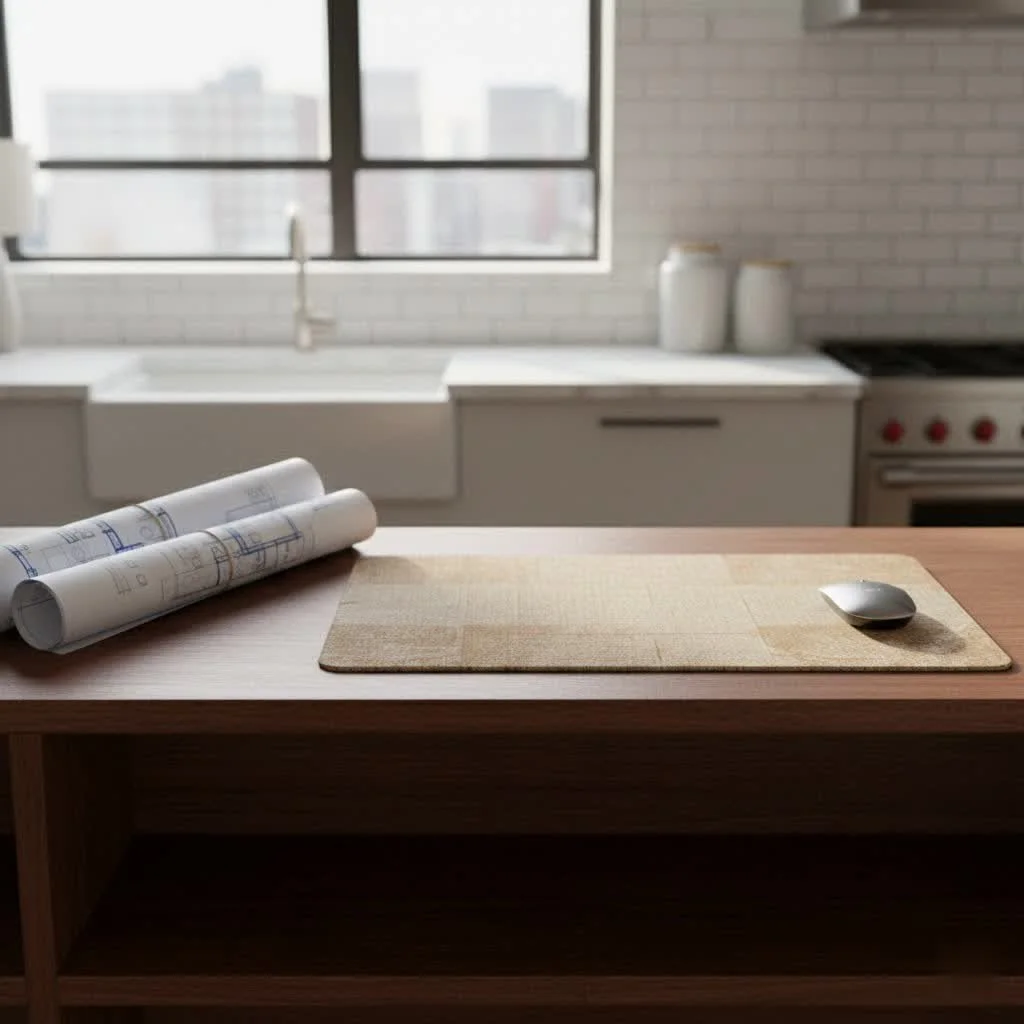
Why Your Mouse Pad Matters More Than You Think
Many perceive the mouse pad as a mere accessory, an afterthought in a powerful PC setup. However, this couldn’t be further from the truth. A well-chosen mouse pad provides a consistent surface, which is paramount for your mouse’s optical or laser sensor to track accurately. Without it, your mouse might struggle with inconsistent tracking on varying desk textures like wood, glass, or uneven laminate, leading to erratic cursor movements and frustrating experiences.
Beyond mere functionality, a quality mouse pad offers enhanced comfort, cushioning your wrist and hand during long hours of use, thereby reducing strain and preventing discomfort. For gamers, it translates to better aim and quicker reflexes. For productivity users, it means smoother navigation and improved efficiency. As seasoned peripheral engineer, Dr. Evelyn Reed, often says, “A great mouse pad isn’t just about smooth gliding; it’s about providing the consistent foundation your mouse needs to truly perform, transforming potential into performance.” It elevates your entire interaction, offering durability against wear and tear and often becoming a stylistic centerpiece for your desk.
Decoding Mouse Pad Materials: Speed vs. Control
The surface material of your mouse pad is perhaps the most critical factor, dictating the friction, glide, and ultimately, the feel of your mouse movement. Generally, materials fall into categories that favor either speed or control, though hybrid options exist to strike a balance.
Cloth Mouse Pads
These are the most ubiquitous mouse pads on the market, typically made with a fabric surface over a rubber base.
- Pros: Renowned for their comfort and flexibility, cloth pads offer a balanced feel that suits a wide range of users. They provide good control and stopping power, making them a popular choice for many. They are often rollable and portable.
- Cons: Depending on the weave, they can accumulate dirt and absorb sweat, potentially affecting glide over time. While durable, their lifespan might be shorter than hard surfaces.
Hard Plastic Mouse Pads
|
Our Picks for the Best Mouse Pad in 2026
As an Amazon Associate I earn from qualifying purchases.
|
||
| Num | Product | Action |
|---|---|---|
| 1 | MROCO Ergonomic Mouse Pad with Gel Wrist Rest, Comfortable Mousepad with Smooth Wrist Support Surface and Non-Slip PU Base for Pain Relief, Computer, Laptop, Office & Home, 9.4 x 8.1 in, Black Gold |

|
| 2 | MROCO Ergonomic Mouse Pad with Gel Wrist Rest, Comfortable Mousepad with Smooth Wrist Support Surface and Non-Slip PU Base for Pain Relief, Computer, Laptop, Office & Home, 9.4 x 8.1 in, Black Flower |
|
| 3 | KTRIO Large Gaming Mouse Pad Desk Mat, Superior Micro-Weave Cloth for Precise Mouse Control, Non-Slip Rubber Base, Stitched Edges, Water-Resistant, for Gamer, Office & Home, 31.5\" x 11.8\" inches |
|
| 4 | KTRIO Large Gaming Mouse Pad with Stitched Edges, Extended Mousepad with Superior Micro-Weave Cloth, Non-Slip Base, Water Resist Keyboard Pad for Gamer, Office & Home, 31.5x15.7in, Black Gold |
|
| 5 | KTRIO Excel Shortcuts Mousepad with Superior Micro-Weave Cloth, Extended Mousepad with Stitched Edges, Non-Slip Base, Water Resist Keyboard Pad for Gamer, Office & Home, Excel Shortcuts |
|
| 6 | MROCO Ergonomic Mouse Pad with Gel Wrist Rest, Smooth Wrist Support Surface, Non-Slip PU Base for Pain Relief, Comfortable Mousepad for Computer, Laptop, Office & Home, 9.4 x 8.1 in, Black |
|
| 7 | MROCO Ergonomic Mouse Pad with Gel Wrist Rest, Comfortable Mousepad with Smooth Wrist Support Surface and Non-Slip PU Base for Pain Relief, Computer, Laptop, Office & Home, 9.4 x 8.1 in, Blue Marble |
|
| 8 | MROCO Ergonomic Mouse Pad with Gel Wrist Rest, Comfortable Mousepad with Smooth Wrist Support Surface and Non-Slip PU Base for Pain Relief, Computer, Laptop, Office & Home, 9.4 x 8.1 in, Cloud Forest |
|
| 9 | MROCO Ergonomic Mouse Pad with Gel Wrist Rest, Comfortable Mousepad with Smooth Wrist Support Surface and Non-Slip PU Base for Pain Relief, Computer, Laptop, Office & Home, 9.4 x 8.1 in, Blue Waves |
|
| 10 | KTRIO Large Gaming Mouse Pad with Stitched Edges, Extended Mousepad with Superior Micro-Weave Cloth, Non-Slip Base, Water Resist Keyboard Pad for Gamer, Office & Home, 31.5x15.7in, Black Topographic |
|
Crafted from rigid plastic, these pads offer a distinct experience.
- Pros: Hard plastic surfaces are slick and provide minimal friction, allowing for ultra-fast mouse movements and quick glides. They are easy to clean and often highly durable.
- Cons: They can be noisy as the mouse glides across them and might feel too “fast” or “floaty” for users who prefer more control. The hard surface can also be less forgiving on mouse feet, potentially causing faster wear.
Metal (Aluminum) Mouse Pads
Often made from aluminum, these pads offer a premium, sleek aesthetic.
- Pros: Metal mouse pads boast an exceptionally smooth and consistent surface, enabling incredibly fast and precise movements. They are highly durable, resisting wear and tear, and often look very stylish.
- Cons: They tend to be cold to the touch, which some users find uncomfortable during long sessions. They are also generally heavier, less portable, and come with a higher price tag.
Glass Mouse Pads
A more niche but increasingly popular option, glass mouse pads offer a unique, high-performance experience.
- Pros: They provide an ultra-smooth glide with minimal resistance, delivering exceptional speed and consistency. Glass pads are very durable and maintain their surface properties over a long time.
- Cons: They are prone to showing fingerprints and smudges, requiring frequent cleaning. They can be expensive and, despite their durability, are susceptible to shattering if dropped. The extremely low friction might also be too much for some, demanding very precise mouse control.
Hybrid Mouse Pads
For those who crave the best of both worlds, hybrid mouse pads attempt to blend the characteristics of speed and control surfaces. These often feature unique weaves or coated surfaces that aim to provide controlled glide without excessive friction, offering a versatile solution for a variety of tasks and gaming styles.
Finding Your Perfect Fit: Size, Thickness, and Base
Beyond the surface material, several other physical attributes of a mouse pad significantly impact your experience.
Size Matters: Small, Large, or Desk Mat?
The ideal mouse pad size largely depends on your mouse’s DPI (Dots Per Inch) settings and your personal desk space and movement style.
- Small to Medium Pads: These are suitable for users who operate their mouse at higher DPI settings, requiring less physical movement. They are also ideal for limited desk spaces or for those who need portability.
- Large to Extended (Desk Mats): These are overwhelmingly popular, particularly among gamers and professionals. If you use a lower DPI setting, a larger surface allows for broad, sweeping movements without lifting your mouse. Extended mouse pads, or desk mats, can cover most of your desk, providing a uniform surface for both your mouse and keyboard. This not only offers ample room for movement but also enhances ergonomics by providing a continuous, soft surface for your forearms, helping to maintain a natural posture. A common comfortable size, for example, is around 800 x 300 mm.
The Unsung Hero: Thickness and Base
The thickness of your mouse pad and its base material might seem minor, but they play a crucial role in comfort and stability.
- Thickness: Thicker mouse pads (typically 3mm to 5mm) offer more cushioning, which translates to better wrist and forearm comfort during prolonged use. They also do a better job of compensating for any minor imperfections or unevenness on your desk surface, ensuring a consistently flat tracking area for your mouse.
- Base Material: A high-quality mouse pad invariably features a non-slip rubber base. This essential component prevents the pad from sliding or shifting during intense use, providing the consistent stability you need for accurate movements, whether you’re in a critical gaming moment or meticulously editing a design.
Edge Finish: Stitched vs. Unstitched
The edges of a mouse pad can fray over time, especially with constant friction from your arm and mouse.
- Stitched Edges: Many premium mouse pads come with stitched edges, which significantly enhance durability by preventing fraying and peeling. This also gives the pad a more finished and robust look, prolonging its lifespan.
- Unstitched Edges: While typically more affordable, unstitched edges are more prone to wear and tear, and may curl or fray over time.
Beyond the Basics: Advanced Features to Consider
Modern mouse pads aren’t just about surface and size; they’ve evolved to incorporate smart features that enhance aesthetics and functionality.
- RGB Lighting: For those who love to customize their battle station or workspace, RGB-lit mouse pads offer vibrant, dynamic lighting effects. These can be synchronized with other peripherals, creating an immersive and visually stunning environment.
- Wireless Charging: Some innovative mouse pads integrate wireless charging capabilities, allowing you to power up compatible mice, smartphones, or other accessories directly on the pad. This helps declutter your desk and keeps your devices ready to go.
- Ergonomic Support: Certain mouse pads come with integrated gel or foam wrist rests, designed to provide additional support and comfort, further reducing strain during extended use.
- Waterproof Coatings: Many cloth mouse pads now feature water-resistant or waterproof coatings. This protects against accidental spills, making them easier to clean and significantly increasing their longevity.
Optimizing Your Setup: Mouse and Pad Synergy
The true magic happens when your mouse and mouse pad work in perfect harmony.
- Sensor Compatibility: Most modern mice, whether optical or laser, perform optimally on a uniform surface. High-end gaming mice often have sensors that can be calibrated to the specific surface of your mouse pad, further enhancing tracking accuracy and lift-off distance.
- DPI Settings: Your mouse’s DPI setting should influence your pad choice. Lower DPI users benefit from larger, often speed-oriented pads for expansive movements, while higher DPI users might prefer smaller, control-focused pads for precise, minimal adjustments.
- Mouse Feet: The glide performance is also influenced by your mouse’s feet (skates). PTFE (Teflon) feet are common for their low friction. Over time, these can wear down, impacting glide. The surface texture of your mouse pad will interact differently with various mouse feet, so experimenting can help you find the smoothest combination.
Caring for Your Investment: Mouse Pad Maintenance Tips
Proper care ensures your mouse pad performs its best and lasts longer.
- Cloth Mouse Pads: Gently hand wash with mild soap and lukewarm water, then air dry completely. Avoid machine washing or harsh chemicals, which can damage the surface or stitching.
- Hard Plastic/Metal/Glass Mouse Pads: Simply wipe down with a damp cloth and a mild cleaner. For glass, use a glass cleaner to remove fingerprints and maintain its pristine glide.
- Regular Cleaning: Regardless of material, regular cleaning removes dust, skin oils, and debris that can accumulate and affect mouse tracking.
FAQ
Q: Is a gaming mouse pad really necessary?
A: For serious gamers, absolutely. A gaming mouse pad provides a consistent, optimized surface that significantly improves mouse tracking, precision, and speed, which are crucial for competitive play. For casual users, while not strictly “necessary,” it greatly enhances comfort and consistency over using a bare desk.
Q: How often should I replace my mouse pad?
A: It depends on the material and how heavily you use it. Cloth pads, especially with heavy use, might show signs of wear, fraying, or reduced glide consistency within 1-2 years. Hard surface pads tend to last much longer, often several years, though surface scratches can eventually affect performance.
Q: Can I wash my cloth mouse pad?
A: Yes, most cloth mouse pads can be hand-washed with mild soap and water. Ensure it’s thoroughly air-dried before use to prevent mold or damage to the base. Always check the manufacturer’s recommendations.
Q: What’s the best mouse pad for competitive FPS games?
A: For competitive FPS games, many players prefer “control” oriented cloth pads or balanced hybrid pads. These provide the stopping power and precision needed for micro-adjustments and accurate flicks, preventing overshooting targets. However, some high-DPI players might prefer speed surfaces.
Q: Do mouse pads affect mouse sensor accuracy?
A: Yes, significantly. A consistent, uniform surface allows the mouse’s optical or laser sensor to track accurately without interference. Inconsistent or reflective surfaces can cause sensor skipping, jitter, and overall poor performance.
Conclusion
The journey to finding the perfect mouse and mouse pad combination is a deeply personal one, shaped by your individual preferences, usage, and play style. What works for one person might not for another, but the underlying principles remain universal: consistent tracking, optimal friction, and ergonomic comfort are paramount. By understanding the nuances of different materials, sizes, and features, you’re not just buying a peripheral; you’re investing in an optimized experience. So, take the time to explore, experiment, and truly connect with your setup. You might be surprised at the tangible difference a perfectly paired mouse and mouse pad can make, transforming your everyday interactions into something truly exceptional. We at Sdrav.com are always here to guide you in finding that perfect match.
Get our weekly buyer guide
Practical specs, not advice. Unsubscribe anytime.
