In the world of high-performance computing, whether you’re battling foes in the virtual arena or meticulously crafting a presentation, every component of your setup plays a critical role. Yet, one unsung hero often gets overlooked: the computer mouse pad. More than just a surface for your mouse, the right mouse pad is a foundational element that can dramatically enhance precision, comfort, and overall productivity. As product designers with over a decade in this field and the dedicated content creators for Sdrav.com, we’re here to peel back the layers and guide you through the intricate landscape of mouse pads, helping you discover the ideal companion for your cursor.
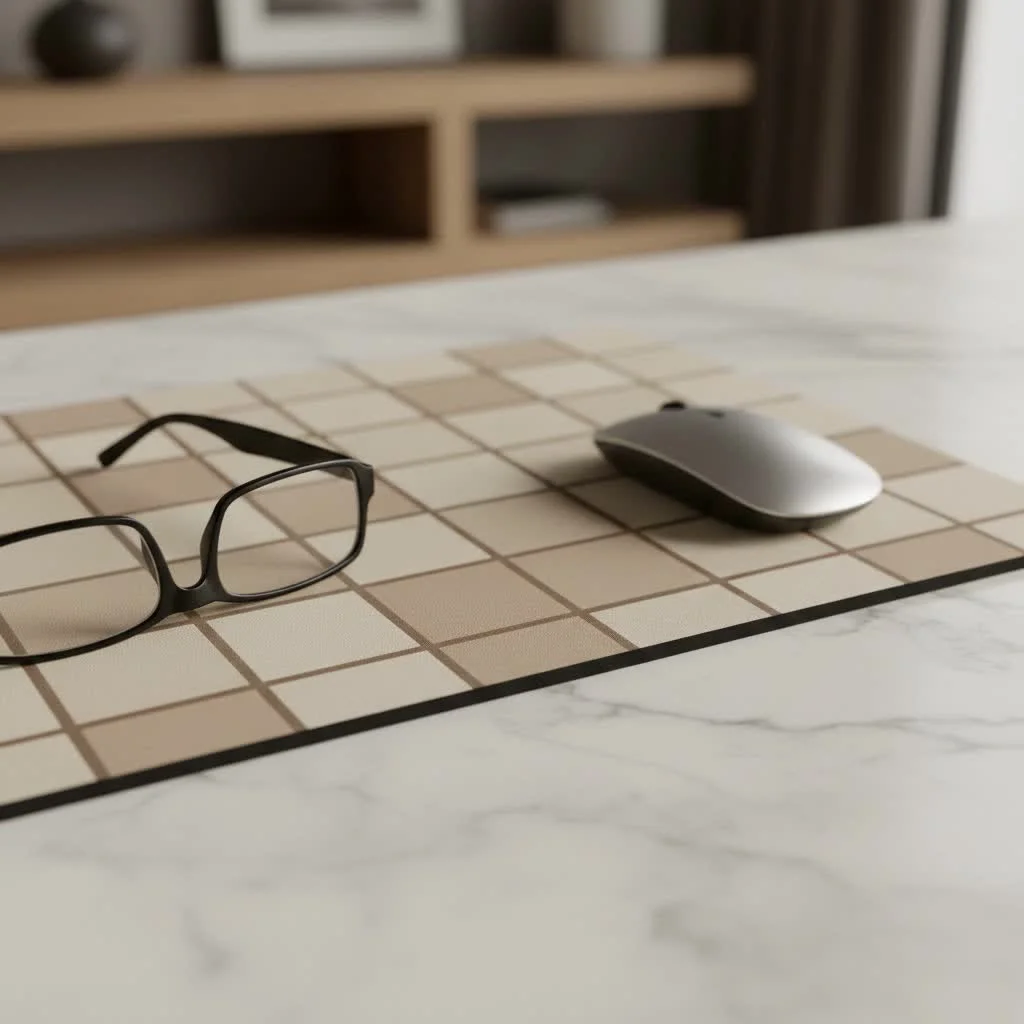
What Makes a Great Computer Mouse Pad?
At its core, a great computer mouse pad provides a consistent, low-friction surface for your mouse, enabling smooth and accurate tracking. But the “greatness” extends far beyond that. It’s about how the pad interacts with your mouse’s sensor, its physical dimensions relative to your desk and usage, its comfort, and its durability. A high-quality mouse pad doesn’t just improve your mouse’s performance; it enhances your entire computing experience by reducing fatigue and allowing for more fluid, intentional movements.
The World of Mouse Pad Materials: Fabric, Hard, and Beyond
The material of your computer mouse pad is perhaps the most significant factor influencing its feel and performance. Each type offers a distinct experience, catering to different preferences and needs.
Fabric/Cloth Mouse Pads
Fabric mouse pads are the most common and versatile type. They typically feature a soft, woven surface designed to offer a balance of speed and control. The exact weave and texture can vary significantly:
- Control Surfaces: These often have a slightly coarser, more textured weave, providing greater friction for precise, micro-adjustments. They are favored by gamers who require pinpoint accuracy in competitive titles.
- Speed Surfaces: With a smoother, tighter weave, these pads allow the mouse to glide with minimal resistance, ideal for quick, sweeping movements and users who prefer high sensitivity settings.
Fabric pads are generally comfortable, flexible, and easy to roll up for transport. Many modern fabric pads come with stitched edges to prevent fraying and extend their lifespan, along with water-resistant coatings for easy cleaning.
Dr. Anya Sharma, a materials science engineer specializing in textiles, notes, “The weave density of a fabric mouse pad fundamentally dictates its friction profile, offering gamers and professionals distinct advantages in control or speed.”
Hard/Rigid Mouse Pads (Plastic, Metal, Glass)
|
Our Picks for the Best Mouse Pad in 2026
As an Amazon Associate I earn from qualifying purchases.
|
||
| Num | Product | Action |
|---|---|---|
| 1 | KTRIO Excel Shortcuts Mousepad with Superior Micro-Weave Cloth, Extended Mousepad with Stitched Edges, Non-Slip Base, Water Resist Keyboard Pad for Gamer, Office & Home, Excel Shortcuts |

|
| 2 | KTRIO Large Gaming Mouse Pad with Stitched Edges, Extended Mousepad with Superior Micro-Weave Cloth, Non-Slip Base, Water Resist Keyboard Pad for Gamer, Office & Home, 31.5x15.7in, Black Gold |
|
| 3 | MROCO Ergonomic Mouse Pad with Gel Wrist Rest, Comfortable Mousepad with Smooth Wrist Support Surface and Non-Slip PU Base for Pain Relief, Computer, Laptop, Office & Home, 9.4 x 8.1 in, Blue Marble |
|
| 4 | MROCO Ergonomic Mouse Pad with Gel Wrist Rest, Comfortable Mousepad with Smooth Wrist Support Surface and Non-Slip PU Base for Pain Relief, Computer, Laptop, Office & Home, 9.4 x 8.1 in, Black Gold |
|
| 5 | MROCO Ergonomic Mouse Pad with Gel Wrist Rest, Smooth Wrist Support Surface, Non-Slip PU Base for Pain Relief, Comfortable Mousepad for Computer, Laptop, Office & Home, 9.4 x 8.1 in, Black |
|
| 6 | MROCO Ergonomic Mouse Pad with Gel Wrist Rest, Comfortable Mousepad with Smooth Wrist Support Surface and Non-Slip PU Base for Pain Relief, Computer, Laptop, Office & Home, 9.4 x 8.1 in, Black Flower |
|
| 7 | MROCO Ergonomic Mouse Pad with Gel Wrist Rest, Comfortable Mousepad with Smooth Wrist Support Surface and Non-Slip PU Base for Pain Relief, Computer, Laptop, Office & Home, 9.4 x 8.1 in, Cloud Forest |
|
| 8 | MROCO Ergonomic Mouse Pad with Gel Wrist Rest, Comfortable Mousepad with Smooth Wrist Support Surface and Non-Slip PU Base for Pain Relief, Computer, Laptop, Office & Home, 9.4 x 8.1 in, Blue Waves |
|
| 9 | KTRIO Large Gaming Mouse Pad Desk Mat, Superior Micro-Weave Cloth for Precise Mouse Control, Non-Slip Rubber Base, Stitched Edges, Water-Resistant, for Gamer, Office & Home, 31.5\" x 11.8\" inches |
|
| 10 | KTRIO Large Gaming Mouse Pad with Stitched Edges, Extended Mousepad with Superior Micro-Weave Cloth, Non-Slip Base, Water Resist Keyboard Pad for Gamer, Office & Home, 31.5x15.7in, Black Topographic |
|
For those who demand uncompromising speed and consistency, hard mouse pads are an excellent choice. Made from materials like plastic, aluminum, or even tempered glass, these pads offer an ultra-low friction surface that allows your mouse to glide effortlessly.
- Plastic Pads: Lightweight and affordable, offering a fast glide.
- Metal Pads (Aluminum): Durable and often feature a smooth, anodized finish for consistent glide. They tend to be heavier and can feel colder to the touch.
- Glass Pads: The pinnacle of speed and precision, glass pads provide an incredibly smooth and consistent surface. They are highly durable and easy to clean but can be noisy due to mouse feet friction and are less forgiving if dropped.
Hard pads are known for their extreme durability and resistance to wear, maintaining their glide characteristics over time. However, they can be less forgiving on mouse feet, potentially causing faster wear.
Hybrid Mouse Pads
The newest frontier in computer mouse pad design, hybrid pads aim to combine the best attributes of both fabric and hard surfaces. These often feature unique blends of materials, such as finely woven fabrics infused with plastic or rubber elements, to create a surface that offers controlled glide – a smooth, fast feel with just enough stopping power for precision. They provide a unique tactile experience that many users find strikes the perfect balance.
Size Matters: Finding the Right Dimensions for Your Setup
The physical size of your computer mouse pad is crucial for comfort and performance, dictating the range of motion you have for your mouse.
- Small (approx. 200x250mm): Ideal for limited desk space or for users who employ high mouse sensitivity (DPI) and make small movements. Often chosen for portability.
- Medium (approx. 250x300mm): A good all-rounder for typical office work and casual gaming, offering a comfortable balance between desk footprint and movement area.
- Large (approx. 300x400mm+): Preferred by many gamers and creative professionals who utilize lower DPI settings, requiring larger, sweeping motions for accuracy. Provides ample space for aggressive flicks and grand gestures without lifting the mouse.
- Desk Mats (XXL/Extended – up to 900x400mm+): These massive pads cover a significant portion of your desk, accommodating both your mouse and keyboard. They offer a uniform surface, protect your desk, and create a cohesive aesthetic. They are excellent for those who need maximum freedom of movement and a decluttered workspace.
What size computer mouse pad should I get for gaming? For competitive gaming, especially with low DPI settings, a large or XXL computer mouse pad is often recommended to allow for broad, sweeping mouse movements without running off the edge. This provides consistency and prevents you from running out of space during critical moments.
Thickness and Base: The Foundation of Stability and Comfort
Beyond the surface material, the thickness and base of your computer mouse pad contribute significantly to its overall feel and stability.
- Thickness: Mouse pads typically range from 2mm to 5mm or more. Thinner pads (2mm-3mm) offer a firm, direct feel, while thicker pads (4mm-5mm+) provide more cushioning, which can be more comfortable for extended use. Thicker pads can also help smooth out minor imperfections on your desk surface, ensuring a more consistent glide.
- Base Material: The vast majority of quality mouse pads feature a rubber or silicone base. This anti-slip material is essential for keeping the pad firmly in place, even during intense mouse movements. A good grip prevents the pad from sliding around, which is vital for maintaining precision and avoiding frustration.
Beyond the Basics: Advanced Features and Ergonomics
Modern computer mouse pads come with a host of additional features designed to enhance durability, aesthetics, and user comfort.
Stitched Edges
A simple yet highly effective feature, stitched edges prevent the fabric surface from fraying and peeling away from the rubber base. This significantly extends the lifespan of your mouse pad, especially with heavy use.
Waterproof Coatings
Many fabric mouse pads now incorporate water-resistant or waterproof coatings. These repel spills, making the pad much easier to clean and protecting it from accidental coffee disasters or sweat accumulation.
RGB Lighting
For those who love to customize their setup with vibrant aesthetics, RGB-lit mouse pads are a popular choice. These pads feature integrated LED strips around their edges, offering a spectrum of colors and lighting effects that can often be synchronized with other peripherals.
Wireless Charging
A game-changer for compatible mice, some computer mouse pads integrate wireless charging technology (like Qi or proprietary systems). This allows you to charge your mouse simply by placing it on a designated spot on the pad, eliminating cable clutter and ensuring your mouse is always ready.
Integrated Wrist Rests
Designed with ergonomics in mind, mouse pads with integrated wrist rests provide cushioning to support your wrist, helping to maintain a neutral hand position. This can alleviate pressure and reduce the risk of repetitive strain injuries (RSIs) during long hours of computing. While beneficial for many, some users, especially low-DPI gamers, find wrist rests restrictive to movement.
According to Dr. Julian Vance, a certified ergonomist, “An often-overlooked aspect of desk ergonomics, a well-chosen computer mouse pad, particularly one with a comfortable wrist rest, can significantly reduce strain and prevent repetitive stress injuries over long work or gaming sessions.”
How to Choose Your Ideal Computer Mouse Pad: A Sdrav Guide
Selecting the perfect computer mouse pad boils down to understanding your primary use case and personal preferences.
- For Gaming:
- Speed vs. Control: Do you need lightning-fast movements (speed surface, e.g., hard or smooth fabric) or precise, deliberate tracking (control surface, e.g., textured fabric)?
- Size: Consider a large or XXL pad if you use low DPI settings for broad movements.
- Durability: Stitched edges and robust materials are key for intense gaming sessions.
- For Office/Productivity:
- Comfort: Thicker fabric pads or those with wrist rests can enhance comfort during long workdays.
- Precision: A balanced fabric pad or a consistent hard surface works well.
- Desk Space: Match the pad size to your available desk real estate. Desk mats are great for a unified look.
- For Portability: Look for thinner, rollable fabric pads that can be easily transported.
- For Aesthetics: Consider RGB lighting or a desk mat that complements your setup’s color scheme and overall look.
- For Value: Evaluate the features against the price. Sometimes a simpler, well-made fabric pad is all you need, while premium options offer advanced features like wireless charging.
Caring for Your Mouse Pad: Extending Its Life
Proper maintenance will ensure your computer mouse pad performs optimally and lasts longer.
- Fabric Pads: Most fabric pads can be hand-washed with mild soap and lukewarm water. Gently scrub with a soft brush or cloth, rinse thoroughly, and then air dry completely on a flat surface. Some fabric pads are machine washable on a cold, delicate cycle (always check manufacturer instructions first). Never put them in a dryer.
- Hard Pads: These are typically the easiest to clean. A damp cloth with a bit of mild soap is usually sufficient to wipe away dust and grime.
- General Tips: Avoid harsh chemicals, direct sunlight, and extreme heat, as these can damage the surface or rubber base. Regular wiping with a microfiber cloth can keep dust buildup at bay.
Frequently Asked Questions (FAQ)
Q: How often should I replace my computer mouse pad?
A: It depends on usage, but typically every 1-2 years for heavy users, or when wear and tear begins to affect the glide consistency or tracking performance. Fraying edges, worn-out spots, or persistent dirt are signs it might be time for a new one.
Q: Can I put my fabric mouse pad in the washing machine?
A: Many fabric mouse pads can be machine washed on a cold, delicate cycle. However, always check the manufacturer’s instructions first, as some adhesives or materials may not be suitable. Always air dry completely.
Q: Are glass mouse pads good for gaming?
A: Glass mouse pads offer extremely fast glide and precise tracking, making them excellent for certain gaming styles that prioritize speed. They can be noisy and less forgiving, but for dedicated players seeking ultimate low-friction performance, they are a top choice.
Q: What’s the difference between a speed and control mouse pad?
A: Speed pads have smoother surfaces for quick, effortless mouse movements, ideal for high sensitivity users. Control pads have more texture for precise, deliberate tracking, favored by low sensitivity users and those needing pinpoint accuracy.
Q: Do wireless charging mouse pads work with all mice?
A: No, wireless charging mouse pads typically only work with mice that support specific wireless charging standards like Qi or proprietary charging systems from the same brand (e.g., Logitech PowerPlay or Razer HyperFlux). Always verify compatibility before purchasing.
The Foundation of Precision
The humble computer mouse pad is far from a trivial accessory. It’s a critical interface that bridges your input device with your desk, fundamentally impacting your precision, comfort, and ultimately, your performance. From the tactile feedback of a control-oriented fabric pad to the lightning-fast glide of a glass surface, the options are vast and tailored to every preference. By understanding the materials, sizes, and features available, you’re now equipped to make an informed choice that will elevate your entire computing experience. We encourage you to explore different options, experiment with what feels right, and share your discoveries. The perfect computer mouse pad isn’t just about functionality; it’s about optimizing your personal connection to the digital world.
Get our weekly buyer guide
Practical specs, not advice. Unsubscribe anytime.
