A quality keyboard and mouse pad, also known as a desk mat or extended mouse pad, significantly enhances comfort, performance, and desk aesthetics by providing a consistent, cushioned surface. These mats reduce pressure points, improve mouse precision, protect your desk from wear, and unify your workspace’s visual appeal. Product designers with over a decade of experience confirm that investing in a specialized pad is crucial for both gaming and professional environments.
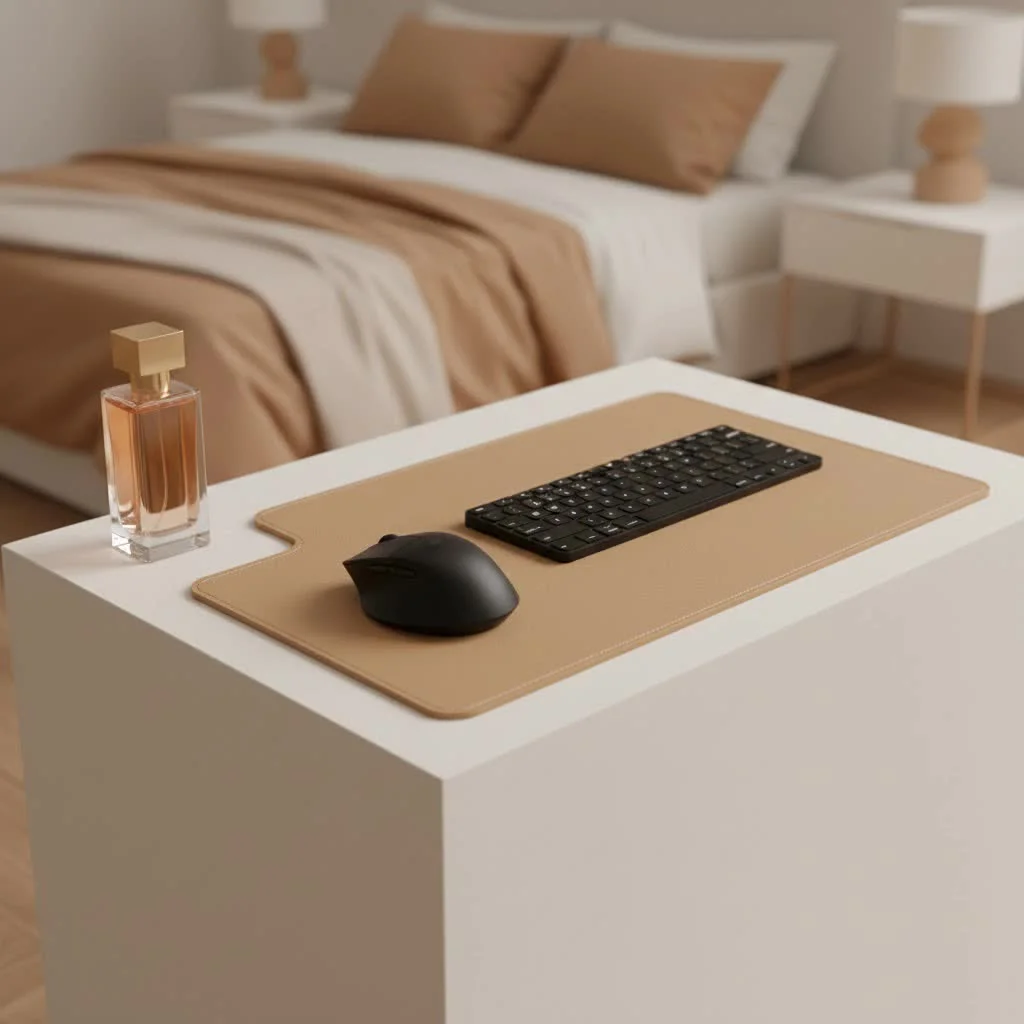
This comprehensive guide explores materials, technologies, and design philosophies to help you confidently choose a pad that meets your needs and enhances your daily digital life. For shop curated gaming on this site.
More Than Just a Mat: Why Invest in a Quality Keyboard and Mouse Pad?
While a mouse may work on most surfaces, a specialized pad offers numerous benefits beyond basic functionality.
Ergonomics and Comfort: A Foundation for Well-being
Spending hours at your desk can strain your body. A high-quality keyboard and mouse pad mitigates this by providing a consistent, cushioned surface that supports your wrists and forearms. This reduces pressure points and promotes a natural hand position, crucial for preventing conditions like carpal tunnel syndrome and fatigue during long work or gaming sessions. It acts as a soft landing, allowing fluid movement without the harshness of a bare desk.
Unleashing Performance: Precision, Speed, and Control
For gamers and professionals, performance is paramount. An extended keyboard and mouse pad offers an expansive, uniform surface, eliminating the risk of running off the edge during critical moments. This is vital for gamers using lower DPI (dots per inch) settings, which require broader mouse movements for enhanced precision. The consistent texture ensures accurate translation of every tiny movement, providing the control and speed needed for competitive play or intricate design work. The unified surface also allows seamless transitions between keyboard and mouse inputs, contributing to smoother overall interactions.
Protecting Your Investment: Desk and Peripherals
Your desk is a significant investment, and constant mouse movement can cause scratches and wear. A good keyboard and mouse pad acts as a protective barrier, shielding your desk from daily abuse. It preserves your mouse’s delicate feet, reducing friction and extending their lifespan, ensuring smooth gliding for longer.
Aesthetic Appeal: Transforming Your Workspace
Beyond practical benefits, a well-chosen desk mat dramatically elevates your workspace’s look and feel. It creates a clean, unified aesthetic, instantly reducing clutter and tying your entire setup together. Whether you prefer minimalist designs, vibrant artwork, or subtle textures, the right mat allows for unparalleled personalization, making your desk a true reflection of your style. It transforms a functional area into an inspiring environment.
Choosing Your Perfect Pad: Key Factors to Consider
Finding the “perfect” keyboard and mouse pad can seem daunting, but focusing on key factors simplifies the decision.
Size Matters: Finding the Right Fit
|
Our Picks for the Best Mouse Pad in 2026
As an Amazon Associate I earn from qualifying purchases.
|
||
| Num | Product | Action |
|---|---|---|
| 1 | KTRIO Large Gaming Mouse Pad with Stitched Edges, Extended Mousepad with Superior Micro-Weave Cloth, Non-Slip Base, Water Resist Keyboard Pad for Gamer, Office & Home, 31.5x15.7in, Black Topographic |

|
| 2 | MROCO Ergonomic Mouse Pad with Gel Wrist Rest, Comfortable Mousepad with Smooth Wrist Support Surface and Non-Slip PU Base for Pain Relief, Computer, Laptop, Office & Home, 9.4 x 8.1 in, Blue Waves |
|
| 3 | MROCO Ergonomic Mouse Pad with Gel Wrist Rest, Comfortable Mousepad with Smooth Wrist Support Surface and Non-Slip PU Base for Pain Relief, Computer, Laptop, Office & Home, 9.4 x 8.1 in, Cloud Forest |
|
| 4 | KTRIO Large Gaming Mouse Pad with Stitched Edges, Extended Mousepad with Superior Micro-Weave Cloth, Non-Slip Base, Water Resist Keyboard Pad for Gamer, Office & Home, 31.5x15.7in, Black Gold |
|
| 5 | MROCO Ergonomic Mouse Pad with Gel Wrist Rest, Comfortable Mousepad with Smooth Wrist Support Surface and Non-Slip PU Base for Pain Relief, Computer, Laptop, Office & Home, 9.4 x 8.1 in, Black Flower |
|
| 6 | MROCO Ergonomic Mouse Pad with Gel Wrist Rest, Comfortable Mousepad with Smooth Wrist Support Surface and Non-Slip PU Base for Pain Relief, Computer, Laptop, Office & Home, 9.4 x 8.1 in, Blue Marble |
|
| 7 | MROCO Ergonomic Mouse Pad with Gel Wrist Rest, Comfortable Mousepad with Smooth Wrist Support Surface and Non-Slip PU Base for Pain Relief, Computer, Laptop, Office & Home, 9.4 x 8.1 in, Black Gold |
|
| 8 | KTRIO Large Gaming Mouse Pad Desk Mat, Superior Micro-Weave Cloth for Precise Mouse Control, Non-Slip Rubber Base, Stitched Edges, Water-Resistant, for Gamer, Office & Home, 31.5\" x 11.8\" inches |
|
| 9 | KTRIO Excel Shortcuts Mousepad with Superior Micro-Weave Cloth, Extended Mousepad with Stitched Edges, Non-Slip Base, Water Resist Keyboard Pad for Gamer, Office & Home, Excel Shortcuts |
|
| 10 | MROCO Ergonomic Mouse Pad with Gel Wrist Rest, Smooth Wrist Support Surface, Non-Slip PU Base for Pain Relief, Comfortable Mousepad for Computer, Laptop, Office & Home, 9.4 x 8.1 in, Black |
|
First, measure your desk. Keyboard and mouse pads come in various sizes:
- Small/Medium: Traditional mouse pad size, suitable for limited desk space or high mouse sensitivity.
- Large/Extended: Accommodates both keyboard and mouse, offering more room for mouse movement and a cohesive look. This is a popular choice for office and gaming setups.
- Full-Desk/XXL to 3XL: These mats span almost your entire desk, providing maximum space for all peripherals and creating a truly unified surface. They excel at protecting large desk areas and offering complete freedom of movement.
Consider your desk dimensions, the space needed for mouse movements (especially with low DPI), and whether you want your keyboard on the mat.
Materials and Surface Types: Control vs. Speed vs. Hybrid
The surface material dictates mouse glide and control level.
- Cloth (Soft) Surfaces: Most common, made from finely woven fabric. They offer excellent control, ideal for precision tasks like graphic design or tactical gaming. They are comfortable, rollable for transport, and often machine washable.
- Hard Surfaces (Plastic, Glass, Aluminum): Provide a slick, low-friction surface for maximum speed. Gamers prioritizing rapid movements often prefer hard pads. They are typically easier to clean but offer less cushioning. Glass pads, like the Razer Atlas, are popular for ultra-smooth glide and durability.
- Hybrid Surfaces: A fantastic middle ground, blending cloth and hard pad attributes. These offer a balance of speed and control, with enough texture for precise movements yet slick enough for fluid glides. They are often water-resistant and easier to clean than traditional cloth.
- Specialty Materials (Leather/PU, Felt, Cork): Offer distinct aesthetics and tactile experiences.
- Leather/PU: Timeless, elegant, and durable, often chosen for sophisticated office setups.
- Felt & Cork: Eco-friendly and soft, providing natural warmth and good grip.
Thickness and Base: Stability and Cushioning
Pad thickness impacts comfort and feel. Thinner pads (0.5-2mm) offer a firmer surface, while 3mm is often the “sweet spot” for balancing firmness with adequate cushioning. Thicker pads (5mm+) provide more cushion, enhancing comfort and dampening mouse clicks or keyboard strokes during intense gaming.
The base material is equally important and should always be non-slip. Natural rubber is the industry standard, ensuring your pad stays firmly planted on your desk during dynamic movements.
Edges and Durability: Stitched for Longevity
Look for pads with stitched edges. This crucial detail prevents fraying or peeling, significantly increasing the mat’s lifespan and overall durability. Stitched edges are a mark of quality and a worthwhile investment.
Extra Features: RGB, Wrist Rests, and More
Modern keyboard and mouse pads offer innovative features:
- RGB Lighting: Customizable LED lighting around the perimeter adds vibrant flair, often synchronizing with other peripherals.
- Integrated Wrist Rests: Some pads incorporate gel or memory foam wrist rests for additional ergonomic support.
- Water Resistance: Treated surfaces repel spills, making cleaning easier and protecting against accidents.
- Wireless Charging: A few advanced desk mats integrate wireless charging zones for smartphones or compatible devices.
Maintaining Your Mat: Keeping It Pristine
To ensure optimal performance and longevity, regular maintenance is key. Many cloth pads are machine washable (always check manufacturer instructions), while others can be spot-cleaned with a damp cloth and mild soap. For hard or hybrid surfaces, a simple wipe-down with a cleaner is often sufficient. Keeping your desk free of crumbs and debris also helps maintain the mat’s grip and overall cleanliness.
Sdrav’s Perspective: Our Commitment to the Perfect Pad
At Sdrav.com, we are passionate about the details that make a difference. Our team, with over a decade in product design and manufacturing, meticulously evaluates materials, construction, and user experience. We aim to be your trusted resource, providing honest, in-depth reviews and guides that cut through marketing jargon. We understand that a keyboard and mouse pad is more than just a surface; it’s an extension of your interaction with the digital world.
FAQs: Your Top Questions Answered
Are extended keyboard and mouse pads worth it?
Absolutely. Extended keyboard and mouse pads provide enhanced comfort, improved performance through consistent glide and ample space, protect your desk and peripherals, and significantly upgrade the aesthetics of your workspace. They are a valuable investment for any desk setup.
What’s the best material for gaming mouse pads?
For gaming, the “best” material depends on your play style. Cloth surfaces offer excellent control for precise movements, while hard surfaces provide maximum speed. Hybrid surfaces offer a balance of both. Many competitive gamers prefer extended cloth pads for their consistent control and comfort during long sessions.
How do I clean my desk mat effectively?
Most cloth desk mats can be gently hand-washed or machine-washed on a cold, delicate cycle with mild soap and then air-dried. For hard or hybrid mats, a simple wipe-down with a damp cloth and mild cleaner is usually sufficient. Always check the manufacturer’s specific cleaning instructions to avoid damage.
What is the ideal thickness for a keyboard and mouse pad?
A thickness of around 3mm is often considered ideal, offering a good balance of cushioning and a firm surface. Thicker pads (5mm+) provide more comfort and sound dampening, which can be beneficial during intense gaming. Thinner pads offer a firmer, less cushioned feel.
Can a desk mat improve my ergonomic posture?
While a desk mat directly improves wrist and forearm posture by providing a cushioned, consistent surface, it is part of a larger ergonomic setup. By allowing for more natural hand positioning and reducing strain, it contributes to overall better comfort, which indirectly supports better posture during long work or gaming sessions.
Conclusion: Your Desk, Elevated.
Choosing the right keyboard and mouse pad is a small decision with a big impact. It optimizes your environment for peak performance, ensures long-term comfort, and transforms your desk into a personalized space you love. From ergonomic benefits that protect your body to the consistent surface that sharpens your precision, a quality desk mat is a foundational piece of any modern setup.
As you embark on finding your perfect pad, the insights shared here. Consider your needs – whether it’s gaming, professional work, or simply a desire for a cleaner, more comfortable desk. Explore the materials, sizes, and features that resonate with you. At Sdrav, we’re here to guide you every step of the way, helping you make a choice that truly elevates your desk and your experience. Your ideal keyboard and mouse pad isn’t just a dream; it’s a tangible upgrade waiting to happen.
Get our weekly buyer guide
Practical specs, not advice. Unsubscribe anytime.
I got one of the extended mouse pads mentioned, and while it’s mostly good, I wish it was a bit thicker. It does protect my desk and feels decent, but I was hoping for a little more cushioning for my elbows. Still, it’s better than nothing and my mouse tracks well.
As someone who spends hours at their desk for professional work, the ergonomics and comfort aspect really resonated with me. I picked up a large desk mat, and it’s completely transformed my workspace. No more pressure points on my wrist, and my keyboard doesn’t slide around anymore. Highly recommend for anyone with a desk job.
I’ve been using a cheap mousepad for years and finally decided to upgrade after reading about the benefits of a specialized pad. The difference in comfort is insane! My wrist feels so much better, and my mouse glides perfectly. Definitely worth the investment for my long gaming sessions.
This guide really helped me understand the different materials. I ended up getting a hybrid cloth pad, and it’s been great for both my work and gaming setup. My desk looks way cleaner now, and the unified visual appeal is a nice bonus. My mouse precision has also noticeably improved.