In the dynamic world of computer peripherals, where bigger often seems to be better, the humble small mouse pad quietly stands as a testament to efficiency and precise control. As a product designer with over a decade of experience crafting these essential surfaces and a primary content creator for Sdrav.com, I’ve seen countless trends come and go. Yet, the appeal of a compact, well-designed small mouse pad endures, offering unique advantages that can transform your desk setup, whether you’re a professional navigating complex spreadsheets or a gamer executing pixel-perfect flick shots. It’s more than just a surface for your mouse; it’s a strategic choice for optimizing your workspace and enhancing your interaction with your digital world.
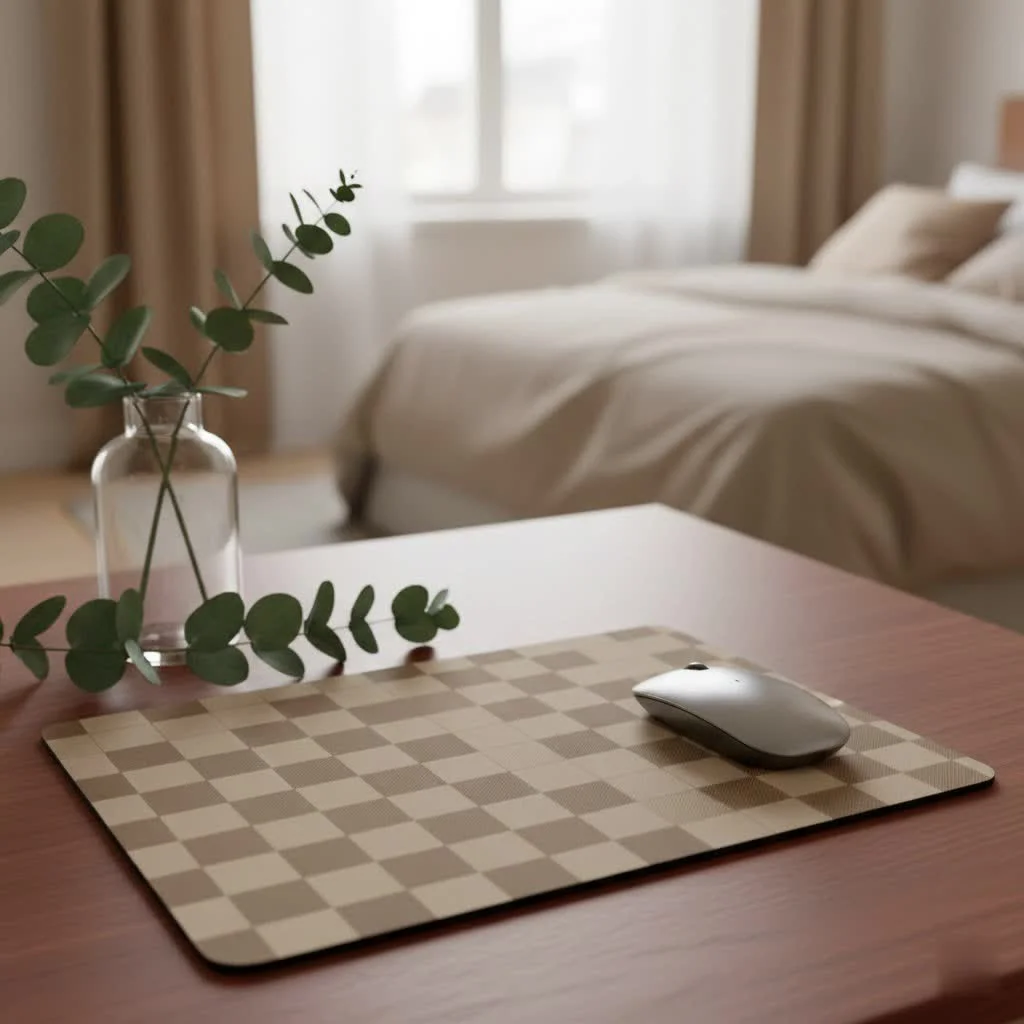
Why Go Small? Unpacking the Benefits of a Compact Mouse Pad
Choosing a small mouse pad isn’t about compromise; it’s about making a deliberate decision for a more focused and streamlined experience. These compact surfaces offer a suite of benefits that larger pads simply can’t match, proving that sometimes, less truly is more.
Space-Saving Champion for Any Desk
Let’s be honest: desk real estate is precious. Whether you’re working from a cramped home office, a bustling co-working space, or a dorm room, every inch counts. A small mouse pad is the ultimate minimalist accessory, designed to fit comfortably even in the tightest spaces. It keeps your workspace clean, uncluttered, and highly organized, leaving ample room for your coffee, notebooks, or other essential gadgets. This isn’t just about aesthetics; it’s about creating an environment where you can focus without being overwhelmed by peripherals.
Precision Powerhouse for Gamers and Professionals
While some might mistakenly believe a larger pad equates to better control, a small mouse pad can actually be a game-changer for precision. For high-DPI (dots per inch) gamers, especially those who rely on wrist-based aiming in titles like CS2, Valorant, or Overwatch, a compact surface encourages refined, controlled movements. You learn to rely on muscle memory and subtle wrist adjustments rather than expansive arm sweeps, which can lead to incredibly consistent and accurate tracking. Similarly, for professionals in graphic design, CAD, or video editing, where intricate cursor control is paramount, a small mouse pad provides a stable, consistent surface that translates to flawless execution. It helps to eliminate unintended micro-movements caused by uneven desk textures, giving you the edge you need for critical tasks.
Portability: Your On-the-Go Companion
In an increasingly mobile world, portability is no longer a luxury but a necessity. A small mouse pad excels here. Lightweight and often flexible, these pads are designed to be rolled up or tucked into a laptop bag with ease. For students moving between classes, remote workers hot-desking, or digital nomads constantly on the move, a compact mouse pad ensures you have a consistent, reliable surface wherever you set up shop. This means you can maintain your productivity and comfort, no matter where your work takes you.
Ergonomic Advantages: A Kinder Approach to Your Wrist
|
Our Picks for the Best Mouse Pad in 2026
As an Amazon Associate I earn from qualifying purchases.
|
||
| Num | Product | Action |
|---|---|---|
| 1 | KTRIO Large Gaming Mouse Pad with Stitched Edges, Extended Mousepad with Superior Micro-Weave Cloth, Non-Slip Base, Water Resist Keyboard Pad for Gamer, Office & Home, 31.5x15.7in, Black Gold |

|
| 2 | MROCO Ergonomic Mouse Pad with Gel Wrist Rest, Comfortable Mousepad with Smooth Wrist Support Surface and Non-Slip PU Base for Pain Relief, Computer, Laptop, Office & Home, 9.4 x 8.1 in, Black Flower |
|
| 3 | KTRIO Large Gaming Mouse Pad with Stitched Edges, Extended Mousepad with Superior Micro-Weave Cloth, Non-Slip Base, Water Resist Keyboard Pad for Gamer, Office & Home, 31.5x15.7in, Black Topographic |
|
| 4 | KTRIO Large Gaming Mouse Pad Desk Mat, Superior Micro-Weave Cloth for Precise Mouse Control, Non-Slip Rubber Base, Stitched Edges, Water-Resistant, for Gamer, Office & Home, 31.5\" x 11.8\" inches |
|
| 5 | MROCO Ergonomic Mouse Pad with Gel Wrist Rest, Smooth Wrist Support Surface, Non-Slip PU Base for Pain Relief, Comfortable Mousepad for Computer, Laptop, Office & Home, 9.4 x 8.1 in, Black |
|
| 6 | MROCO Ergonomic Mouse Pad with Gel Wrist Rest, Comfortable Mousepad with Smooth Wrist Support Surface and Non-Slip PU Base for Pain Relief, Computer, Laptop, Office & Home, 9.4 x 8.1 in, Blue Marble |
|
| 7 | MROCO Ergonomic Mouse Pad with Gel Wrist Rest, Comfortable Mousepad with Smooth Wrist Support Surface and Non-Slip PU Base for Pain Relief, Computer, Laptop, Office & Home, 9.4 x 8.1 in, Cloud Forest |
|
| 8 | MROCO Ergonomic Mouse Pad with Gel Wrist Rest, Comfortable Mousepad with Smooth Wrist Support Surface and Non-Slip PU Base for Pain Relief, Computer, Laptop, Office & Home, 9.4 x 8.1 in, Blue Waves |
|
| 9 | MROCO Ergonomic Mouse Pad with Gel Wrist Rest, Comfortable Mousepad with Smooth Wrist Support Surface and Non-Slip PU Base for Pain Relief, Computer, Laptop, Office & Home, 9.4 x 8.1 in, Black Gold |
|
| 10 | KTRIO Excel Shortcuts Mousepad with Superior Micro-Weave Cloth, Extended Mousepad with Stitched Edges, Non-Slip Base, Water Resist Keyboard Pad for Gamer, Office & Home, Excel Shortcuts |
|
One often-overlooked benefit of a small mouse pad lies in its ergonomic implications. While large desk mats might encourage resting your entire forearm, potentially leading to wrist pronation and increased pressure on the ulnar nerve over time, a compact pad subtly promotes a healthier wrist-pivot movement. This design choice can reduce strain over extended sessions, helping to prevent common repetitive stress injuries like carpal tunnel syndrome. As Dr. Elara Vance, Lead Ergonomic Design Specialist at Nexus Peripherals, wisely states, “A small mouse pad isn’t just about saving space; it’s about optimizing your interaction with your device. By encouraging precise wrist movements, it can actually unlock a new level of control for gamers and streamline workflow for professionals, proving that sometimes, less truly is more for peak performance and comfort.” This expert perspective underscores the tangible health benefits of a thoughtfully chosen small mouse pad.
Durability and Easy Maintenance
Just like their larger counterparts, small mouse pads are built to last. Many feature durable materials like micro-woven cloth with stitched edges, preventing fraying and ensuring longevity even with aggressive use. The robust construction means your investment stands the test of time. Furthermore, their compact size makes them incredibly easy to clean and maintain. A quick wipe-down or a gentle hand wash is usually all it takes to keep your pad looking and performing its best, ready for your next gaming session or work sprint.
Understanding Small Mouse Pad Dimensions: Finding Your Perfect Fit
When we talk about a small mouse pad, what dimensions are we actually referring to? While there isn’t one universal “small” size, there are common ranges that define this category.
What Exactly Counts as a “Small” Mouse Pad?
Generally, a small mouse pad falls within the range of approximately 8 inches by 6 inches (around 200x150mm) up to about 11.8 inches by 9.8 inches (300x250mm). You’ll frequently see sizes like 22x18cm or 250x210mm marketed as compact options. These dimensions are specifically designed to provide enough surface area for precise mouse movements without encroaching on valuable desk space. To find your ideal fit, grab a measuring tape and assess your available desk area, considering not just width and depth, but also any other peripherals you need to accommodate.
Materials Matter: Surface Types for Small Pads
The material of your small mouse pad plays a crucial role in its performance and feel.
- Cloth Surfaces: These are the most common and versatile. Micro-woven cloth provides a balanced glide with excellent control, making them suitable for both gaming and general productivity. They are soft, comfortable under the wrist, and typically offer good tracking for optical and laser sensors.
- Hard Surfaces: While less common for the smallest pads, hard surfaces made of plastic, aluminum, or glass offer a very fast, low-friction glide. These are often preferred by gamers who prioritize speed and require minimal effort for large, sweeping movements, though they are usually found in slightly larger “small” or medium sizes.
Choosing the right material depends entirely on your personal preference and how you use your mouse. For a small mouse pad, a cloth surface often offers the best balance for precision and comfort in a compact form factor.
Who Should Choose a Small Mouse Pad?
The beauty of a small mouse pad lies in its specialized appeal. While not for everyone, certain users will find it to be an indispensable part of their setup.
The High-DPI Gamer
If your gaming style involves high sensitivity settings and quick, precise wrist movements, a small mouse pad is your ally. It minimizes the need for large arm movements, keeping your focus tight and your aim consistent. Many professional esports players, particularly in FPS games, opt for compact pads precisely for this reason, valuing pinpoint accuracy over expansive tracking space.
The Minimalist Workspace Enthusiast
For those who adhere to the “less is more” philosophy in their workspace, a small mouse pad is a natural fit. It contributes to a clean, uncluttered desk aesthetic, allowing you to create a serene and productive environment without bulky accessories. It’s about intentional design and efficient use of space.
The Digital Nomad and On-the-Go Professional
Frequent travelers, students moving between campus locations, or anyone who regularly works from different spots will appreciate the grab-and-go convenience of a small mouse pad. Its portability ensures you always have a reliable, familiar surface, no matter where your laptop lands.
The Casual User with Limited Space
Even for those who primarily use their computer for casual browsing, emails, or light work, if desk space is at a premium, a small mouse pad makes perfect sense. It provides the essential smooth surface for accurate cursor control without taking over your entire desk.
Making the Switch: Tips for Optimizing Your Small Mouse Pad Experience
If you’re considering making the move to a small mouse pad, a few adjustments can help you maximize its benefits and ensure a smooth transition.
Adjusting Mouse Sensitivity (DPI)
The most crucial step is often adjusting your mouse’s DPI settings. Since you’ll have less physical space for movement, increasing your mouse sensitivity will allow you to cover more screen real estate with smaller hand movements. Experiment with different DPI settings until you find a sweet spot that feels natural and responsive for your tasks, whether that’s navigating documents or aiming in your favorite game.
Cultivating Good Wrist Habits
Embrace the wrist-pivot. A small mouse pad encourages you to move your mouse primarily with your wrist and fingers, rather than sweeping your entire arm. This can take some getting used to if you’re accustomed to larger pads, but it’s a technique that can significantly improve precision and reduce unnecessary arm movement. Pay attention to your wrist posture, ensuring it remains relatively straight and relaxed to prevent strain.
Pairing with the Right Mouse
While a good mouse pad enhances any mouse, pairing your small mouse pad with a high-quality gaming or productivity mouse with a reliable sensor is key. Mice with precise optical or laser sensors will track exceptionally well on the consistent surface of your small pad, translating every subtle movement into accurate on-screen action. Look for a mouse that offers customizable DPI settings and, ideally, a comfortable, ergonomic design that complements your wrist-focused movements.
Frequently Asked Questions About Small Mouse Pads
Curiosity about the compact companion often leads to some common questions. Here are the answers you need:
Q1: Are small mouse pads good for all types of gaming?
Small mouse pads are excellent for high-DPI gamers who prioritize precision and quick wrist movements, particularly in fast-paced competitive shooters. However, gamers who use low-DPI settings and rely on broad arm sweeps might find the limited surface area restrictive.
Q2: Will a small mouse pad cause wrist pain?
On the contrary, a well-chosen small mouse pad can actually promote healthier wrist posture by encouraging precise wrist-pivot movements rather than full-arm resting, which can reduce the risk of certain repetitive strain injuries. Ensure you maintain proper ergonomic posture.
Q3: How do I clean a small cloth mouse pad?
Most small cloth mouse pads can be easily cleaned with mild soap and water. Gently hand wash them, rinse thoroughly, and then let them air dry completely. Avoid harsh chemicals or machine washing unless explicitly stated by the manufacturer.
Q4: Can I use a small mouse pad with a low-DPI setting?
While possible, it’s generally not recommended. Low-DPI settings require significant physical mouse movement to cover screen space, which a small mouse pad cannot adequately provide. You’d find yourself constantly lifting and repositioning your mouse, which is disruptive.
Q5: What’s the best material for a small mouse pad?
For most users, a cloth surface is ideal for a small mouse pad. It offers a balanced blend of glide and control, is comfortable under the wrist, and provides excellent tracking for optical and laser mice, making it versatile for both gaming and productivity.
Q6: Is a small mouse pad worth it for productivity?
Absolutely. For professionals and casual users with limited desk space, a small mouse pad provides a consistent, precise surface that enhances cursor control and comfort. It helps maintain an organized workspace and can reduce wrist strain during long work sessions.
The Small Mouse Pad: A Mighty Upgrade for Your Setup
From saving precious desk space to elevating your gaming precision and supporting healthier ergonomics, the small mouse pad is a mighty tool often underestimated. It’s a choice that speaks to efficiency, focus, and a sophisticated understanding of how peripherals impact performance. At Sdrav.com, we champion the idea that the right gear empowers you, and a thoughtfully selected small mouse pad can be a powerful upgrade. Don’t let its size fool you; this compact hero is ready to deliver big on comfort, control, and a clutter-free experience. Dive into the world of precision and see how a small mouse pad can make a monumental difference in your digital life.
Get our weekly buyer guide
Practical specs, not advice. Unsubscribe anytime.
