Every gamer knows the thrill of a pixel-perfect headshot or a perfectly executed combo. While we often obsess over the latest graphics cards, high-refresh-rate monitors, and precision gaming mice, one unsung hero often gets overlooked: the gaming mouse pad. It’s not just a fancy desk accessory; it’s the foundation of your aim, precision, and overall comfort, directly impacting your performance. A great gaming mouse pad can transform your gameplay, providing the consistent surface your high-performance mouse needs to truly shine.
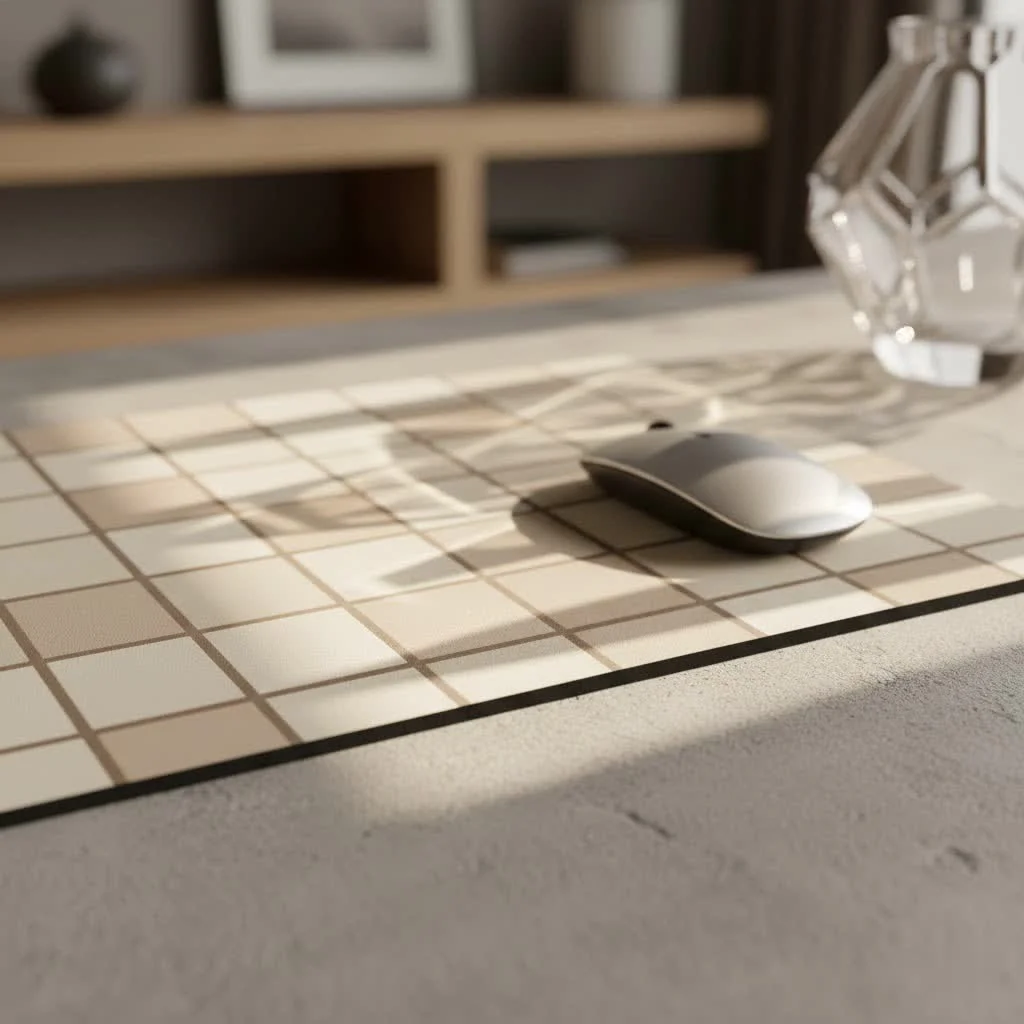
Think of it this way: your mouse is the engine, but the mouse pad is the road. You wouldn’t put a race car on a bumpy dirt path and expect peak performance, would you? The same goes for your gaming setup. The best gaming mouse pad provides a smooth, consistent, and predictable surface, allowing for optimal tracking, reduced friction, and superior control. It’s about building confidence in every flick, every sweep, and every micro-adjustment.
Speed vs. Control: Understanding Your Gaming Style
When diving into the world of gaming mouse pads, you’ll quickly encounter two primary categories: speed and control. Understanding which type suits your gaming style is the first crucial step in making the right choice.
Speed Mouse Pads
Designed for lightning-fast movements and minimal resistance, speed pads feature ultra-smooth, low-friction surfaces. They often use finely woven polyester cloth or hard plastic.
- Ideal for: Players who favor low DPI settings, require large, sweeping movements, or excel in games where quick target acquisition and rapid repositioning are key. Think fast-paced FPS titles where flick shots and quick turns are essential.
- Feel: Your mouse will glide almost effortlessly, requiring less force to move across the pad.
- Pros: Exceptional glide, ideal for quick reactions, less fatiguing over long sessions for some users.
- Cons: Can be harder to stop precisely, requiring more fine motor control to prevent overshooting targets.
Control Mouse Pads
These pads prioritize precision and stopping power. They typically have a textured surface, often a denser or coarser weave of cloth, which creates more friction.
- Ideal for: Gamers who demand pinpoint accuracy, high DPI users, or those playing tactical shooters where precise micro-adjustments and holding angles are paramount. RPGs, MOBA, and strategy games can also benefit from the added control.
- Feel: You’ll experience more tactile feedback and a slight “tugging” sensation, giving you greater command over your mouse movements.
- Pros: Superior stopping power, enhanced precision, great for small, accurate adjustments.
- Cons: Can feel slower, requiring more effort for large movements, potentially more friction on your wrist/arm.
The Material World: What Your Mouse Pad is Made Of
The material of your gaming mouse pad dictates much of its performance characteristics, from glide speed to durability and comfort. Let’s break down the most common types.
Cloth Mouse Pads: The Versatile Favorite
|
Our Picks for the Best Mouse Pad in 2026
As an Amazon Associate I earn from qualifying purchases.
|
||
| Num | Product | Action |
|---|---|---|
| 1 | MROCO Ergonomic Mouse Pad with Gel Wrist Rest, Comfortable Mousepad with Smooth Wrist Support Surface and Non-Slip PU Base for Pain Relief, Computer, Laptop, Office & Home, 9.4 x 8.1 in, Blue Waves |

|
| 2 | MROCO Ergonomic Mouse Pad with Gel Wrist Rest, Comfortable Mousepad with Smooth Wrist Support Surface and Non-Slip PU Base for Pain Relief, Computer, Laptop, Office & Home, 9.4 x 8.1 in, Blue Marble |
|
| 3 | KTRIO Excel Shortcuts Mousepad with Superior Micro-Weave Cloth, Extended Mousepad with Stitched Edges, Non-Slip Base, Water Resist Keyboard Pad for Gamer, Office & Home, Excel Shortcuts |
|
| 4 | KTRIO Large Gaming Mouse Pad with Stitched Edges, Extended Mousepad with Superior Micro-Weave Cloth, Non-Slip Base, Water Resist Keyboard Pad for Gamer, Office & Home, 31.5x15.7in, Black Gold |
|
| 5 | MROCO Ergonomic Mouse Pad with Gel Wrist Rest, Comfortable Mousepad with Smooth Wrist Support Surface and Non-Slip PU Base for Pain Relief, Computer, Laptop, Office & Home, 9.4 x 8.1 in, Cloud Forest |
|
| 6 | KTRIO Large Gaming Mouse Pad with Stitched Edges, Extended Mousepad with Superior Micro-Weave Cloth, Non-Slip Base, Water Resist Keyboard Pad for Gamer, Office & Home, 31.5x15.7in, Black Topographic |
|
| 7 | MROCO Ergonomic Mouse Pad with Gel Wrist Rest, Comfortable Mousepad with Smooth Wrist Support Surface and Non-Slip PU Base for Pain Relief, Computer, Laptop, Office & Home, 9.4 x 8.1 in, Black Flower |
|
| 8 | MROCO Ergonomic Mouse Pad with Gel Wrist Rest, Smooth Wrist Support Surface, Non-Slip PU Base for Pain Relief, Comfortable Mousepad for Computer, Laptop, Office & Home, 9.4 x 8.1 in, Black |
|
| 9 | MROCO Ergonomic Mouse Pad with Gel Wrist Rest, Comfortable Mousepad with Smooth Wrist Support Surface and Non-Slip PU Base for Pain Relief, Computer, Laptop, Office & Home, 9.4 x 8.1 in, Black Gold |
|
| 10 | KTRIO Large Gaming Mouse Pad Desk Mat, Superior Micro-Weave Cloth for Precise Mouse Control, Non-Slip Rubber Base, Stitched Edges, Water-Resistant, for Gamer, Office & Home, 31.5\" x 11.8\" inches |
|
Cloth pads are by far the most popular choice, offering a great balance of comfort, control, and affordability. They consist of a fabric surface (often polyester or microfiber) bonded to a rubber base.
- Pros: Comfortable for extended use, excellent tracking for most sensors, often machine washable, available in a vast array of designs and sizes. Many variations exist, from micro-woven “speed” surfaces to rougher “control” weaves.
- Cons: Can absorb sweat and spills (though many now offer water-resistant coatings), can wear down over time, and some textures might feel rough to the skin.
Hard Plastic Mouse Pads: For Pure Speed
Hard plastic pads provide a consistent, low-friction surface that’s all about speed. They are typically made from polycarbonate or similar rigid plastics.
- Pros: Extremely fast glide, very durable, easy to clean, highly consistent tracking, unaffected by humidity.
- Cons: Can be noisy, less comfortable for some users, and may wear down mouse feet faster. The hard surface offers minimal cushioning.
Glass Mouse Pads: The Ultimate Glide (with a Catch)
A newer, premium entry into the market, glass mouse pads offer an incredibly smooth and consistent glide, rivaling or even surpassing hard plastic. They are made from tempered glass, often with a textured coating for optimal sensor tracking.
- Pros: Ultra-smooth, consistent glide, extremely durable against wear, easy to clean, striking aesthetic.
- Cons: Very expensive, prone to fingerprints and smudges, can be cold to the touch, and susceptible to shattering if dropped. They also tend to be quite loud with mouse movements.
Metal Mouse Pads: Sleek and Solid
While less common, metal mouse pads (usually aluminum) offer a premium look and feel with high durability.
- Pros: Extremely durable, sleek appearance, very consistent surface, good for speed.
- Cons: Can be cold, potentially noisy, less forgiving on mouse feet, and can be quite heavy.
Beyond the Surface: Key Factors in Choosing Your Gaming Mouse Pad
Once you have a handle on material types and speed vs. control, several other considerations will help you narrow down the best gaming mouse pad for your specific needs.
Size Matters: From Small to Desk Mat
The size of your mouse pad directly impacts your gaming style and desk setup.
- Small (e.g., 250x200mm): Ideal for high-DPI gamers who make minimal mouse movements, or for setups with very limited desk space.
- Medium (e.g., 320x270mm): A good all-around size for most gamers, offering a balance between desk real estate and movement space.
- Large (e.g., 450x400mm): Perfect for most gamers, especially those who use medium-to-low DPI settings and require ample room for sweeping movements in FPS games.
- Extended/Desk Mat (e.g., 900x400mm+): These massive pads cover a significant portion of your desk, accommodating both your keyboard and mouse. They provide a continuous, unified surface, prevent keyboard slippage, and offer excellent comfort. Great for creating a clean, cohesive aesthetic.
Thickness and Base: Stability and Comfort
Most gaming mouse pads range from 2mm to 6mm in thickness.
- Thickness: Thicker pads (4mm+) offer more cushioning, which can be beneficial for comfort during long sessions and can also absorb minor desk imperfections. Thinner pads (2-3mm) provide a more rigid, consistent surface, often preferred by those seeking maximum speed and a direct feel.
- Base: A high-quality non-slip rubber base is crucial. It ensures your mouse pad stays firmly in place, preventing frustrating slips and inconsistencies during intense gameplay.
Edges: Stitched for Longevity
Look for mouse pads with stitched edges. This reinforced stitching prevents fraying and peeling, significantly extending the lifespan of your pad and improving comfort by eliminating rough edges that can irritate your wrist or arm.
Durability and Maintenance: Keeping It Pristine
A good gaming mouse pad should be built to last. Factors like reinforced stitching, high-quality materials, and waterproof coatings contribute to durability. For maintenance, most cloth pads can be gently hand-washed, while hard and glass pads simply need a wipe-down. Regular cleaning ensures consistent performance and hygiene.
Additional Features: RGB, Wireless Charging, and More
While not performance-critical, some mouse pads come with extra bells and whistles:
- RGB Lighting: Customizable LED strips around the edges can add a vibrant aesthetic to your gaming setup.
- Wireless Charging: Integrated Qi charging pads offer convenient power for compatible mice and other devices.
- Wrist Rests: Some pads include built-in or detachable wrist rests for added ergonomic support, though personal preference varies greatly here.
“A truly great gaming mouse pad isn’t just about how fast your mouse glides; it’s about the consistent feedback, the ergonomic support, and the sheer confidence it instills in every move you make. It’s the silent partner in your pursuit of gaming excellence,” says Elias Vance, Senior Product Designer at Sdrav.com.
Frequently Asked Questions About Gaming Mouse Pads
Q: How often should I replace my gaming mouse pad?
A: The lifespan varies greatly depending on the material, usage, and how well you maintain it. High-quality cloth pads with stitched edges can last several years, but competitive gamers might notice performance degradation after 6-12 months. Hard and glass pads tend to last longer due to their inherent durability.
Q: Can a gaming mouse pad improve my aim?
A: Absolutely! While it won’t magically make you an esports pro overnight, a high-quality gaming mouse pad provides a consistent surface for your mouse sensor, reducing friction and improving tracking accuracy. This consistency allows you to build muscle memory more effectively, leading to more precise and confident aiming over time.
Q: Are larger mouse pads always better for gaming?
A: Not necessarily “better,” but often preferred, especially by low-DPI gamers who need ample space for sweeping movements. A larger pad minimizes the risk of running off the edge mid-game. However, for high-DPI players or those with limited desk space, a medium-sized pad can be perfectly adequate.
Q: What’s the best material for an FPS gamer?
A: For FPS games, it often comes down to personal preference between a good “control” cloth pad or a “speed” hybrid/hard pad. Control pads offer more stopping power for precise flick shots, while speed pads allow for quick target acquisition and large adjustments. Many competitive players favor control-oriented cloth pads for their balance of precision and comfort.
Q: Do I need an RGB mouse pad?
A: An RGB mouse pad is purely an aesthetic choice. It won’t improve your in-game performance, but it can certainly enhance the visual appeal of your gaming setup and synchronize with other RGB peripherals for a unified look. If you enjoy the visual flair, go for it!
Q: How do I clean my cloth gaming mouse pad?
A: For most cloth mouse pads, a gentle hand wash with mild soap (like dish soap) and lukewarm water is effective. Use a soft brush or cloth to gently scrub the surface. Rinse thoroughly and air dry completely before using it again. Avoid harsh chemicals or machine washing unless specifically stated by the manufacturer.
Conclusion: Elevate Your Game
Choosing the best gaming mouse pad is a personalized journey, deeply tied to your unique gaming style, preferences, and desk setup. Whether you’re a high-speed flick artist or a pixel-perfect aimer, there’s a mouse pad out there waiting to unlock your full potential. By understanding the nuances of speed versus control, material types, and essential features, you’re now equipped to make an informed decision that will elevate your gaming experience.
Don’t underestimate the power of a great mouse pad to provide that crucial edge. Invest in the right surface, and you’ll find yourself not just playing, but truly mastering your favorite games. Share your perfect pad stories with us at Sdrav.com – we love hearing how our insights help you conquer the digital battleground!
Get our weekly buyer guide
Practical specs, not advice. Unsubscribe anytime.
