In the relentless pursuit of peak performance, whether you’re navigating spreadsheets or dominating virtual battlegrounds, every detail of your setup matters. And when it comes to mouse pads, the “hard mouse pad” stands as a testament to speed, precision, and unwavering consistency. As a product designer with over a decade in this industry and a proud contributor to Sdrav.com, I’ve seen countless innovations, but the appeal of a hard surface remains undeniable for a specific breed of user. If you’ve ever felt your movements were held back, a hard mouse pad might just be the game-changer you need.
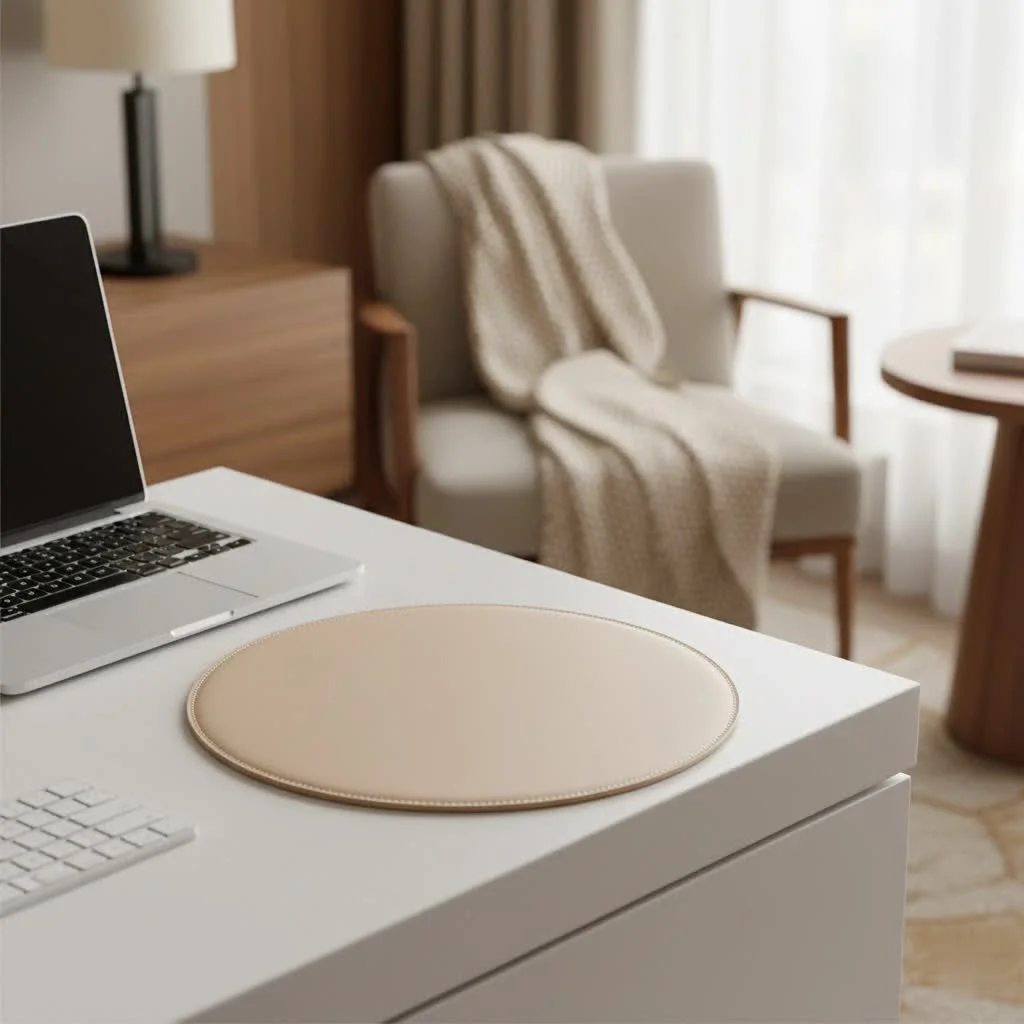
What Exactly is a Hard Mouse Pad?
At its core, a hard mouse pad is precisely what it sounds like: a mouse surface crafted from rigid, unyielding materials. Unlike their fabric counterparts, these pads don’t compress or deform under pressure. This fundamental difference paves the way for a distinct user experience, prioritizing unadulterated speed and pinpoint accuracy.
The magic often lies in the materials themselves. You’ll typically find hard mouse pads made from:
- Plastic (Polyethylene or Polycarbonate): These are perhaps the most common, offering a smooth, low-friction glide that’s both durable and affordable. Many feature a finely textured surface to optimize sensor tracking.
- Aluminum: Known for their sleek, premium feel and exceptional durability, aluminum pads provide a cool, consistent glide. They often add a touch of modern aesthetics to any desk.
- Glass: The crème de la crème for many speed enthusiasts, glass pads offer an incredibly smooth and fast surface. Their durability is high, though they can be brittle if dropped, and often feature etched or coated surfaces for optimal tracking.
- Ceramic: A newer player, ceramic mouse pads like the Cerapad Kin are gaining traction for offering a unique balance of speed and control, often with impressive longevity and a distinct feel.
Each material presents its own nuances in glide, feedback, and even sound, allowing for a highly personalized choice based on your preferences.
The Speed Advantage: Why Gamers Choose Hard Mouse Pads
When milliseconds matter, a hard mouse pad truly shines. Their primary allure is the ultra-low friction surface they provide, which translates directly into faster, more effortless mouse movements. Imagine skating on ice – that’s the kind of unhindered glide a hard pad offers.
This minimal friction is a godsend for high DPI gamers and those who rely on rapid, sweeping motions. In fast-paced first-person shooters (FPS) or real-time strategy (RTS) games, the ability to flick your wrist or arm across the pad with minimal resistance can significantly improve reaction times and tracking accuracy. As Dr. Anya Sharma, a lead materials scientist at Apex Peripherals, once told me, “A hard mouse pad isn’t just a surface; it’s an extension of your intent, allowing your mouse to respond almost instantaneously to your every command.”
Another critical aspect is unmatched consistency. Since hard pads don’t compress or have woven fibers like cloth pads, the mouse skates glide over an utterly uniform surface. This means no “muddy” spots, no inconsistent drag, and crucially, pixel-perfect tracking that remains predictable every single time. This consistency is vital for building muscle memory and ensuring every aim adjustment or cursor movement is exactly what you intended.
Beyond Speed: Other Benefits of Hard Mouse Pads
While speed is king, hard mouse pads bring a host of other advantages to the table that make them a compelling choice.
Durability and Longevity
|
Our Picks for the Best Mouse Pad in 2026
As an Amazon Associate I earn from qualifying purchases.
|
||
| Num | Product | Action |
|---|---|---|
| 1 | MROCO Ergonomic Mouse Pad with Gel Wrist Rest, Comfortable Mousepad with Smooth Wrist Support Surface and Non-Slip PU Base for Pain Relief, Computer, Laptop, Office & Home, 9.4 x 8.1 in, Blue Marble |

|
| 2 | MROCO Ergonomic Mouse Pad with Gel Wrist Rest, Comfortable Mousepad with Smooth Wrist Support Surface and Non-Slip PU Base for Pain Relief, Computer, Laptop, Office & Home, 9.4 x 8.1 in, Black Gold |
|
| 3 | KTRIO Large Gaming Mouse Pad with Stitched Edges, Extended Mousepad with Superior Micro-Weave Cloth, Non-Slip Base, Water Resist Keyboard Pad for Gamer, Office & Home, 31.5x15.7in, Black Gold |
|
| 4 | KTRIO Excel Shortcuts Mousepad with Superior Micro-Weave Cloth, Extended Mousepad with Stitched Edges, Non-Slip Base, Water Resist Keyboard Pad for Gamer, Office & Home, Excel Shortcuts |
|
| 5 | MROCO Ergonomic Mouse Pad with Gel Wrist Rest, Comfortable Mousepad with Smooth Wrist Support Surface and Non-Slip PU Base for Pain Relief, Computer, Laptop, Office & Home, 9.4 x 8.1 in, Blue Waves |
|
| 6 | KTRIO Large Gaming Mouse Pad Desk Mat, Superior Micro-Weave Cloth for Precise Mouse Control, Non-Slip Rubber Base, Stitched Edges, Water-Resistant, for Gamer, Office & Home, 31.5\" x 11.8\" inches |
|
| 7 | MROCO Ergonomic Mouse Pad with Gel Wrist Rest, Comfortable Mousepad with Smooth Wrist Support Surface and Non-Slip PU Base for Pain Relief, Computer, Laptop, Office & Home, 9.4 x 8.1 in, Cloud Forest |
|
| 8 | MROCO Ergonomic Mouse Pad with Gel Wrist Rest, Smooth Wrist Support Surface, Non-Slip PU Base for Pain Relief, Comfortable Mousepad for Computer, Laptop, Office & Home, 9.4 x 8.1 in, Black |
|
| 9 | MROCO Ergonomic Mouse Pad with Gel Wrist Rest, Comfortable Mousepad with Smooth Wrist Support Surface and Non-Slip PU Base for Pain Relief, Computer, Laptop, Office & Home, 9.4 x 8.1 in, Black Flower |
|
| 10 | KTRIO Large Gaming Mouse Pad with Stitched Edges, Extended Mousepad with Superior Micro-Weave Cloth, Non-Slip Base, Water Resist Keyboard Pad for Gamer, Office & Home, 31.5x15.7in, Black Topographic |
|
One of the most appealing aspects of a hard mouse pad is its inherent durability. Made from robust materials like plastic, metal, or glass, these pads are built to withstand the rigors of daily use far better than most fabric pads. They won’t fray at the edges, develop worn-out spots from repeated friction, or absorb moisture and oils over time. A well-maintained hard pad can truly last for years, often outliving several cloth pad replacements.
Effortless Cleaning
This is an easy win for hard surfaces. Spilled coffee? A splash of soda? A quick wipe with a damp cloth is usually all it takes to make a hard mouse pad look brand new. Their non-porous nature means they don’t absorb sweat, dust, or grime, making them significantly more hygienic and easier to maintain than fabric pads, which often require more thorough, time-consuming cleaning rituals.
Stable and Secure
Most hard mouse pads feature a robust, anti-slip rubber or silicone base that grips your desk surface like glue. This ensures that even during the most intense gaming sessions or demanding work tasks, your mouse pad stays exactly where you put it, providing a stable platform for your movements without any unwanted shifting.
The Other Side of the Coin: Potential Drawbacks to Consider
No product is without its trade-offs, and hard mouse pads are no exception. It’s important to understand these potential downsides to make an informed decision.
Comfort and Ergonomics
For some users, particularly during extended sessions, the rigid nature of a hard mouse pad can be a comfort issue. Without the cushioning of a soft pad, there’s less wrist support, which could potentially lead to fatigue or discomfort over time. If you’re prone to wrist pain, or if you apply a lot of downward pressure on your mouse, this lack of give might be a significant factor.
Noise Factor
The low-friction surface that enables such rapid movement can also amplify the sound of your mouse skates gliding across it. While not excessively loud, this subtle scraping noise might be noticeable in a quiet office environment or during late-night gaming sessions, especially if you’re accustomed to the muted sounds of a cloth pad.
Size and Portability Limitations
Hard mouse pads are typically smaller than their cloth counterparts. Due to their rigid structure, manufacturing very large hard pads can be challenging, making them more prone to fragility and expensive to ship. This means if you prefer an expansive surface for broad, low-sensitivity movements, your options in the hard pad category might be more limited. Additionally, their inflexible nature makes them unsuitable for rolling up and transporting, a stark contrast to the portability of many soft pads.
Mouse Feet Wear
While the hard pad itself is exceptionally durable, the constant friction on its unyielding surface can, over time, accelerate the wear and tear on your mouse’s PTFE (Teflon) feet or skates. Some users find they need to replace their mouse feet more frequently when using a hard pad. This is a minor consideration, but worth noting for avid users.
Hard vs. Soft: Choosing Your Champion
The debate between hard and soft mouse pads is a classic one, and the “best” choice truly boils down to personal preference and your specific needs. Here’s a quick comparison to help you weigh your options:
| Feature | Hard Mouse Pad | Soft Mouse Pad |
|---|---|---|
| Primary Benefit | Speed, ultra-low friction, consistent glide | Control, precision, comfort, wrist support |
| Materials | Plastic, aluminum, glass, ceramic | Cloth (woven, microfiber), rubber, foam |
| Durability | High, resistant to wear, spills, fraying | Moderate, prone to fraying, wear, absorb liquids |
| Cleaning | Very easy, simple wipe-down | More involved, can absorb sweat/oil, harder to deep clean |
| Comfort | Lower, less cushioning, potential for wrist fatigue | Higher, cushioned surface, better wrist support |
| Noise | Can be noisier due to amplified glide sounds | Quieter, dampens mouse movement sounds |
| Size Options | Generally smaller, less portable | Wider range of sizes, often larger, very portable |
| Ideal For | High-speed gaming (FPS, RTS), competitive play | Controlled precision (strategy, MOBA), general use, comfort |
Who should choose a hard mouse pad? If you’re a competitive gamer who prioritizes lightning-fast reflexes, pixel-perfect tracking, and minimal drag, a hard mouse pad is likely your ideal surface. It’s also great for users who value extreme durability and effortless cleaning.
Who should stick to a soft mouse pad? If comfort during long sessions, quiet operation, and maximum control are your top priorities, or if you prefer a large surface area for broad arm movements, a soft pad will probably serve you better.
Finding Your Perfect Hard Mouse Pad: Key Considerations
Once you’ve decided a hard mouse pad is for you, here are a few things to keep in mind when making your selection:
Material Type
Experiment if possible. Plastic offers a good balance of speed and cost. Glass provides extreme slickness but can be costly. Aluminum is durable and stylish. Ceramic offers a unique feel. Each will subtly alter your mouse’s glide and the feedback you get.
Size and Desk Space
Measure your available desk space and consider your playstyle. While generally smaller, ensure the pad offers enough surface area for your typical mouse movements without constantly running off the edge.
Base Grip
A good hard mouse pad should have an exceptionally grippy rubber or silicone base. The last thing you want is your pad sliding around during critical moments. Look for full-area rubber bases for maximum stability.
Compatibility with Mouse Skates
Some harder pads might feel a bit rough on certain mouse feet, especially older or cheaper PTFE. For optimal performance and longevity of your mouse skates, consider high-quality PTFE or even ceramic skates if you opt for a glass or ceramic pad.
FAQ
Q: Are hard mouse pads bad for your mouse?
A: Not inherently, but the rigid, low-friction surface can cause your mouse’s PTFE feet (skates) to wear down slightly faster than on a soft pad. It’s a trade-off for the enhanced glide and consistency.
Q: Can you use a hard mouse pad for everyday work?
A: Absolutely! While often associated with gaming, a hard mouse pad can provide a very precise and efficient experience for general computing, graphic design, or any task requiring accurate cursor control. Just be mindful of the potential comfort aspects during long workdays.
Q: How do you clean a hard mouse pad?
A: Cleaning a hard mouse pad is typically very easy. For most materials like plastic, aluminum, or glass, simply wipe the surface with a damp cloth (and a mild soap solution for tougher grime). Avoid abrasive cleaners. Ensure it’s dry before use.
Q: Do hard mouse pads wear out?
A: The hard surface itself is incredibly durable and resistant to wear and tear. Unlike cloth pads that can fray or develop “dead spots,” a hard pad maintains its consistency for a very long time. However, the coating or texture on some plastic or painted metal pads might show signs of wear over many years of heavy use.
Q: What’s the best material for a hard mouse pad?
A: There’s no single “best” material, as it depends on personal preference. Plastic offers a great all-rounder. Glass delivers extreme speed. Aluminum provides durability and a premium feel. Ceramic blends speed with a unique control. Consider what aspects are most important to you – speed, feel, durability, or aesthetics.
Conclusion
Choosing the right hard mouse pad is about empowering your setup with a surface that matches your ambition. Whether you’re a gamer seeking every possible advantage in speed and precision, or a professional demanding unwavering accuracy and effortless maintenance, a hard mouse pad offers a unique and compelling experience. We at Sdrav.com are committed to helping you navigate the exciting world of mouse pads, ensuring you find that perfect match to elevate your performance. So go ahead, explore the options, and discover how a hard mouse pad can truly transform your interaction with your digital world.
Get our weekly buyer guide
Practical specs, not advice. Unsubscribe anytime.
