Ever looked at a desk setup and felt something was missing, a subtle harmony that ties everything together? More often than not, the unsung hero is a high-quality keyboard and mouse pad. Far from just a decorative piece, these extended mats are a game-changer, transforming your workspace into a unified, ergonomic, and high-performance command center. At Sdrav, we understand that the right keyboard and mouse pad isn’t just an accessory; it’s an essential foundation for enhanced comfort, superior performance, and a visually appealing setup.
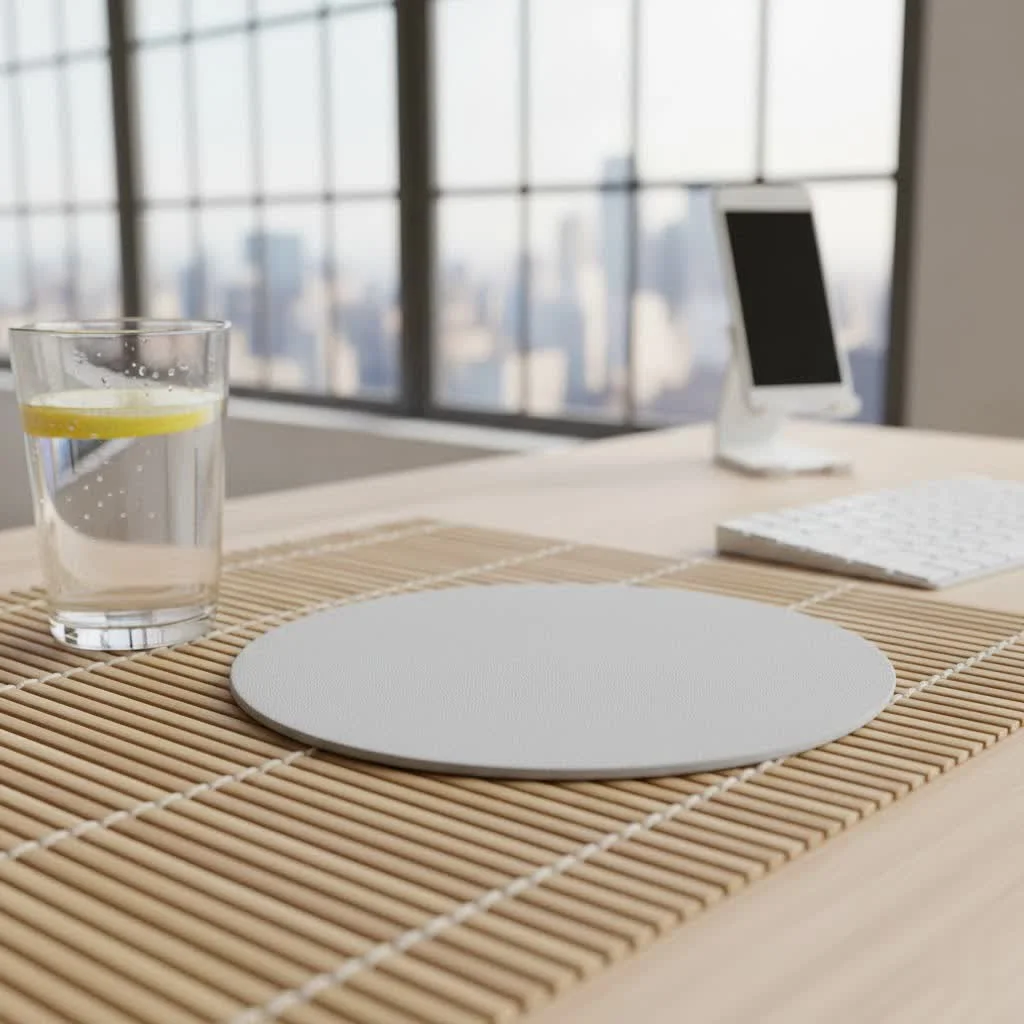
In today’s fast-paced world, whether you’re battling virtual foes, crunching numbers, or bringing creative visions to life, your interaction with your keyboard and mouse is constant. An integrated keyboard and mouse pad provides a seamless, consistent surface that dramatically improves your experience. It’s about more than just keeping your mouse from sliding off the edge; it’s about providing a stable, comfortable, and aesthetically pleasing environment for your most crucial input devices. Let’s dive deep into why these unified pads are a must-have and how to pick the perfect one for you.
Why a Unified Keyboard and Mouse Pad? More Than Just a Pretty Surface
The shift from individual mouse pads to a large, integrated surface for both your keyboard and mouse pad has been monumental, and for good reason. The benefits extend far beyond mere aesthetics, impacting everything from your gaming accuracy to your long-term ergonomic health.
The Seamless Experience: Uninterrupted Flow
Imagine never “running out of space” mid-action or having your mouse snag on the edge of a small pad. That’s the core promise of an extended keyboard and mouse pad. These large mats provide a vast, consistent surface for your mouse, eliminating any disruptive boundaries. This is especially crucial for gamers who prefer low DPI settings, allowing for sweeping, precise movements without interruption. This consistent texture and ample room mean your mouse sensor tracks uniformly, translating every subtle motion directly into on-screen action, giving you an undeniable edge in competitive scenarios.
Ergonomics & Comfort Redefined: Support Where You Need It
Long hours at the desk can take a toll on your wrists, forearms, and even your shoulders. A quality keyboard and mouse pad, often with a cushioned thickness of 3mm or 4mm, offers a soft, supportive base for your arms. This padding helps to alleviate pressure and reduce strain, fostering a more relaxed and ergonomic posture. “A good keyboard and mouse pad isn’t just about smooth gliding; it’s about creating a harmonious surface that supports your natural movements, drastically cutting down on fatigue during extended sessions,” explains Eleanor Vance, Ergonomics Specialist at ErgoTech Solutions. This integrated support can significantly reduce the risk of repetitive strain injuries (RSIs) like carpal tunnel syndrome, making those marathon work or gaming sessions much more comfortable.
Declutter Your Desk: A Unified Look and Protection
|
Our Picks for the Best Mouse Pad in 2026
As an Amazon Associate I earn from qualifying purchases.
|
||
| Num | Product | Action |
|---|---|---|
| 1 | MROCO Ergonomic Mouse Pad with Gel Wrist Rest, Smooth Wrist Support Surface, Non-Slip PU Base for Pain Relief, Comfortable Mousepad for Computer, Laptop, Office & Home, 9.4 x 8.1 in, Black |

|
| 2 | KTRIO Large Gaming Mouse Pad Desk Mat, Superior Micro-Weave Cloth for Precise Mouse Control, Non-Slip Rubber Base, Stitched Edges, Water-Resistant, for Gamer, Office & Home, 31.5\" x 11.8\" inches |
|
| 3 | KTRIO Large Gaming Mouse Pad with Stitched Edges, Extended Mousepad with Superior Micro-Weave Cloth, Non-Slip Base, Water Resist Keyboard Pad for Gamer, Office & Home, 31.5x15.7in, Black Topographic |
|
| 4 | KTRIO Excel Shortcuts Mousepad with Superior Micro-Weave Cloth, Extended Mousepad with Stitched Edges, Non-Slip Base, Water Resist Keyboard Pad for Gamer, Office & Home, Excel Shortcuts |
|
| 5 | KTRIO Large Gaming Mouse Pad with Stitched Edges, Extended Mousepad with Superior Micro-Weave Cloth, Non-Slip Base, Water Resist Keyboard Pad for Gamer, Office & Home, 31.5x15.7in, Black Gold |
|
| 6 | MROCO Ergonomic Mouse Pad with Gel Wrist Rest, Comfortable Mousepad with Smooth Wrist Support Surface and Non-Slip PU Base for Pain Relief, Computer, Laptop, Office & Home, 9.4 x 8.1 in, Black Flower |
|
| 7 | MROCO Ergonomic Mouse Pad with Gel Wrist Rest, Comfortable Mousepad with Smooth Wrist Support Surface and Non-Slip PU Base for Pain Relief, Computer, Laptop, Office & Home, 9.4 x 8.1 in, Blue Waves |
|
| 8 | MROCO Ergonomic Mouse Pad with Gel Wrist Rest, Comfortable Mousepad with Smooth Wrist Support Surface and Non-Slip PU Base for Pain Relief, Computer, Laptop, Office & Home, 9.4 x 8.1 in, Black Gold |
|
| 9 | MROCO Ergonomic Mouse Pad with Gel Wrist Rest, Comfortable Mousepad with Smooth Wrist Support Surface and Non-Slip PU Base for Pain Relief, Computer, Laptop, Office & Home, 9.4 x 8.1 in, Cloud Forest |
|
| 10 | MROCO Ergonomic Mouse Pad with Gel Wrist Rest, Comfortable Mousepad with Smooth Wrist Support Surface and Non-Slip PU Base for Pain Relief, Computer, Laptop, Office & Home, 9.4 x 8.1 in, Blue Marble |
|
Beyond performance and comfort, a large keyboard and mouse pad brings an immediate sense of order and sophistication to your workspace. It creates a clean, unified aesthetic, instantly tidying up your desk by providing a designated area for your keyboard, mouse, and other small peripherals. No more mismatched pads or uneven surfaces. What’s more, these pads act as a protective barrier for your desk, guarding against scratches, spills, and general wear and tear, especially valuable if you have a precious wooden or glass desktop.
Finding Your Perfect Match: Key Factors to Consider
Choosing the right keyboard and mouse pad involves more than just picking a cool design. It’s about understanding your needs, your setup, and the subtle nuances that make a significant difference.
Size Matters: From Desk Mats to Extended Pads
The most striking feature of these pads is their generous size. Standard extended pads typically range from 80cm to 100cm wide (around 31-39 inches), providing ample room for a full-sized keyboard and extensive mouse movement. However, you can find even larger “desk mats” that virtually cover your entire desktop, reaching up to 160cm x 80cm (63 x 31.5 inches) for the ultimate unified surface. When measuring, consider your desk dimensions, the size of your keyboard, and how much mouse movement space you realistically need. For those using low sensitivity settings or engaging in dynamic gaming, more space often translates to better control and less repositioning.
Material World: Cloth, Hard, Hybrid, and Beyond
The surface material of your keyboard and mouse pad dictates its feel, performance, and maintenance requirements.
- Soft Surfaces (Cloth, Microfiber, Neoprene): These are the most common, offering a balanced feel between speed and control.
- Cloth/Micro-woven cloth: Provides excellent tracking and a comfortable, slightly textured feel. They are generally quiet, can be rolled up easily, and often machine washable. Many come with anti-fray stitched edges for enhanced durability.
- Neoprene: Known for its cushioning, offering good wrist support. Some variations may not be fully waterproof, so check specifications for spill resistance.
- Hard Surfaces (Aluminum, Glass): If speed is your priority, hard pads deliver.
- Aluminum/Glass: Offer extremely low friction for incredibly fast, effortless glides. They are very durable and easy to clean, often just needing a quick wipe. However, they can be noisier than cloth pads and may feel colder to the touch.
- Hybrid Surfaces: The best of both worlds, hybrid pads combine properties of hard and soft surfaces. They typically feature a slightly rougher texture than pure hard pads but are slicker than cloth, striking a balance between speed and control. Many are water-resistant, making them easier to maintain.
- Premium Surfaces (Leather, Vegan Leather): For a touch of sophistication, leather or vegan leather pads provide a smooth, elegant surface that protects your desk while offering a luxurious aesthetic. They are often durable and easy to wipe clean, perfect for office environments.
The Devil in the Details: Thickness, Edges, and Base
Beyond the main material, several construction details significantly impact the longevity and usability of your keyboard and mouse pad.
- Thickness: Pads typically range from 2mm to 5mm. Thicker pads (3-5mm) offer more cushioning and comfort, reducing strain on your wrists and forearms. Thinner pads (2mm) might appeal if you prefer a less noticeable transition from desk to pad.
- Stitched Edges: This is a crucial feature for durability. Stitched edges prevent the fabric from fraying or peeling over time, especially with heavy use, keeping your keyboard and mouse pad looking sharp and extending its lifespan.
- Non-Slip Base: Almost all quality keyboard and mouse pads feature a natural rubber base. This essential element ensures the pad stays firmly anchored to your desk, preventing unwanted movement during intense gaming moments or rapid mouse sweeps.
Beyond the Basics: Special Features
Modern keyboard and mouse pads come with a host of additional features that can enhance your setup even further:
- RGB Lighting: For aesthetic appeal, many pads include customizable RGB lighting zones around their edges, allowing you to synchronize them with your other peripherals and personalize your gaming or work ambiance.
- Wireless Charging: Some advanced pads integrate wireless charging coils, letting you conveniently power up your compatible mouse or smartphone directly on the pad.
- Built-in Wrist Rests: While the pad itself provides cushioning, some designs incorporate dedicated gel or foam wrist rests for additional ergonomic support, particularly beneficial for those prone to wrist discomfort.
- Water Resistance/Washability: Given their size, easy maintenance is key. Many cloth and hybrid pads are treated for water resistance, making spills easy to wipe away. Some are even machine washable, ensuring your pad stays fresh and clean.
Optimizing Your Experience: Tips from a Product Designer
As a product designer focused on creating the perfect surface experience, I’ve learned a few tricks to get the most out of your keyboard and mouse pad.
Placement for Peak Performance
Don’t just throw it on your desk! Consider your ergonomic setup. Position the keyboard and mouse pad so that your keyboard sits comfortably, and your mouse has ample room for movement, especially to your dominant side. Ensure the edges are not irritating your forearms and that your wrists maintain a relatively neutral position, not bent sharply upwards or downwards. This thoughtful placement is crucial for both comfort and performance.
Keeping It Pristine: Maintenance Matters
Regular cleaning is vital to maintain the performance and longevity of your keyboard and mouse pad.
- Cloth Pads: For most cloth pads, a damp cloth with a mild soap solution works wonders for spot cleaning. For deeper cleans, check if it’s machine washable (use cold water, air dry). Avoid harsh chemicals that can damage the surface.
- Hard/Hybrid Pads: These are generally the easiest to clean. A quick wipe with a damp cloth is often sufficient to remove dust and grime.
- Rubber Base: Periodically wipe the underside to prevent dust buildup that can compromise its non-slip grip.
Pairing with Peripherals: A Synergistic Setup
Think of your keyboard and mouse pad as an integral part of your entire peripheral ecosystem. A speed-focused pad might pair excellently with a lightweight gaming mouse, while a control-oriented surface could complement a high-DPI mouse for precise graphic design work. The unified surface means your keyboard also benefits from a stable, non-slip base, preventing any unwanted movement during intense typing or gaming. The right pad can enhance the performance of your mouse and keyboard, creating a truly synergistic setup.
FAQs About Keyboard and Mouse Pads
Q1: Why choose an extended keyboard and mouse pad over separate ones?
A unified keyboard and mouse pad provides a consistent, seamless surface for both your devices, eliminating dead zones and providing more space for mouse movement. This leads to better ergonomics, reduced clutter, and a cleaner, more cohesive desk aesthetic.
Q2: How do I clean my keyboard and mouse pad?
Cleaning depends on the material. Cloth pads can often be spot-cleaned with mild soap and water, or sometimes machine washed on a cold cycle and air-dried. Hard and hybrid pads are typically easier, requiring just a wipe with a damp cloth. Always check the manufacturer’s instructions.
Q3: Are thick pads better for gaming?
Thicker pads (3mm-5mm) offer more cushioning, which can be more comfortable for your wrists and forearms during long gaming sessions. While they might slightly reduce the “feel” of your desk, many gamers prefer the added comfort and stability they provide, especially for intense, dynamic gameplay.
Q4: What’s the difference between cloth and hybrid surfaces?
Cloth surfaces generally offer more control and a softer feel, ideal for precision. Hybrid surfaces aim to blend the best aspects of cloth and hard pads, providing a faster glide than cloth but still with enough texture for control. They often boast better water resistance than traditional cloth.
Q5: Can these pads really help with wrist pain?
Absolutely. The cushioned surface of most extended keyboard and mouse pads helps to soften the impact on your wrists and forearms, reducing pressure points. This ergonomic benefit, combined with encouraging a more natural wrist posture, can significantly alleviate discomfort and help prevent common repetitive strain injuries.
The Foundation of Your Digital World
A keyboard and mouse pad isn’t just a surface; it’s the foundation upon which your digital interactions are built. By investing in a quality extended pad, you’re not just upgrading an accessory; you’re enhancing your comfort, optimizing your performance, and transforming the entire look and feel of your workspace. Whether you’re a hardcore gamer, a dedicated professional, or a creative innovator, the right keyboard and mouse pad can make all the difference. Take the time to explore the options, understand what truly matters for your usage, and choose a pad that will serve you faithfully for years to come. Your wrists, your accuracy, and your desk will thank you.
For more in-depth reviews, expert guides, and the latest trends in keyboard and mouse pads, keep an eye on Sdrav.com – your trusted source for all things mouse pad!
Get our weekly buyer guide
Practical specs, not advice. Unsubscribe anytime.
