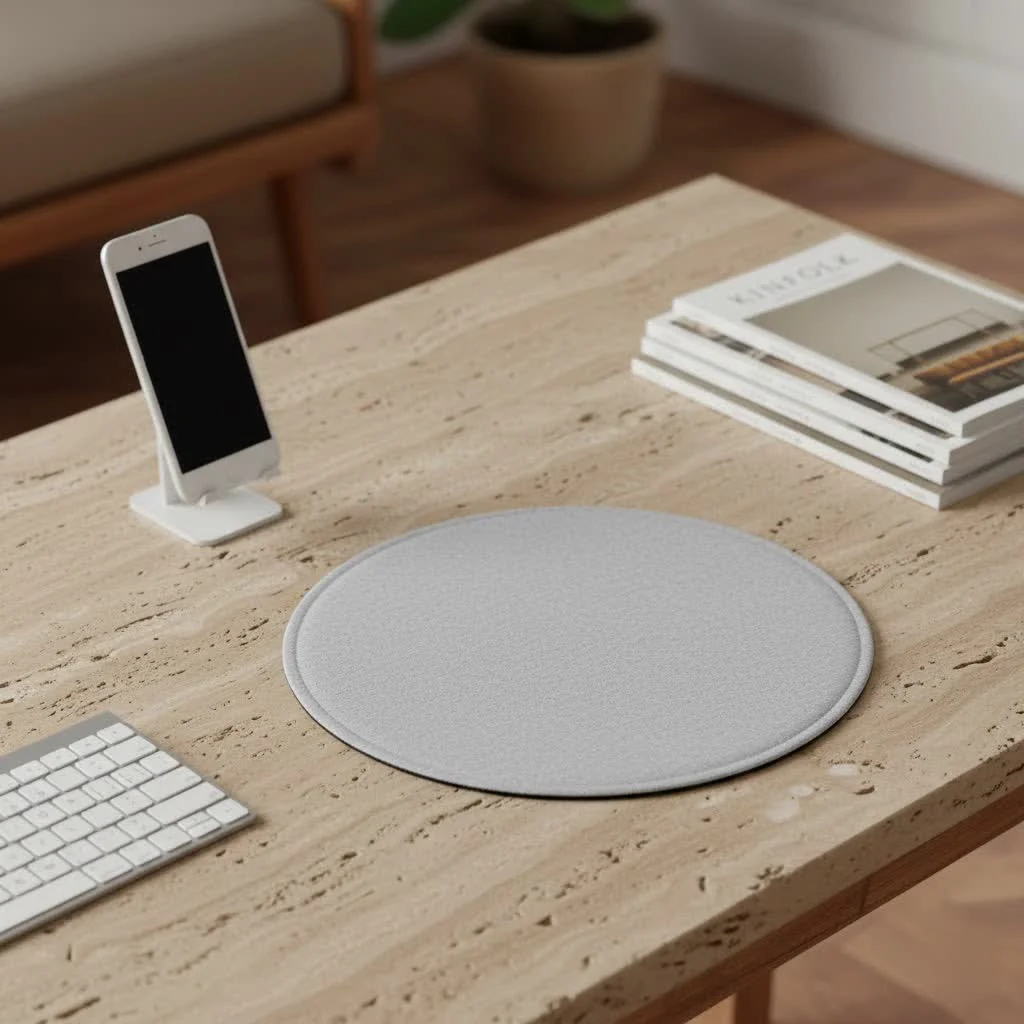
A mouse wrist pad is a padded accessory that supports the heel of your hand or palm, not your wrist, to maintain a neutral wrist posture and reduce strain during computer use. This ergonomic support helps prevent repetitive strain injuries (RSIs) like carpal tunnel syndrome by alleviating pressure points and distributing weight evenly. For instance, memory foam wrist pads contour to your hand, providing personalized comfort and reducing fatigue during long sessions.
What Exactly is a Mouse Wrist Pad?
At its core, a mouse wrist pad, often interchangeably called a mouse wrist rest or wrist support, is a padded accessory designed to provide a comfortable surface for your hand and wrist while operating a computer mouse. Its primary purpose is to elevate your hand slightly, encouraging a more natural, neutral posture and reducing direct pressure on the hard surface of your desk.
Now, here’s a crucial distinction: while we call them “wrist pads,” the ideal ergonomic use actually involves resting the heel of your hand or your palm on the pad, not the delicate wrist joint itself. This subtle difference is key to preventing the compression of nerves and tendons that can lead to discomfort and long-term issues. Think of it as a gentle guide, not a heavy support beam for your wrist bone.
The Unquestionable Benefits of a Mouse Wrist Pad
Many people wonder if a mouse wrist pad is truly necessary. Having worked with countless users over the years, I can confidently say that the benefits extend far beyond simple comfort.
Reduces Strain and Fatigue
Imagine spending hours with your wrist bent or pressed against a sharp desk edge. That repetitive motion and sustained awkward posture can lead to significant strain on your muscles and tendons. A quality wrist pad for mouse use provides a soft, cushioned barrier, distributing pressure more evenly across the broader base of your hand. This allows the muscles in your forearm and wrist to relax, significantly reducing fatigue during extended computer sessions. It’s like giving your hard-working hand a mini-vacation throughout the day.
Promotes Neutral Wrist Alignment
This is perhaps the most critical benefit. When your wrist is properly aligned, it means it’s relatively straight, not bent upwards (extension) or downwards (flexion), or to either side. An ergonomic mouse pad with proper wrist support helps maintain this neutral posture, which is essential for minimizing the risk of repetitive strain injuries (RSIs) like carpal tunnel syndrome. By keeping your wrist in a more natural position, the tendons and nerves passing through your wrist have more space, reducing the chances of impingement and discomfort.
Alleviates Pressure Points
|
Our Picks for the Best Mouse Pad in 2026
As an Amazon Associate I earn from qualifying purchases.
|
||
| Num | Product | Action |
|---|---|---|
| 1 | MROCO Ergonomic Mouse Pad with Gel Wrist Rest, Comfortable Mousepad with Smooth Wrist Support Surface and Non-Slip PU Base for Pain Relief, Computer, Laptop, Office & Home, 9.4 x 8.1 in, Blue Waves |

|
| 2 | MROCO Ergonomic Mouse Pad with Gel Wrist Rest, Smooth Wrist Support Surface, Non-Slip PU Base for Pain Relief, Comfortable Mousepad for Computer, Laptop, Office & Home, 9.4 x 8.1 in, Black |
|
| 3 | MROCO Ergonomic Mouse Pad with Gel Wrist Rest, Comfortable Mousepad with Smooth Wrist Support Surface and Non-Slip PU Base for Pain Relief, Computer, Laptop, Office & Home, 9.4 x 8.1 in, Black Gold |
|
| 4 | MROCO Ergonomic Mouse Pad with Gel Wrist Rest, Comfortable Mousepad with Smooth Wrist Support Surface and Non-Slip PU Base for Pain Relief, Computer, Laptop, Office & Home, 9.4 x 8.1 in, Cloud Forest |
|
| 5 | MROCO Ergonomic Mouse Pad with Gel Wrist Rest, Comfortable Mousepad with Smooth Wrist Support Surface and Non-Slip PU Base for Pain Relief, Computer, Laptop, Office & Home, 9.4 x 8.1 in, Blue Marble |
|
| 6 | KTRIO Excel Shortcuts Mousepad with Superior Micro-Weave Cloth, Extended Mousepad with Stitched Edges, Non-Slip Base, Water Resist Keyboard Pad for Gamer, Office & Home, Excel Shortcuts |
|
| 7 | KTRIO Large Gaming Mouse Pad with Stitched Edges, Extended Mousepad with Superior Micro-Weave Cloth, Non-Slip Base, Water Resist Keyboard Pad for Gamer, Office & Home, 31.5x15.7in, Black Gold |
|
| 8 | KTRIO Large Gaming Mouse Pad with Stitched Edges, Extended Mousepad with Superior Micro-Weave Cloth, Non-Slip Base, Water Resist Keyboard Pad for Gamer, Office & Home, 31.5x15.7in, Black Topographic |
|
| 9 | MROCO Ergonomic Mouse Pad with Gel Wrist Rest, Comfortable Mousepad with Smooth Wrist Support Surface and Non-Slip PU Base for Pain Relief, Computer, Laptop, Office & Home, 9.4 x 8.1 in, Black Flower |
|
| 10 | KTRIO Large Gaming Mouse Pad Desk Mat, Superior Micro-Weave Cloth for Precise Mouse Control, Non-Slip Rubber Base, Stitched Edges, Water-Resistant, for Gamer, Office & Home, 31.5\" x 11.8\" inches |
|
Without a wrist pad, the underside of your wrist or palm can press directly against the hard edge of your desk. This creates concentrated pressure points that can lead to soreness, red marks, and even localized nerve compression over time. A padded mouse wrist pad acts as a buffer, cushioning these sensitive areas and eliminating those painful pressure points. This small change contributes immensely to overall comfort.
Boosts Comfort and Productivity
Let’s be honest: when you’re uncomfortable, your focus dwindles, and your productivity takes a hit. By mitigating strain, promoting proper alignment, and alleviating pressure, a wrist pad for your mouse drastically enhances your overall comfort. When you’re not constantly shifting to find a comfortable position or battling nagging pain, you can stay more focused, work more efficiently, and enjoy your time at the computer, whether for work or play. This improved comfort often translates directly into higher job satisfaction and better performance.
Decoding the Materials: Which Wrist Pad is Right for You?
The world of mouse wrist pads offers a surprisingly diverse range of materials, each bringing its own set of characteristics to the table. Understanding these differences is crucial for choosing the one that best suits your personal needs and preferences.
Memory Foam: The Contouring Champion
Memory foam wrist rests are incredibly popular, and for good reason. Made from a type of polyurethane foam, memory foam is renowned for its ability to contour precisely to the shape of your hand and wrist. This personalized support helps distribute pressure evenly, offering superior cushioning and relieving pressure points. Many users describe it as feeling like a custom-made support. Some memory foam options are even infused with cooling gel beads to help dissipate heat, a welcome feature during long sessions. For those seeking soft, adaptive, and highly supportive comfort, memory foam is often the top choice, known for its excellent durability and ability to retain its shape over time.
Gel: The Cool and Cushioned Choice
Gel wrist pads feature a soft, squishy, gel-like material that provides immediate cushioning and often has a cool-to-the-touch feel. This cooling effect can be particularly soothing, especially in warmer environments or during intense use. Gel pads are great at distributing pressure and offering a soft, resilient surface. They are generally easy to clean, making them a practical option for many. While initially comfortable, some gel rests might flatten or degrade slightly over very long periods of use, potentially losing some of their original effectiveness compared to memory foam.
Silicone/Rubber: The Durable and Stable Option
Silicone and rubber wrist pads are known for their firm support, durability, and excellent non-slip properties. They tend to stay firmly in place on your desk, preventing unwanted movement during intense mouse work or gaming. Silicone is also very easy to clean and maintain, making it a hygienic choice. If you prefer a sturdier, more stable support that won’t shift an inch and is built to last, a silicone or rubber wrist pad might be your ideal companion.
Cloth & Leather: For Feel and Style
While less common as standalone mouse wrist pads, cloth-covered options (often with foam or bead interiors) offer a soft, breathable surface that’s comfortable against the skin. They can provide good cushioning and a smooth feel. Leather or PU leather wrist rests, on the other hand, bring a touch of elegance and a premium aesthetic to your workspace. They are generally firm, durable, and also easy to wipe clean, offering a sophisticated look without compromising on comfort. These materials are often chosen when style and tactile experience are as important as ergonomic function.
Beaded: Flexible and Adaptive
Beaded wrist rests are filled with tiny, movable beads, allowing them to conform and mold to your hand’s position dynamically. This unique flexibility means they can adjust as you shift your hand, offering customizable support. They also tend to breathe well, which can be a plus for some users. While highly adaptive, some users might find certain beaded rests to be overstuffed or too high, which can be uncomfortable if not matched to their hand size and usage. However, for those who appreciate a highly flexible and moldable support, beaded options are worth exploring.
Finding Your Perfect Match: A Buyer’s Guide
Choosing the best mouse wrist pad isn’t a one-size-fits-all scenario. It’s about understanding your needs and how the various options align with your personal workflow and physical requirements.
Consider Your Usage and Desk Setup
Are you primarily a gamer who needs rapid, fluid mouse movements, or an office worker spending long hours on precise tasks? Gamers might prefer slightly firmer support that allows for quick transitions, while office users might prioritize softer, more sustained comfort. Also, take a moment to look at your desk space. Do you have ample room for a larger, integrated mouse pad with a built-in wrist rest, or do you need a compact, standalone wrist pad that can be easily repositioned? Measure your available space to ensure your choice fits seamlessly into your current setup.
Integrated vs. Standalone
This is a fundamental decision.
- Integrated mouse pads with wrist rests combine the mouse surface and support into one unit. These often provide a cohesive look and ensure the wrist rest is perfectly aligned with the mouse pad itself. They are great for a fixed setup.
- Standalone mouse wrist pads are separate units that you place next to your mouse. These offer more flexibility, allowing you to position the wrist support exactly where you need it, and they can be easily moved or removed if desired. Some innovative designs even feature gliding feet, letting the wrist rest move with your hand as you navigate your mouse across the desk.
Shape and Size Matters
Mouse wrist pads come in various shapes and sizes. Rectangular pads are common, offering a broad support area. Contoured shapes are designed to fit the natural curve of your hand, providing targeted support. When selecting, think about how much space your mouse movements typically require. A larger mouse or a gaming style might benefit from a broader pad to ensure your hand never leaves the supported area. The height of the wrist pad is also critical; it should allow your wrist to maintain a neutral, straight line with your forearm, neither bending upwards nor downwards.
Non-Slip Bases and Extra Features
A good wrist pad for your mouse should stay put. Look for models with a non-slip rubber or silicone base to prevent frustrating sliding during use. Some modern mouse pads with integrated wrist rests even come with advanced features like built-in wireless charging capabilities for your smartphone or wireless mouse, adding an extra layer of convenience to your workspace. These small additions can significantly enhance your overall desk experience.
Using Your Mouse Wrist Pad Like a Pro (And Avoiding Common Mistakes)
Even the best mouse wrist pad won’t deliver its full benefits if not used correctly. As John Smith, a lead design engineer at ErgoTech Solutions, often says, “A good wrist pad isn’t just about cushioning; it’s about guiding your hand into a neutral posture, transforming hours of discomfort into productive, pain-free work and play. It’s a small change with a monumental impact on your long-term ergonomic health.” Here’s how to use yours optimally:
The “Palm, Not Wrist” Rule
This is paramount. The wrist pad should support the fleshy part of your palm or the heel of your hand, not the bony underside of your wrist itself. When you rest your actual wrist joint on the pad, you can compress the carpal tunnel, which is precisely what you’re trying to avoid. Your wrist should be free and straight, maintaining a neutral line with your forearm.
Maintain a Fluid Movement
Your hands should move freely above the wrist pad while you’re actively mousing. The wrist pad is there to support your palm during pauses or when your hand naturally rests. You shouldn’t be pivoting your wrist on the pad as you move the mouse; instead, move your entire arm from the shoulder to guide the mouse, allowing the wrist pad to act as a comfortable resting spot when needed. Some innovative “slide and move” wrist rests are designed to move with your hand, making this fluid motion even more natural.
Overall Ergonomic Setup
A mouse wrist pad is one piece of a larger ergonomic puzzle. For the best results, ensure your entire workstation is properly adjusted. Your chair should be at a height where your feet are flat on the floor (or on a footrest), and your elbows should be at roughly a 90-degree angle, level with your desk and keyboard. This holistic approach to ergonomics will amplify the benefits of your wrist pad and provide comprehensive protection against strain and injury.
Expert Insights on Wrist Health
As a product designer, I’ve had countless conversations with ergonomic specialists, and the consensus is clear: preventive measures are key. “Many people focus on treatment after pain begins,” notes Dr. Anya Sharma, a renowned physiotherapist specializing in computer-related injuries. “But incorporating ergonomic accessories like a properly used mouse wrist pad, coupled with regular stretching and breaks, can significantly reduce the likelihood of developing chronic conditions. It’s about creating a supportive environment for your body before issues arise.” Investing in your wrist health is investing in your long-term ability to enjoy your digital life.
Frequently Asked Questions
Are mouse wrist pads really necessary?
While not universally “necessary” for everyone, mouse wrist pads are highly recommended for anyone who spends extended periods using a computer mouse. They significantly reduce strain, promote proper alignment, and enhance comfort, thereby helping prevent repetitive strain injuries.
How often should I replace my wrist pad?
The lifespan of a wrist pad depends on its material and how frequently it’s used. Gel and memory foam pads might need replacing every 1-3 years if they start to lose their shape, firmness, or cushioning. Silicone and cloth pads might last longer, but always replace if you notice degradation or discomfort.
Can a wrist pad worsen carpal tunnel syndrome?
Yes, if used incorrectly. Resting the actual wrist joint directly on the pad can compress the carpal tunnel. The pad should support the heel of your hand or palm, allowing your wrist to remain straight and neutral.
What’s the best material for a mouse wrist pad?
The “best” material depends on personal preference. Memory foam offers excellent contouring and support, gel provides a cool, soft feel, and silicone offers firm, durable stability. Each has its advantages.
Should gamers use wrist pads?
Absolutely! Gamers often engage in intense, rapid mouse movements for extended periods, making them highly susceptible to wrist strain. A well-chosen mouse wrist pad can provide crucial support and comfort, helping maintain performance and prevent injury during long gaming sessions.
How do I clean my mouse wrist pad?
Cleaning methods vary by material. Most gel and silicone pads can be easily wiped clean with a damp cloth and mild soap. Cloth-covered pads may require spot cleaning or gentle hand washing. Always check the manufacturer’s instructions for specific care.
Conclusion
Choosing the right wrist pad for your mouse is more than just a peripheral purchase; it’s a proactive step towards a healthier, more comfortable, and ultimately more productive computing experience. From reducing strain and preventing injuries to simply making your daily grind or gaming marathon more enjoyable, the benefits are clear. As experts in ergonomic design and quality peripherals, we at Sdrav are dedicated to helping you find the perfect balance of support, style, and performance. Take the time to assess your needs, explore the materials, and remember the golden rule of “palm, not wrist.” Your hands will thank you, and you’ll unlock a new level of comfort at your desk.
Choosing the Best Mouse Wrist Pad
Select the ideal mouse wrist pad by considering your usage, desk setup, preferred material, and ergonomic needs to ensure comfort and prevent strain.
Determine if you are a gamer requiring rapid movements or an office worker needing sustained comfort. Measure your desk space to decide between an integrated mouse pad with a wrist rest or a compact, standalone wrist pad that can be repositioned.
Integrated mouse pads offer a cohesive look and fixed alignment, suitable for stable setups. Standalone wrist pads provide flexibility, allowing precise positioning and easy movement, which is beneficial for dynamic users.
Consider memory foam for contouring support, gel for a cool and soft feel, or silicone/rubber for firm durability and stability. Cloth and leather offer style and breathability, while beaded rests provide flexible, adaptive support.
Choose a shape (rectangular or contoured) and size that accommodates your mouse movements. Ensure the wrist pad's height allows your wrist to maintain a neutral, straight line with your forearm, preventing upward or downward bending.
Prioritize wrist pads with a non-slip rubber or silicone base to prevent sliding. Some advanced models offer extra features like wireless charging, which can enhance overall convenience and desk experience.
Get our weekly buyer guide
Practical specs, not advice. Unsubscribe anytime.
I picked up a gel wrist pad after reading about how they help maintain a neutral wrist posture. It’s definitely more comfortable than just resting my hand on the desk, and I appreciate the support. My only minor gripe is that it sometimes feels a little too cool to the touch, especially in the mornings. Still, it’s a solid improvement for preventing strain.
I tried a beaded wrist pad hoping it would be a good solution for my carpal tunnel issues, but it’s just okay. While it does offer some support, I find the beads shift a bit too much for my liking, and it doesn’t always feel as stable as I’d hoped. It’s better than nothing, but I might look into a different material next time for more consistent support.
Seriously, if you’re a gamer, get a good wrist pad. I used to just tough it out, but the pressure points were getting bad. Switching to one of the ergonomic supports mentioned has totally changed my setup. No more wrist pain after a raid, and my aim even feels a little steadier because I’m not constantly adjusting for discomfort. Huge win.
I’ve been using a memory foam wrist pad for a few weeks now, and it’s made a huge difference. My old setup was really causing some discomfort, especially during long gaming sessions. This one contours perfectly to my hand, and I’ve noticed a significant reduction in the fatigue I used to feel. Definitely worth the investment for anyone spending a lot of time at their computer.