Ah, the humble mouse pad. Often overlooked, sometimes an afterthought, yet for anyone who spends significant time at their computer, it’s a silent hero working tirelessly beneath your hand. At Sdrav.com, we’ve spent over a decade diving deep into the world of mouse pads, and we can tell you: the right one doesn’t just hold your mouse; it transforms your entire interaction with your PC. It’s about more than just a surface; it’s about precision, speed, comfort, and even the longevity of your beloved mouse. So, let’s peel back the layers and discover how choosing the right mouse pad can elevate your digital experience, whether you’re clicking heads in a fast-paced game or meticulously crafting a design.
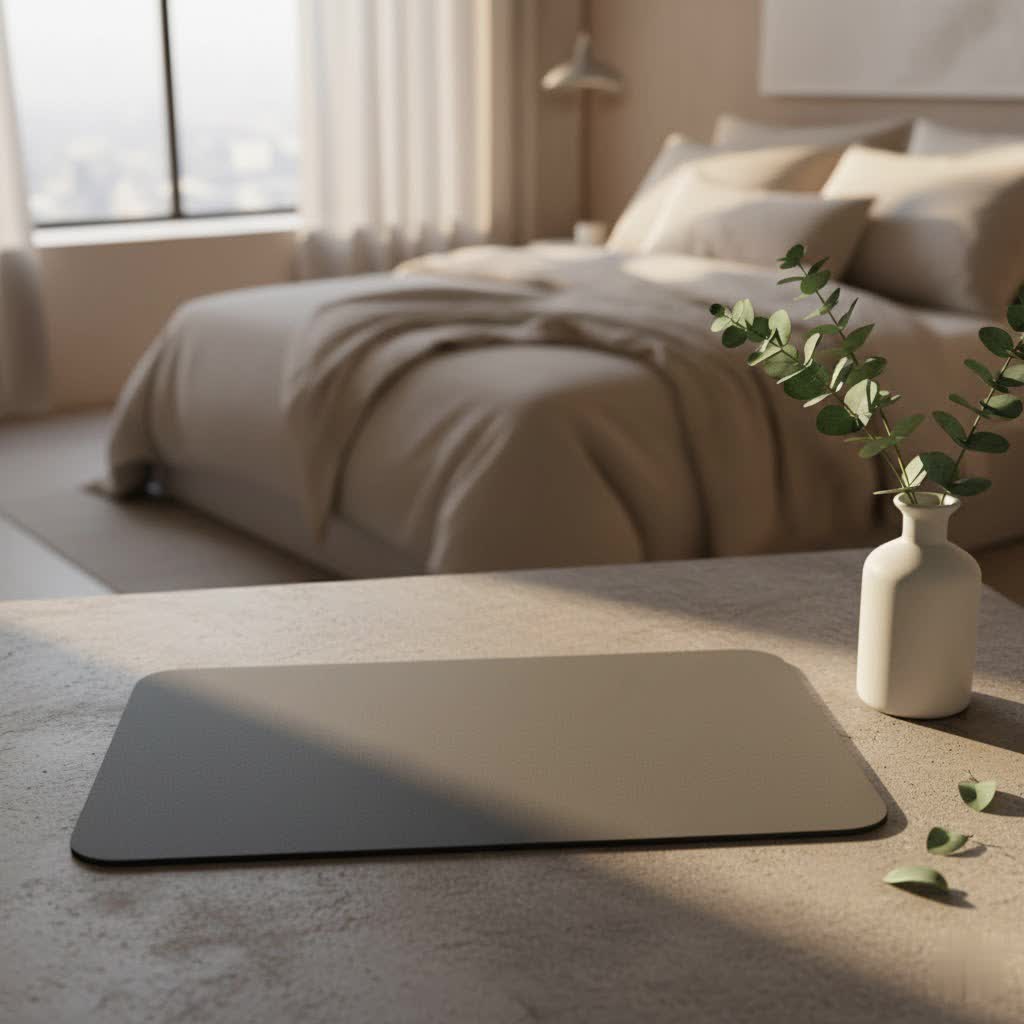
Why a Mouse Pad Isn’t Just a “Pad”: Unlocking the Benefits
Think of your mouse pad as the stage for your mouse. Without it, your mouse might stumble, slip, or simply fail to perform at its peak. Here’s why a dedicated surface is indispensable:
- Enhanced Precision and Control: A quality mouse pad provides a consistent, predictable surface that allows your mouse sensor to track movements flawlessly. This means your cursor goes exactly where you intend it to, eliminating frustrating jitters or skips, which is crucial for tasks demanding pixel-perfect accuracy, from graphic design to competitive gaming.
- Improved Speed and Glide: Depending on its material, a mouse pad can significantly reduce friction between your mouse feet and the surface. This allows for smoother, faster movements, enabling quick reflexes in games or efficient navigation across multiple monitors in a professional setting.
- Extended Mouse Lifespan: Your desk surface, especially wood or certain plastics, can be abrasive. A mouse pad acts as a protective layer, cushioning your mouse feet (also known as skates or glides) and preventing premature wear and tear. This simple accessory can save you money by extending the life of your expensive gaming or ergonomic mouse.
- Desk Protection: Just as a mouse pad protects your mouse, it also safeguards your desk. Constant mouse movement can lead to scratches, scuffs, or discoloration on your desk surface over time. A mouse pad, especially a larger desk mat, shields your workspace from these unwanted marks.
- Ergonomic Comfort: Many mouse pads are designed with comfort in mind, offering a softer landing for your wrist and arm. Those with integrated wrist rests provide crucial support, helping to maintain a neutral wrist position and reduce the risk of strain or conditions like carpal tunnel syndrome during long hours of use.
- Reduced Noise: Gliding a mouse directly on a hard desk can sometimes produce an annoying scraping sound. A mouse pad, particularly a cloth one, dampens these noises, creating a quieter and more pleasant working or gaming environment.
- Aesthetics and Personalization: Let’s be honest, our setups are extensions of ourselves. Mouse pads come in an incredible array of colors, designs, and even with integrated RGB lighting. They offer a fantastic opportunity to personalize your workspace and add a touch of your unique style.
Decoding the Surface: Mouse Pad Materials and Their Impact
The material of your mouse pad is arguably the most critical factor influencing its performance and feel. Each material offers a unique balance of speed, control, and durability.
Cloth Mouse Pads: The Versatile All-Rounder
Cloth mouse pads are the most common type, beloved for their comfort and versatility. They typically feature a finely woven fabric surface bonded to a rubber base.
- Pros:
- Comfort: Soft and pliable, providing a comfortable surface for your wrist and arm.
- Control: The textured surface offers a degree of friction, allowing for precise, controlled movements and excellent “stopping power.” This is why many tactical FPS gamers prefer them.
- Portability: Most can be rolled up and easily transported.
- Affordability: Generally more budget-friendly.
- Cons:
- Wear and Tear: Prone to fraying over time, especially without stitched edges.
- Maintenance: Can accumulate dirt, dust, and sweat, requiring regular cleaning.
- Slower Glide: Inherently offer more friction than hard surfaces.
Variations within Cloth Pads:
- Speed Cloth: Features a smoother, tighter weave for lower friction and faster glide, ideal for quick, sweeping movements.
- Control Cloth: A coarser, more textured weave provides higher friction for maximum stopping power and pixel-perfect accuracy.
- Dense (Micro) Fabric: Offers a balance, providing tactile feedback with a smooth feel.
- Waterproof Cloth: Treated with a water-resistant coating to protect against spills, without significantly impacting tracking.
|
Our Picks for the Best Mouse Pad in 2026
As an Amazon Associate I earn from qualifying purchases.
|
||
| Num | Product | Action |
|---|---|---|
| 1 | KTRIO Large Gaming Mouse Pad with Stitched Edges, Extended Mousepad with Superior Micro-Weave Cloth, Non-Slip Base, Water Resist Keyboard Pad for Gamer, Office & Home, 31.5x15.7in, Black Gold |

|
| 2 | MROCO Ergonomic Mouse Pad with Gel Wrist Rest, Comfortable Mousepad with Smooth Wrist Support Surface and Non-Slip PU Base for Pain Relief, Computer, Laptop, Office & Home, 9.4 x 8.1 in, Black Flower |
|
| 3 | MROCO Ergonomic Mouse Pad with Gel Wrist Rest, Comfortable Mousepad with Smooth Wrist Support Surface and Non-Slip PU Base for Pain Relief, Computer, Laptop, Office & Home, 9.4 x 8.1 in, Black Gold |
|
| 4 | KTRIO Large Gaming Mouse Pad with Stitched Edges, Extended Mousepad with Superior Micro-Weave Cloth, Non-Slip Base, Water Resist Keyboard Pad for Gamer, Office & Home, 31.5x15.7in, Black Topographic |
|
| 5 | MROCO Ergonomic Mouse Pad with Gel Wrist Rest, Comfortable Mousepad with Smooth Wrist Support Surface and Non-Slip PU Base for Pain Relief, Computer, Laptop, Office & Home, 9.4 x 8.1 in, Cloud Forest |
|
| 6 | MROCO Ergonomic Mouse Pad with Gel Wrist Rest, Comfortable Mousepad with Smooth Wrist Support Surface and Non-Slip PU Base for Pain Relief, Computer, Laptop, Office & Home, 9.4 x 8.1 in, Blue Marble |
|
| 7 | MROCO Ergonomic Mouse Pad with Gel Wrist Rest, Comfortable Mousepad with Smooth Wrist Support Surface and Non-Slip PU Base for Pain Relief, Computer, Laptop, Office & Home, 9.4 x 8.1 in, Blue Waves |
|
| 8 | MROCO Ergonomic Mouse Pad with Gel Wrist Rest, Smooth Wrist Support Surface, Non-Slip PU Base for Pain Relief, Comfortable Mousepad for Computer, Laptop, Office & Home, 9.4 x 8.1 in, Black |
|
| 9 | KTRIO Excel Shortcuts Mousepad with Superior Micro-Weave Cloth, Extended Mousepad with Stitched Edges, Non-Slip Base, Water Resist Keyboard Pad for Gamer, Office & Home, Excel Shortcuts |
|
| 10 | KTRIO Large Gaming Mouse Pad Desk Mat, Superior Micro-Weave Cloth for Precise Mouse Control, Non-Slip Rubber Base, Stitched Edges, Water-Resistant, for Gamer, Office & Home, 31.5\" x 11.8\" inches |
|
Hard Mouse Pads: Built for Speed and Durability
Hard pads are constructed from rigid materials like plastic, metal, or glass. They prioritize speed and consistency.
- Pros:
- Speed: Offer an ultra-low friction surface for incredibly fast mouse glides.
- Durability: Highly resistant to wear and tear, often lasting much longer than cloth pads.
- Easy to Clean: Spills and dirt can typically be wiped away with ease.
- Consistent Glide: The uniform surface provides a very consistent tracking experience.
- Cons:
- Less Comfortable: Can feel hard on the wrist and arm over long periods.
- Mouse Feet Wear: The abrasive nature of some hard pads can wear down mouse feet faster.
- Noise: Can be noisier as the mouse glides across the surface.
- Slippery Feel: Some users find them too fast, lacking the “stopping power” they need.
Specific Hard Materials:
- Plastic: Common, durable, and offers a good balance of speed.
- Metal (e.g., Aluminum): Offers extreme durability and a sleek, premium aesthetic. Can be cold to the touch.
- Glass: Provides the absolute smoothest, fastest glide with minimal resistance. They are very durable but can be expensive, heavy, and prone to showing fingerprints or scratches if not properly maintained. “A glass pad can offer unparalleled speed and a consistent glide, but remember, every speck of dust will be amplified,” advises Jane Doe, a lead product designer at Sdrav.com.
Hybrid Mouse Pads: The Best of Both Worlds
Hybrid pads aim to combine the advantages of both cloth and hard surfaces, often using unique synthetic fabrics or specialized coatings.
- Pros:
- Balanced Performance: Offers a blend of speed and control, suitable for diverse activities.
- Durability: Many hybrids feature enhanced durability and water resistance compared to traditional cloth.
- Cons:
- Texture: Some hybrid materials, like Cordura, can feel abrasive to sensitive skin.
- Cost: Often more expensive due to specialized materials.
Size Matters: Finding the Right Dimensions for Your Setup
Mouse pads come in a vast array of sizes, from compact designs to massive desk mats that span your entire workspace. Your choice here should align with your desk size, mouse sensitivity (DPI), and primary activities.
- Small/Medium Pads: (Typically around 25x30cm to 30x35cm)
- Ideal for minimalist setups, limited desk space, or users with high mouse sensitivity (DPI) who make small, precise movements.
- Great for portability if you frequently move your setup.
- Large/XL/Extended Pads (Desk Mats): (Ranging from 40x45cm for large, up to 60x120cm for 3XL)
- Ample Space: Provides vast real estate for sweeping mouse movements, especially crucial for low-DPI gamers.
- Accommodates Peripherals: Large enough to comfortably house both your mouse and keyboard, creating a cohesive and organized look.
- Dampens Keyboard Sound: A thick desk mat can help absorb vibrations and reduce the sound of your mechanical keyboard.
- Enhanced Comfort: Offers a uniform, soft surface for both your mouse hand and keyboard hands to rest on.
- “For gamers who utilize low sensitivity and make big, arm-sweeping movements, an extended mouse pad is a game-changer,” says David Lee, a veteran mouse pad engineer. “It eliminates the need to constantly reposition your mouse and provides an uninterrupted glide.”
When choosing a size, measure your desk and consider your playstyle or workflow. If you frequently lift your mouse or feel restricted, a larger pad is probably what you need.
Beyond the Surface: Essential Features and Design Considerations
A mouse pad is more than just its top layer. Several other features contribute to its overall performance, durability, and user experience.
- Base Material (Anti-slip): The underside of nearly every quality mouse pad is made from a non-slip material, most commonly rubber or silicone. This is crucial to prevent the pad from sliding around during intense movements. A good grip ensures your mouse pad stays firmly in place, regardless of how frenetic your actions become.
- Thickness:
- Thin (2-3mm): Lighter, easier to pack, and offers a more direct feel of the desk beneath. However, they are less forgiving of uneven desk surfaces.
- Thick (4-6mm+): Provides more cushioning for improved wrist comfort and can better compensate for minor imperfections on your desk surface. They also offer a slightly softer, more “plush” feel.
- Stitched Edges: A small but significant detail. Stitched edges prevent the fabric surface from fraying and peeling away from the rubber base, dramatically increasing the mouse pad’s lifespan and maintaining its aesthetic appeal.
- Wrist Rests: Integrated gel or foam wrist rests are a boon for ergonomics, offering support to keep your wrist in a neutral position. While beneficial for comfort, some users, especially gamers, prefer a flat surface for unrestricted movement.
- RGB Lighting: For those who appreciate vibrant aesthetics, RGB mouse pads feature integrated lighting around their edges. These can often be customized with various colors and effects, syncing with other RGB peripherals to create an immersive light show. While purely aesthetic, they certainly add a flair to any setup.
- Wireless Charging: A cutting-edge feature, some mouse pads incorporate wireless charging coils, allowing compatible wireless mice to charge continuously while in use, eliminating the need for separate charging docks or battery changes. This offers unparalleled convenience for wireless mouse users.
- Spill Resistance/Easy to Clean: Life happens, and spills are inevitable. Many modern mouse pads, especially hybrid and some cloth types, feature water-resistant coatings that make them easier to clean and protect against accidental liquid damage.
Choosing Your Champion: Matching a Mouse Pad to Your Needs
Now that you understand the different elements, let’s figure out which mouse pad will be your perfect companion.
For Gamers: Speed vs. Control
Gaming mouse pads are often categorized by “speed” or “control,” catering to different game genres and playstyles.
- For Precision & Tactical Shooters (e.g., CS:GO, Valorant): You’ll want a control-oriented cloth mouse pad. The increased friction allows for minute, precise adjustments and strong stopping power, essential for “flicking” onto targets and holding angles. Think SteelSeries QcK Heavy or Zowie G-SR.
- For Fast-Paced FPS & Battle Royales (e.g., Apex Legends, Overwatch): A speed-focused cloth, hard, or hybrid mouse pad might be better. These surfaces allow for quick, fluid movements across your pad, enabling you to track fast-moving targets and react swiftly. Consider options like the Razer Atlas (glass) or Razer Strider Chroma (hybrid).
- For MMOs/MOBAs: While precision is still key, extreme speed or control might be less critical than comfort and durability. A good quality, medium-friction cloth pad with stitched edges will serve you well for long sessions.
For Office & Productivity: Comfort and Efficiency
- Focus: Ergonomics, smooth navigation, and a clean aesthetic.
- Recommendation: A medium-friction cloth mouse pad or an ergonomic pad with a wrist rest. If you have a large desk, a desk mat can provide a unified look and ample space for both your mouse and keyboard.
For Creative Professionals (Graphic Designers, Editors): Precision is Paramount
- Focus: Pixel-perfect accuracy, consistent tracking, and comfortable long-term use.
- Recommendation: A control-oriented cloth mouse pad or a dense fabric hybrid pad. These surfaces offer the tactile feedback and stopping power needed for intricate work.
For Everyday Users: Balance and Durability
- Focus: A good all-around experience, easy maintenance, and value.
- Recommendation: A standard cloth mouse pad, perhaps with water-resistant properties, or a durable plastic pad. Consider a medium size unless you have specific desk space or movement needs.
A Pro Tip from Sdrav.com
“A great mouse pad isn’t just about the surface; it’s about how that surface integrates with your mouse, your hand, and your desk to create a seamless, intuitive experience. Don’t be afraid to experiment with different materials and sizes. What feels right for one person might be completely wrong for another,” says Dr. Emily Chen, our resident ergonomics specialist.
Maintaining Your Mouse Pad: Simple Steps for Lasting Performance
To ensure your mouse pad continues to perform at its best, a little care goes a long way.
- Cloth Mouse Pads:
- Regular Cleaning: For dust and light grime, a damp cloth or lint roller works wonders.
- Deep Cleaning: For stubborn stains or accumulated sweat, hand wash with mild soap and lukewarm water. Gently scrub with a soft brush, rinse thoroughly, and air dry completely. Avoid machine washing unless explicitly stated by the manufacturer, as it can damage the rubber base or stitched edges.
- Hard & Glass Mouse Pads:
- Simple Wiping: These are much easier to clean. A microfiber cloth with a little glass cleaner or water will remove dust, fingerprints, and smudges.
- Keep Dust-Free: Especially for glass pads, maintaining a dust-free surface is key for optimal glide and sensor tracking.
Frequently Asked Questions
Do I really need a mouse pad with a modern optical mouse?
Absolutely! While modern optical and laser mice can track on many surfaces, a mouse pad provides a consistent, optimized surface that enhances sensor precision, prevents desk wear, extends mouse feet lifespan, and significantly improves overall comfort and control.
What’s the difference between a speed and control mouse pad?
A “speed” mouse pad has a smoother, lower-friction surface for rapid, effortless mouse movements. A “control” mouse pad has a more textured, higher-friction surface for precise, deliberate cursor control and strong stopping power.
Are glass mouse pads good for gaming?
Yes, for certain gamers. Glass mouse pads offer an ultra-smooth, incredibly fast glide, which is excellent for players who prioritize speed and require minimal resistance. However, some find them too slick, and they can be expensive and require careful handling to avoid scratches.
How often should I clean my mouse pad?
It depends on usage, but a general rule is to wipe down cloth pads weekly and hard pads every few days. A deep clean for cloth pads can be done monthly or as needed when noticeable dirt or stickiness occurs.
Can a mouse pad help with wrist pain?
Yes, many mouse pads, especially those with integrated gel or foam wrist rests, are designed to provide ergonomic support, helping to maintain a neutral wrist position and reduce strain during prolonged computer use.
What’s a desk mat vs. a mouse pad?
A mouse pad is typically a smaller, dedicated surface for your mouse. A desk mat is much larger, often spanning a significant portion of your desk, accommodating both your mouse and keyboard, offering a unified aesthetic and extended surface area.
Are RGB mouse pads worth it?
This is largely a matter of personal preference. RGB mouse pads offer aesthetic enhancements with customizable lighting, which can complement a gaming setup or add visual flair. From a purely functional standpoint, they don’t improve mouse performance, but they can certainly enhance the overall user experience through personalization.
The Final Glide
The world of mouse pads is far richer and more impactful than many realize. From the soft embrace of a cloth control pad to the lightning-fast glide of a tempered glass surface, each option offers a unique pathway to optimizing your interaction with your mouse. By understanding the materials, sizes, and features available, you can confidently choose a mouse pad that not only looks great but genuinely enhances your precision, comfort, and performance. Don’t just settle for any surface; choose the perfect stage for your mouse. Explore the possibilities at Sdrav.com and elevate your desktop experience today!
