As someone who’s spent over a decade knee-deep in the world of mouse pad design and manufacturing, I can tell you there’s more to these unsung heroes of your desk than meets the eye. From the sleekest gaming surfaces to the most supportive office companions, the right mouse pad can fundamentally transform your interaction with your computer. And when we talk about comfort and long-term health, the ergo mouse pad stands in a league of its own.
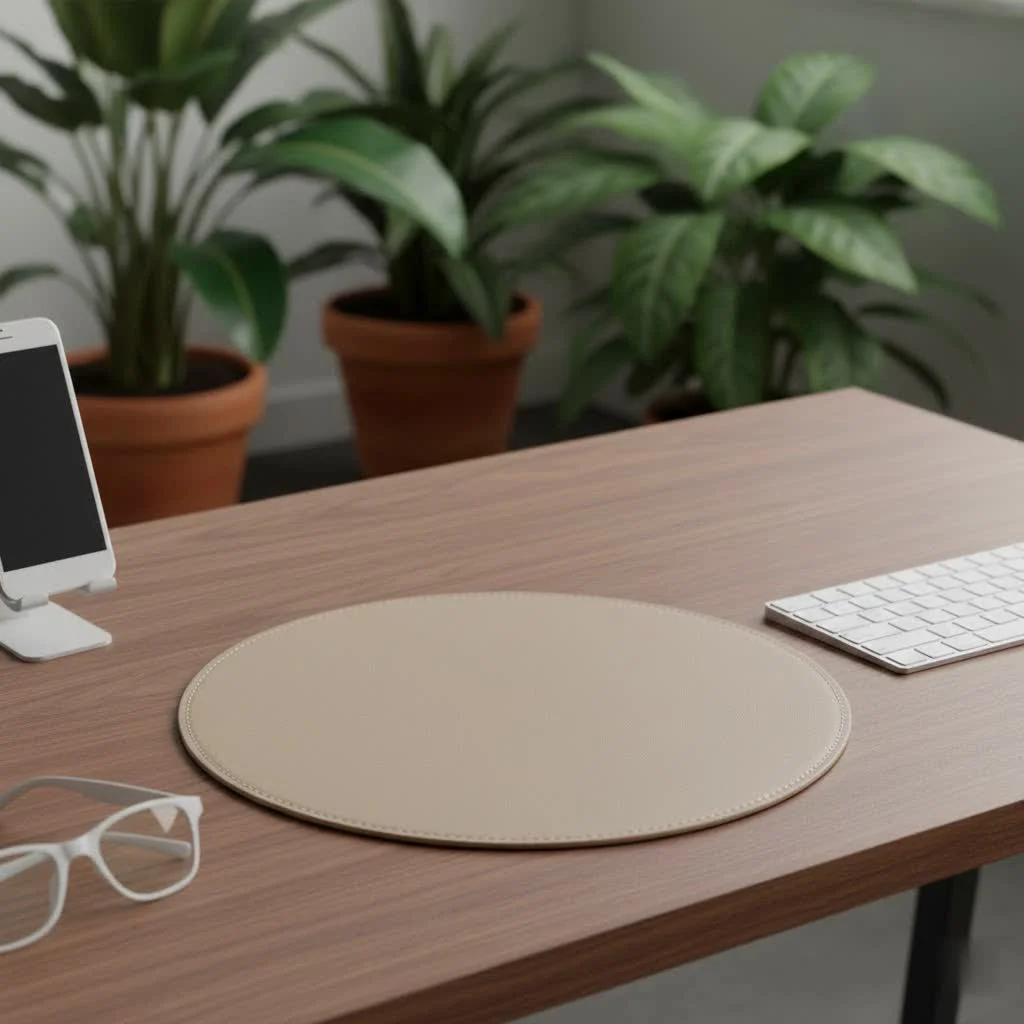
At Sdrav, we believe that an optimized workspace is a pathway to better performance and well-being. So, let’s dive into why an ergonomic mouse pad isn’t just a luxury, but a vital component for anyone spending significant time at their desk.
What Exactly is an Ergo Mouse Pad?
Forget those flimsy, basic mats you might remember from years ago. An ergo mouse pad is specifically engineered to support your hand, wrist, and forearm in a neutral, relaxed position. Its defining feature is almost always an elevated, cushioned support designed to prevent your wrist from bending at an awkward angle, which is a common culprit for discomfort and injury. Think of it as a custom-fitted pillow for your hand, ensuring every movement is as natural as possible.
These specialized pads often boast micro-textured tracking surfaces for smooth cursor movement and robust non-slip bases that keep them firmly anchored, even during intense work or gaming sessions. They’re built for stability and support, a far cry from a simple flat surface.
Why Your Wrist Needs This Upgrade: The Benefits of an Ergonomic Mouse Pad
You might be wondering if a “fancy mouse pad” is truly necessary. The answer, from years of observing how people interact with their tech, is a resounding yes. The benefits extend far beyond mere comfort.
Preventing Repetitive Strain Injuries (RSI)
The most compelling reason to embrace an ergo mouse pad is its power to prevent Repetitive Strain Injuries (RSI) like Carpal Tunnel Syndrome (CTS). Prolonged mouse use with an improperly supported wrist can compress the median nerve in your carpal tunnel, leading to numbness, tingling, pain, and weakness. An ergonomic design helps maintain a neutral wrist position, keeping that passageway open and reducing strain on tendons and ligaments. Research even indicates that maintaining this neutral position can reduce the risk of developing conditions like carpal tunnel syndrome by up to 50%.
Reducing Strain, Pain, and Discomfort
Ever ended a long day with an aching wrist or fatigued hand? That’s your body signaling potential injury risk. An ergo mouse pad combats this by providing cushioned support, reducing the constant muscle activation needed to hold your wrist in an uncomfortable position. This intermittent relief allows micro-rest periods even during active use, extending comfortable working time significantly. It alleviates pressure points and prevents your wrist from rubbing against hard desk edges, leading to a much more comfortable experience.
Promoting Optimal Hand and Arm Posture
|
Our Picks for the Best Mouse Pad in 2026
As an Amazon Associate I earn from qualifying purchases.
|
||
| Num | Product | Action |
|---|---|---|
| 1 | MROCO Ergonomic Mouse Pad with Gel Wrist Rest, Comfortable Mousepad with Smooth Wrist Support Surface and Non-Slip PU Base for Pain Relief, Computer, Laptop, Office & Home, 9.4 x 8.1 in, Blue Marble |

|
| 2 | MROCO Ergonomic Mouse Pad with Gel Wrist Rest, Smooth Wrist Support Surface, Non-Slip PU Base for Pain Relief, Comfortable Mousepad for Computer, Laptop, Office & Home, 9.4 x 8.1 in, Black |
|
| 3 | MROCO Ergonomic Mouse Pad with Gel Wrist Rest, Comfortable Mousepad with Smooth Wrist Support Surface and Non-Slip PU Base for Pain Relief, Computer, Laptop, Office & Home, 9.4 x 8.1 in, Black Flower |
|
| 4 | KTRIO Large Gaming Mouse Pad with Stitched Edges, Extended Mousepad with Superior Micro-Weave Cloth, Non-Slip Base, Water Resist Keyboard Pad for Gamer, Office & Home, 31.5x15.7in, Black Topographic |
|
| 5 | KTRIO Excel Shortcuts Mousepad with Superior Micro-Weave Cloth, Extended Mousepad with Stitched Edges, Non-Slip Base, Water Resist Keyboard Pad for Gamer, Office & Home, Excel Shortcuts |
|
| 6 | MROCO Ergonomic Mouse Pad with Gel Wrist Rest, Comfortable Mousepad with Smooth Wrist Support Surface and Non-Slip PU Base for Pain Relief, Computer, Laptop, Office & Home, 9.4 x 8.1 in, Blue Waves |
|
| 7 | MROCO Ergonomic Mouse Pad with Gel Wrist Rest, Comfortable Mousepad with Smooth Wrist Support Surface and Non-Slip PU Base for Pain Relief, Computer, Laptop, Office & Home, 9.4 x 8.1 in, Black Gold |
|
| 8 | MROCO Ergonomic Mouse Pad with Gel Wrist Rest, Comfortable Mousepad with Smooth Wrist Support Surface and Non-Slip PU Base for Pain Relief, Computer, Laptop, Office & Home, 9.4 x 8.1 in, Cloud Forest |
|
| 9 | KTRIO Large Gaming Mouse Pad Desk Mat, Superior Micro-Weave Cloth for Precise Mouse Control, Non-Slip Rubber Base, Stitched Edges, Water-Resistant, for Gamer, Office & Home, 31.5\" x 11.8\" inches |
|
| 10 | KTRIO Large Gaming Mouse Pad with Stitched Edges, Extended Mousepad with Superior Micro-Weave Cloth, Non-Slip Base, Water Resist Keyboard Pad for Gamer, Office & Home, 31.5x15.7in, Black Gold |
|
Beyond the wrist, these pads influence your entire hand and arm posture. The elevated support encourages a more relaxed grip on your mouse, reducing the tendency to clutch tightly. This relaxed posture extends up through your forearm and shoulder, creating a cascade of ergonomic benefits throughout your upper body. It helps your muscles operate at their most efficient, promoting what ergonomists call the “neutral zone.”
Enhancing Precision and Productivity
While comfort is paramount, an ergonomic mouse pad can also boost your performance. A smooth, consistent tracking surface ensures accurate mouse movements, which is crucial for precision tasks like graphic design or competitive gaming. When your hand and wrist are comfortable and supported, you experience less fatigue, allowing for longer periods of focused work and improved productivity.
The Science of Support: Understanding Wrist Rests
Here’s a crucial point we emphasize at Sdrav: many people mistakenly rest their wrist directly on the support. However, an effective ergonomic mouse pad is designed to support the base of your palm, not the delicate underside of your wrist. Resting your actual wrist on a firm surface can inadvertently compress nerves and blood vessels, potentially exacerbating the very issues you’re trying to prevent.
“A good ergonomic mouse pad should support the natural curve of your hand and elevate the base of your palm, allowing your wrist to remain in a straight line with your forearm,” explains Dr. Anya Sharma, a leading expert in occupational therapy and ergonomic product design. “The goal is to prevent extreme flexion or extension of the wrist, reducing pressure on the carpal tunnel.”
The wrist rest component primarily acts as a cushion during pauses, letting your muscles relax between movements. When actively mousing, your forearm should guide the movement, with your hand floating slightly above or gently resting on the palm support, ensuring freedom of movement without putting pressure on critical nerve pathways.
Choosing Your Perfect Ergo Mouse Pad: A Designer’s Insight
With so many options available, how do you pick the right ergo mouse pad? As a designer, I consider several key factors to ensure a perfect match for your needs.
1. Material Matters: What’s Under Your Hand?
The core of an ergonomic mouse pad’s comfort lies in its material:
- Gel: Known for being cool to the touch and offering a squishy, plush feel. Gel mouse pads distribute pressure evenly, making them excellent for alleviating discomfort.
- Memory Foam: This material conforms to the shape of your wrist and palm, providing personalized, consistent support. It tends to warm up with use, offering a cozy, cradling sensation.
- Cloth: Often used for the tracking surface, cloth pads are soft and provide smooth glide. When paired with a gel or memory foam base, they offer good cushioning.
- Silicone: Durable, easy to clean, and naturally non-slip, silicone can be a great option for a sturdy, long-lasting pad.
- Leather: For those who appreciate a touch of elegance, leather mouse pads offer a smooth surface and are easy to maintain, though typically less cushioned than gel or foam.
Choose a material that feels right for you and offers the balance of support and cushioning you need.
2. Size and Shape: Finding Your Fit
Ergonomic mouse pads come in various sizes and shapes, each catering to different preferences and workspace needs:
- Rectangular: These provide ample space for both mouse movement and wrist support, accommodating a wide range of hand sizes.
- Contoured: Designed to fit the natural curve of your hand, these shapes offer targeted support and can feel incredibly natural.
- Extended (Desk Mats): If you crave a unified look and want space for both your mouse and keyboard, an extended pad offers vast surface area, reducing strain across your entire setup.
- Compact: For laptop users or those with limited desk space, smaller pads offer ergonomic benefits without overcrowding your workstation.
Consider your available desk real estate and how much room you need for fluid mouse movements. You might need a larger surface for gaming or graphic design, while a smaller, portable one suits a dynamic laptop setup.
3. The Wrist Rest Design: Support, Not Pressure
The integrated wrist rest is the hallmark of an ergo mouse pad. Look for:
- Height: Ideally, the wrist rest should be approximately 1.5 inches tall to encourage a healthy wrist angle, especially when sitting. It should elevate the base of your palm, allowing your hand to fall into a natural, healthy position.
- Sturdiness: The palm rest needs to be stable and connected securely to the pad. A wobbly or shifting rest defeats the purpose.
- Material: As discussed, gel and memory foam are top contenders for comfortable and supportive wrist rests.
Remember, the goal is gentle support that guides your hand into a neutral posture, not a rigid block that creates new pressure points.
4. Surface Texture and Base Stability
- Smooth Tracking Surface: A low-friction surface allows your mouse to glide effortlessly, reducing the tension in your hand and forearm. Modern pads are optimized for both optical and laser mice.
- Non-Slip Base: This is non-negotiable. An anti-skid rubber or silicone base ensures your mouse pad stays exactly where you put it, preventing frustrating slips and maintaining consistent wrist positioning.
5. Extra Features: The Icing on the Cake
Some ergo mouse pads go the extra mile with convenient features:
- Wireless Charging: Built-in charging pads can power up your compatible devices, like smartphones or wireless mice, simply by placing them on the pad.
- USB Hubs: Integrated USB ports offer easy access for connecting peripherals.
- Waterproof Surfaces: These are a godsend for easy cleaning and protecting your pad from accidental spills.
- Antimicrobial Properties: For hygiene-conscious users, some materials offer resistance to bacteria.
Beyond the Pad: Crafting Your Ergonomic Sanctuary
An ergo mouse pad is a fantastic step, but it’s part of a larger ergonomic ecosystem. For truly optimal comfort and health, consider your entire workspace:
- Ergonomic Mouse: Pair your supportive pad with a mouse designed for comfort. Look for features like adjustable sensitivity, vertical designs, or shapes that naturally fit your hand, reducing stress further.
- Keyboard Positioning: Your keyboard should be at a height that allows your elbows to rest at a comfortable 90-degree angle. An ergonomic keyboard with a wrist rest can complement your mouse pad, ensuring consistent support.
- Monitor Placement: Position your monitor at eye level, approximately an arm’s length away. This reduces neck and eye strain, completing your ergonomic setup.
Common Questions About Ergo Mouse Pads
Q1: Can an ergo mouse pad truly prevent Carpal Tunnel Syndrome?
A: While no single product can offer a 100% guarantee, an ergonomic mouse pad significantly reduces risk factors for Carpal Tunnel Syndrome by promoting a neutral wrist position and reducing pressure on the median nerve. Combining it with proper posture and an ergonomic workspace provides the best prevention.
Q2: Is gel or memory foam better for wrist support?
A: Both are excellent choices! Gel tends to be cooler and squishier, distributing pressure evenly. Memory foam conforms to your hand’s shape, offering personalized, consistent support. It often comes down to personal preference for feel and temperature.
Q3: How often should I replace my ergonomic mouse pad?
A: This depends on usage and material. Look for signs of wear and tear, such as flattened wrist rests, degraded tracking surface, or a non-slip base that no longer grips. Generally, a good quality pad should last a few years with regular use.
Q4: My mouse pad slips. What can I do?
A: Ensure your desk surface is clean and dry. Most ergonomic mouse pads have non-slip rubber or silicone bases designed for grip. If it’s still slipping, the base might be worn, or your desk surface might be unusually smooth. Consider a desk mat that covers a larger area for more stability.
Q5: Should my wrist always be on the wrist rest?
A: No, not always! The wrist rest is primarily there to support the base of your palm and to provide a resting spot when you’re not actively moving the mouse. During active mousing, aim for your forearm to guide the movement, keeping your wrist in a neutral, slightly elevated position, rather than rigidly planted on the rest.
Your Journey to Comfort Starts Here
The digital world demands a lot from our bodies, and neglecting proper ergonomics can lead to long-term discomfort and serious conditions. An ergo mouse pad isn’t just another accessory; it’s an investment in your health, comfort, and productivity. By choosing the right one, you’re not just buying a piece of equipment; you’re adopting a better way to work and play.
At Sdrav, we’re passionate about helping you find that perfect balance. So, go ahead, explore the possibilities, and experience the profound difference a well-designed ergo mouse pad can make. Your wrists will thank you!
Get our weekly buyer guide
Practical specs, not advice. Unsubscribe anytime.
